Are you staring at a laboratory bill from DLO and wondering how to pay it? You’re not alone! Many people get confused when they receive a bill from Diagnostic Laboratory of Oklahoma (DLO) because they might not even remember visiting a DLO facility Don’t worry – I’ve got you covered with everything you need to know about DLO bill payment options
Why Did I Get a Bill from DLO?
Before diving into payment methods, let’s clear up why you might have received a bill in the first place. You probably got a bill from DLO or Quest Diagnostics for one of these reasons
- Your doctor sent your specimen to DLO for testing (even if you never visited a DLO location)
- Your insurance information wasn’t provided or was incorrect
- Your insurance denied the claim
- The balance was applied to your co-pay or deductible
- Your insurance carrier didn’t respond to the claim
This bill is only for laboratory testing fees and is separate from any bill you received from your doctor.
Ways to Pay Your DLO Bill
DLO offers several convenient ways to pay your bill. Let’s go through each option:
1. Online Payment
The fastest and most convenient way to pay your DLO bill is online. Through DLO’s affiliation with Quest Diagnostics, they offer a simple online bill pay service.
Here’s how to do it:
- Have your bill/invoice handy
- Visit the DLO website (www.dlolab.com/patients/patient-bill-pay)
- Click on the link to pay online
- You’ll be redirected to the Quest Diagnostic online payment portal
- Enter the required information (bill number, patient’s date of birth, and zip code)
The great thing about this portal is that you can pay BOTH Quest AND DLO lab invoices in the same place!
2. By Mail
If you prefer traditional mail, you can:
- Send your payment to the “Send Payments To” address listed on your bill
- Include the Payment Coupon(s) attached to your bill
- Write your bill number(s) on your check or money order
This ensures proper credit is applied to your account.
3. By Phone
Don’t have time to mail a check or go online? No problem! Call 1.888.241.7742 and follow these prompts:
- Press option 1 for English or 2 for Spanish
- Then press option 5
A billing specialist will help you process your payment over the phone.
Updating Your Insurance Information
If you need to update your insurance information, you have two options:
Online:
- Visit www.dlolab.com/patients/patient-bill-pay
- Click on the link to update insurance
- You’ll need your bill number, patient’s date of birth, and zip code
By Phone:
Call 1.888.241.7742 (option 1 for English/2 for Spanish, then option 5)
Frequently Asked Billing Questions
What is Easy Pay™?
Easy Pay™ is a convenient program provided by Quest Diagnostics that works with health savings cards, major credit cards, and debit cards. Here’s how it works:
- You provide your card during your DLO visit
- You authorize a specific amount
- Your card is only charged if there’s a remaining balance after your insurance company is billed
- If insurance pays for your lab testing in full, your card won’t be charged at all
For more information about Easy Pay™, call 1.866.MYQUEST (1.866.597.8378), select option 2 (for patients), followed by another 2 (for billing).
Why am I being charged a draw fee?
A draw fee is charged when you visit one of DLO’s Patient Service Centers for the drawing of a sample. While insurance may cover this fee, patients whose insurance doesn’t cover it and uninsured patients are responsible for payment.
Why am I being charged for additional tests I didn’t know about?
There are two main reasons:
- Your doctor may have called the lab to request additional testing after submitting the original order
- Your doctor ordered a “reflex” test, which automatically triggers additional testing depending on the results of the original test
Does DLO offer financial assistance?
Yes! DLO is committed to making lab services accessible to everyone. Through their partnership with Quest Diagnostics, they offer:
- Payment Plans: Allow patients to pay in monthly installments
- Financial Assistance Program: Provides free or reduced-fee lab services based on federal guidelines for household income
To learn more about these programs, contact the Billing Department at 1.888.241.7742 after receiving your bill. You’ll need to provide:
- Your insurance information (if applicable)
- Your annual gross household income
- Number of members living in your household
- Any hardships to consider
DLO also offers an Upfront Payment Program for those who want to know costs before testing.
Can I access my DLO bill through MyQuest?
Yes! If you have a MyQuest account, logging in will get you to your bill the fastest since you won’t need to enter additional verification information.
Who is Quest Diagnostics?
You might notice references to Quest Diagnostics when dealing with your DLO bill. That’s because DLO is affiliated with Quest Diagnostics, the world’s leading provider of diagnostic testing, information, and services. Quest offers:
- Broad access to diagnostic testing services through its network of laboratories and patient service centers
- Interpretive consultation through its medical and scientific staff
- Innovative new diagnostic tests and advanced healthcare information technology solutions
Additional Billing Support
If you’re still confused about your DLO bill or need additional help, you can:
- Call 1.888.241.7742 (option 1 for English/2 for Spanish, then option 5)
- Contact Customer Service through the DLO website
- Visit the “Send Payments To” address on your bill in person
Did You Know? DLO Laboratory Credentials
It might give you peace of mind to know that DLO is a highly credentialed laboratory. Their Oklahoma City location holds these important certifications:
- CAP (College of American Pathologists) certification valid until February 28, 2027 (License #7089301)
- CLIA (Clinical Laboratory Improvement Amendments) certification valid until October 29, 2026 (License #37D0960030)
Interestingly, state laboratory licensure isn’t required in Oklahoma, but DLO maintains these important national certifications anyway!
Tips for Smooth DLO Bill Payment
After helping many friends navigate their laboratory bills, I’ve put together some tips that might make your experience easier:
- Keep your bills organized – Lab bills can look similar to other medical bills, so keep them separate
- Check your EOB (Explanation of Benefits) from your insurance first to understand why you received a bill
- Act quickly – Addressing billing questions early can prevent collections issues
- Have your bill handy when calling or going online – You’ll need specific information from it
- Consider setting up a MyQuest account for easier bill management in the future
Final Thoughts
Dealing with medical bills isn’t anyone’s idea of fun, but DLO has made the process as painless as possible with multiple payment options. Whether you prefer the convenience of online payments, the traditional approach of mailing a check, or speaking with a representative by phone, there’s an option that will work for you.
If you’re facing financial hardship, don’t hesitate to ask about DLO’s assistance programs. They’re committed to making laboratory services accessible to everyone regardless of financial circumstances.
Remember, staying proactive about your healthcare bills not only keeps your finances in order but also ensures continued access to important diagnostic services when you need them.
Have you used DLO’s online bill pay system? What was your experience like? I’d love to hear your thoughts in the comments below!
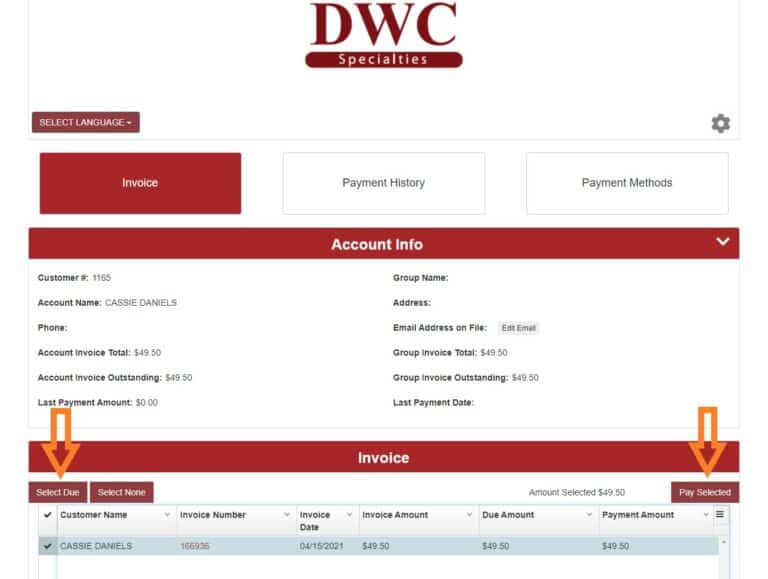
Ways to Pay Your Bill
- Online (This link will take you to a Quest Diagnostic online payment portal where you can pay both Quest AND DLO lab invoices)
- By mail
- By phone at 1.888.241.7742 (option 1 for English/2 for Spanish, then option 5)
- To pay a DLO or Quest bill and/or update your insurance, click here. *Note: You will need the bill number, patients date of birth, and the patients zip code.
By clicking the links to pay your bill or update your insurance, you will be redirected to the Quest Billing website. This website uses cookies for improvement of quality and user experience. By continuing to this site, you confirm your awareness and acceptance of our use of cookies. For more information or to opt out of the use of cookies, see Quests Cookies Notice.
Do you have a question regarding a DLO bill or invoice? Call 1-888-241-7742 (option 1 for English/2 for Spanish, then option 5) and speak to a billing specialist today. You may also email the billing department by clicking the button below:
