Hey there, fellow Trojans! If you’re scratching your head about USC bill pay options, you’re definitely not alone. As someone who’s been through the USC billing maze, I wanted to create this ultimate guide to help you navigate the sometimes confusing world of paying your university bills.
The Two Main USC Bill Pay Systems You Need to Know
Let’s get right to the point – USC has two primary billing systems that might be relevant to you
- USCe.pay – For tuition, housing, and standard student charges
- Keck Medicine Bill Pay – For USC medical bills if you’ve received healthcare at Keck
I remember my first semester feeling totally lost when I got multiple bills from different USC departments. Super confusing! Let’s break down each system so you can handle your payments like a pro.
USCe.pay: Your Main USC Bill Payment Portal
USCepay is the primary system for most USC students Here’s what you need to know
Who Can Access USCe.pay?
There are two types of users who can access the system
- Students – That’s you! You’ll log in through myUSC
- Guest Users – Parents or others who you’ve authorized to view/pay your bills
How to Log In to USCe.pay as a Student
- Go to myUSC
- Look for USCe.pay under the “my Services” menu
- Click to access your account
What You Can Do in USCe.pay
Once you’re logged in, you can:
- Check your current account balance
- Confirm upcoming payment due dates
- Review billing statements and recent account activity
- Create payment profiles for recurring payments (ACH)
- Set up various payment methods (web checks, wire transfers)
- Enroll in a payment plan (lifesaver during expensive semesters!)
- Sign up for direct deposit for any refunds
- Set up guest users to give parents/others access
- Update your Title IV authorization preferences
Setting Up Guest Access for Parents
This was something I wish I’d known earlier! Only students can grant parents or others access to their accounts. USC offers two types of guest access:
-
OASIS Guest Access
- Allows access to financial info, courses AND grades
- To set up: Log into myUSC → choose OASIS → add guest under “Other Services Menu”
-
USCe.pay Guest Access
- Allows access to financial information ONLY
- To set up: Go to My Account page in USCe.pay → click “Send a payer invitation” under Payers
Payment Options at USC
USC offers several ways to pay your bills:
- Pay Online – The most convenient method through USCe.pay
- Wire Transfer – Good for international payments
- Payment Plans – Spread costs over multiple payments
- 529 Plans – Use your college savings plan
- Prepayment – Pay in advance
- Employer Reimbursement – If your employer covers education costs
- Pay in Person – If you prefer handling transactions face-to-face
- Pay by Mail – Old school but still works!
Keck Medicine Bill Pay: For USC Health Services
If you’ve received medical care through USC’s Keck Medicine, you’ll need to use their separate billing system at https://pay.keckmedicine.org/.
How to View and Pay Your Keck Medicine Bill
- Visit https://pay.keckmedicine.org/
- You’ll need:
- Your 12-digit Bill ID (found at the top of your paper bill)
- Your date of birth (MM/DD/YYYY)
- Enter these details and click “View bill”
Don’t have your Bill ID? No worries! You can click “Find your account” to locate your billing information.
The Keck system is pretty straightforward but separate from your regular USC tuition system. I made the mistake of looking for my medical bill on USCe.pay for weeks before realizing they use different systems!
Common USC Billing Questions I’ve Encountered
When are USC bills due?
USC follows a monthly billing schedule. You can find the exact dates on the Student Financial Services website. Generally, tuition is due at the beginning of each semester, but the payment plan option lets you spread it out.
What happens if I have a past-due balance?
Past-due balances may result in:
- Registration holds
- Transcript holds
- Diploma holds
- Late fees
- Potential collections actions
How do I remove a hold on my account?
Most holds are removed automatically once you pay the outstanding balance. If the hold persists after payment, contact Student Financial Services.
Can I use multiple payment methods for one bill?
Yes! You can split payments between different methods in USCe.pay. This is super helpful when you’re piecing together funds from different sources (been there!).
Tips From My Personal Experience with USC Bill Pay
-
Set calendar reminders for payment due dates. USC doesn’t always send timely reminders!
-
Check your account regularly, not just when you think a bill is due. Sometimes random charges appear mid-semester.
-
Save confirmation numbers for all online payments. One time, my payment didn’t process correctly, and having the confirmation number saved me hours of hassle.
-
Consider the payment plan option if paying the full tuition upfront is difficult. There’s a small fee, but it’s worth the flexibility.
-
Double-check which system you need. I once spent 30 minutes trying to pay a Keck Medicine bill through USCe.pay before realizing my mistake.
Understanding Your USC Bill
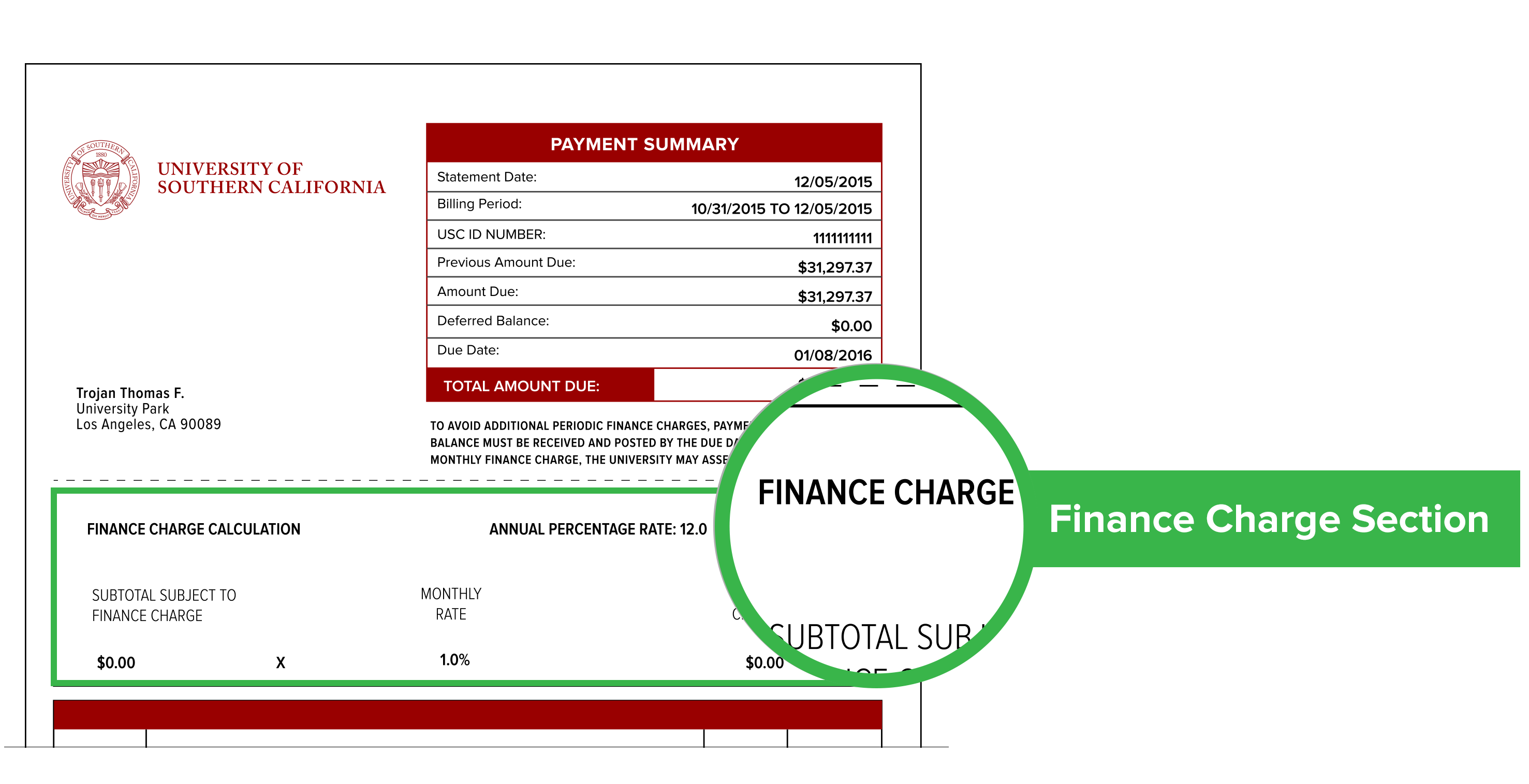
Your USC bill might include various fees beyond just tuition:
- Tuition (varies by program and unit load)
- Student health insurance
- Student programming fee
- Student services fee
- Housing charges (if applicable)
- Meal plan charges (if applicable)
- Course-specific fees
- Technology fees
I remember being shocked by all the extra fees on my first bill! The total was way more than just the advertised tuition.
Getting Help with USC Bill Pay
If you’re still confused or encountering issues (and trust me, it happens to everyone), here are your resources:
-
Student Financial Services
- Phone: Contact information available on the SFS website
- Email: Through the contact form on their website
- In-person: Visit their office on campus
-
For Keck Medicine Bills
- Phone: (855) 532-5729
- Online: Click “Get Help” on the payment portal
USC Bill Pay for International Students
As an international student, you have some additional considerations:
- Wire transfers may be the most practical option
- Be aware of currency conversion fees from your bank
- Allow extra time for international payments to process
- Consider services like Flywire that specialize in international tuition payments
Final Thoughts on Managing Your USC Bill Pay
Staying on top of your USC bills isn’t the most exciting part of college life, but it’s definitely one of the most important. I’ve learned that checking your account regularly and understanding all your payment options makes the whole process much less stressful.
Remember that USCe.pay is your main hub for most university charges, while Keck Medicine has its own separate system at pay.keckmedicine.org. Bookmark both sites if you need them!
And don’t be shy about reaching out for help if something seems confusing or incorrect on your bill. The staff at Student Financial Services deals with these questions all day and can usually sort out issues pretty quickly.
Fight on!
Pay your medical bills online easily and securely If you’ve received a paper bill, you can quickly log in by using the 12-digit

