Are you struggling to pay your UCLA Health bill? Don’t worry – you’re not alone! As someone who’s navigated the UCLA Health billing system multiple times, I wanted to create this comprehensive guide to help others who might be facing the same challenges I once did.
UCLA Health offers several convenient options for paying your medical bills and I’ll walk you through all of them in this article. Whether you prefer to pay online by phone, or through mail, I’ve got you covered with all the details you’ll need.
What is myUCLAhealth?
Before diving into the specifics of bill payment, let’s talk about myUCLAhealth This is UCLA Health’s patient portal that gives you 24/7 access to your health information and services – including bill payment!
myUCLAhealth is powered by MyChart® (licensed from Epic Systems Corporation) and offers a secure way to manage your healthcare needs. One of its key features is the ability to view and pay your medical bills online
Online Bill Payment Options
Pay as Guest
The fastest way to pay your UCLA Health bill is through their “Pay as Guest” feature. You don’t need an account to use this service! Here’s how it works:
- Visit the UCLA Health bill pay page: https://my.uclahealth.org/MyChart/Billing/GuestPay
- Enter your guarantor account number or visit account number (found on your statement)
- Follow the prompts to complete your payment
Note: You’ll need to have JavaScript enabled in your browser for the site to function properly.
Using myUCLAhealth Account
If you prefer a more integrated experience, you can sign in to your myUCLAhealth account to pay your bill. This method offers additional benefits:
- Save your credit card or bank account information for future payments
- View detailed billing information
- Set up payment plans
- Review your payment history
Don’t have an account yet? No problemo! You can sign up directly through the bill pay page by clicking the “Sign up now” button.
Understanding Your Bill
Medical bills can be confusing, and UCLA Health knows this. That’s why they provide helpful information on their bill pay page to help you understand your charges.
What is a Guarantor?
According to the UCLA Health site, “The guarantor is the person responsible for paying the bill. You can find the guarantor name and account number on your statement.”
In simpler terms, this is the person who will be receiving the bill and is financially responsible for it. Often, this is the patient themselves, but it could also be a parent, spouse, or other individual.
What is a Visit Account?
The UCLA Health site explains: “A visit account is how your charges are grouped together to bill insurance, and usually represents your billing activity for a single visit. You may have multiple visit accounts, each with their own balance.”
Basically, every time you visit UCLA Health, they create a separate account to track charges for that specific visit. This helps both you and your insurance company understand what services were provided when.
Security Features
UCLA Health takes your security seriously. Their bill pay page mentions that “Two-factor authentication is live. You’ll be prompted to verify your identity with an additional security step when logging in.”
This extra layer of protection helps ensure that only you have access to your sensitive health and billing information. When you log in, you’ll be asked to verify your identity through a code sent to your email or phone.
The system will also prompt you to “log in to verify the email address and/or phone number we have on file for you.” Keeping this information up-to-date ensures you receive important communications about your bills and healthcare.
Alternative Payment Options
While online payment is the most convenient method, I understand that not everyone prefers to pay their bills electronically. Here are some alternative ways to pay your UCLA Health bill:
By Phone
You can pay your bill over the phone by calling UCLA Health’s customer service. Have your statement handy with your account information when you call.
By Mail
If you prefer to send a check or money order, you can mail your payment to UCLA Health’s billing department. Be sure to include your account number on your check to ensure proper crediting to your account.
Tips for Managing Your UCLA Health Bills
From my personal experience, here are some tips that might help you navigate the UCLA Health billing system more effectively:
Keep Your Statements Organized
I always keep all my UCLA Health statements in a dedicated folder. This makes it easier to track payments and resolve any discrepancies that might arise.
Review Bills Carefully
Before paying, review your bill to ensure all charges are accurate. If you spot any discrepancies or have questions, contact UCLA Health’s billing department for clarification.
Consider Setting Up Payment Plans
If you’re facing a large medical bill, don’t panic! UCLA Health offers payment plans that can make your financial obligation more manageable. You’ll need to sign in to your myUCLAhealth account to explore this option.
Check Your Insurance Coverage
Sometimes, charges appear on your bill because your insurance hasn’t processed the claim yet. It’s worth checking with your insurance provider before making a payment if something doesn’t look right.
Common Issues and Solutions
“Please enable JavaScript in your browser”
If you see this message when trying to access the bill pay page, you’ll need to enable JavaScript in your browser settings. This is a simple process that varies slightly depending on which browser you’re using.
Payment Not Processing
If you’re having trouble processing your payment, try the following:
- Check your internet connection
- Verify your credit card information
- Try using a different payment method
- Clear your browser cache and cookies
- Use a different browser
Can’t Find Your Account Number
Your guarantor account number and visit account number should be clearly displayed on your statement. If you can’t locate this information, call UCLA Health’s customer service for assistance.
The Benefits of Using myUCLAhealth for Bill Pay
I’ve been using myUCLAhealth for several years now, and I gotta say, it has made managing my healthcare so much easier! Here are some benefits I’ve experienced:
- Convenience: Pay bills anytime, anywhere
- Organization: All your billing information is in one place
- History tracking: Easy access to payment history
- Paperless option: Reduce clutter and help the environment
- Secure transactions: Protected payment processing
Language Accessibility
UCLA Health understands that their patients come from diverse backgrounds. That’s why their bill pay page offers language options, including Spanish. You can easily switch to Spanish by clicking “Ver en español” or “Esp” on the page.
Future Developments
UCLA Health continually updates their patient portal to improve user experience. As of my last update in 2025, they’ve implemented two-factor authentication and enhanced their payment options. Keep an eye on their website for any future improvements!
Paying your UCLA Health bill doesn’t have to be complicated. With multiple payment options available, you can choose the method that works best for you.
Remember, if you ever have questions about your bill or payment process, UCLA Health’s customer service team is ready to assist you. And don’t forget, signing up for myUCLAhealth gives you the most comprehensive access to your billing information and payment options.
FAQ About UCLA Health Bill Pay
Can I pay someone else’s bill?
Yes! As long as you have the guarantor account number or visit account number, you can pay a bill on behalf of someone else using the “Pay as Guest” feature.
Is there a fee for paying online?
No, UCLA Health does not charge additional fees for online payments.
Can I set up automatic payments?
Yes, this feature is available when you sign in to your myUCLAhealth account.
What payment methods are accepted?
UCLA Health accepts most major credit cards and electronic checks through their online payment system.
How long does it take for my payment to post?
Online payments typically post to your account within 24-48 hours.
What if I overpay my bill?
If you overpay, UCLA Health will issue a refund for the excess amount.
Can I get an itemized bill?
Yes, you can request an itemized bill by contacting UCLA Health’s billing department or viewing it through your myUCLAhealth account.
Have you had experience with UCLA Health’s billing system? What worked well for you? I’d love to hear your thoughts and experiences in the comments below!
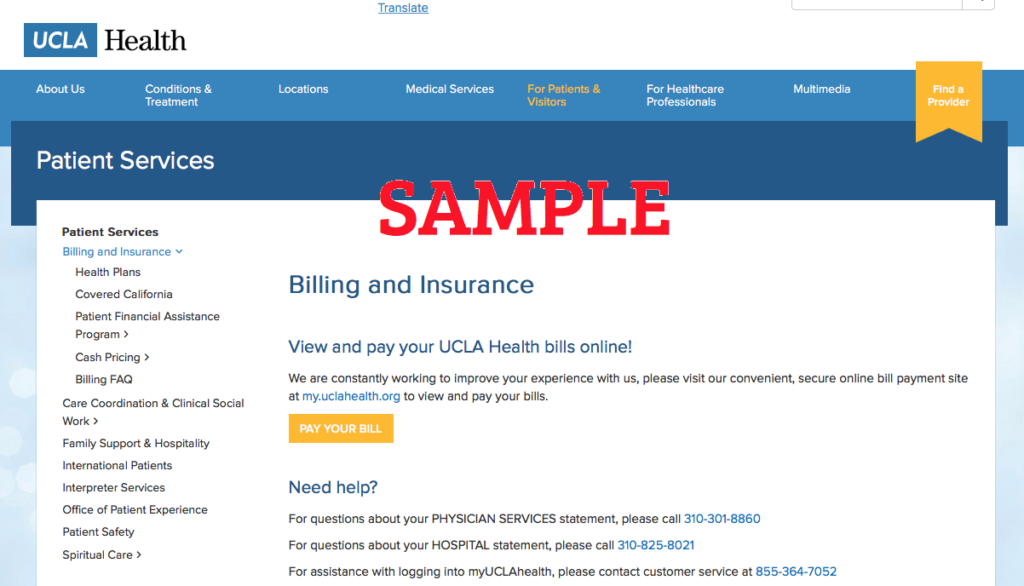
Medical Insurance, Billing Resources & Information
We work with a wide range of health insurance plans, ensuring you have access to care you can trust. In addition to Government health insurance programs (Medicare and Medi-Cal), our hospitals and doctors accept a variety of HMO, PPO and Medicare Advantage plans.
We make sure your medical bills are accurate and as clear as possible. We do that so you feel comfortable knowing what they contain. Please note that California doesn’t allow hospitals to employ doctors directly. Like other California hospitals, we send separate bills for hospital services and physician services. We’re also available to answer all your questions.
IMPORTANT: Effective Feb. 21, 2024, patients with myUCLAhealth accounts are enrolled in paperless billing, which means we will no longer send paper statements in the mail. When a new bill is available, you will receive a notice through the communication preference you selected in myUCLAhealth.
If you prefer paper statements, you can opt out of paperless billing at any time in myUCLAhealth under the Billing Summary section.
If you have any questions about paperless billing, you can reach our billing office Monday – Friday from 7 am to 7 pm at 310-301-8860.
