Hey there, fam! Ever been stuck at a restaurant, fumbling for your wallet, only to realize you left it at home? Or maybe you’re just tired of splitting the bill with friends using napkin math that never adds up Well, lemme tell ya somethin’—paying your restaurant bill with your phone is the slickest trick in town, and I’m here to spill all the deets It’s fast, it’s easy, and heck, it makes you look like a tech wizard. So, grab a seat, and let’s dive into how you can ditch the cash and cards for good.
Why Paying with Your Phone is a Total Win
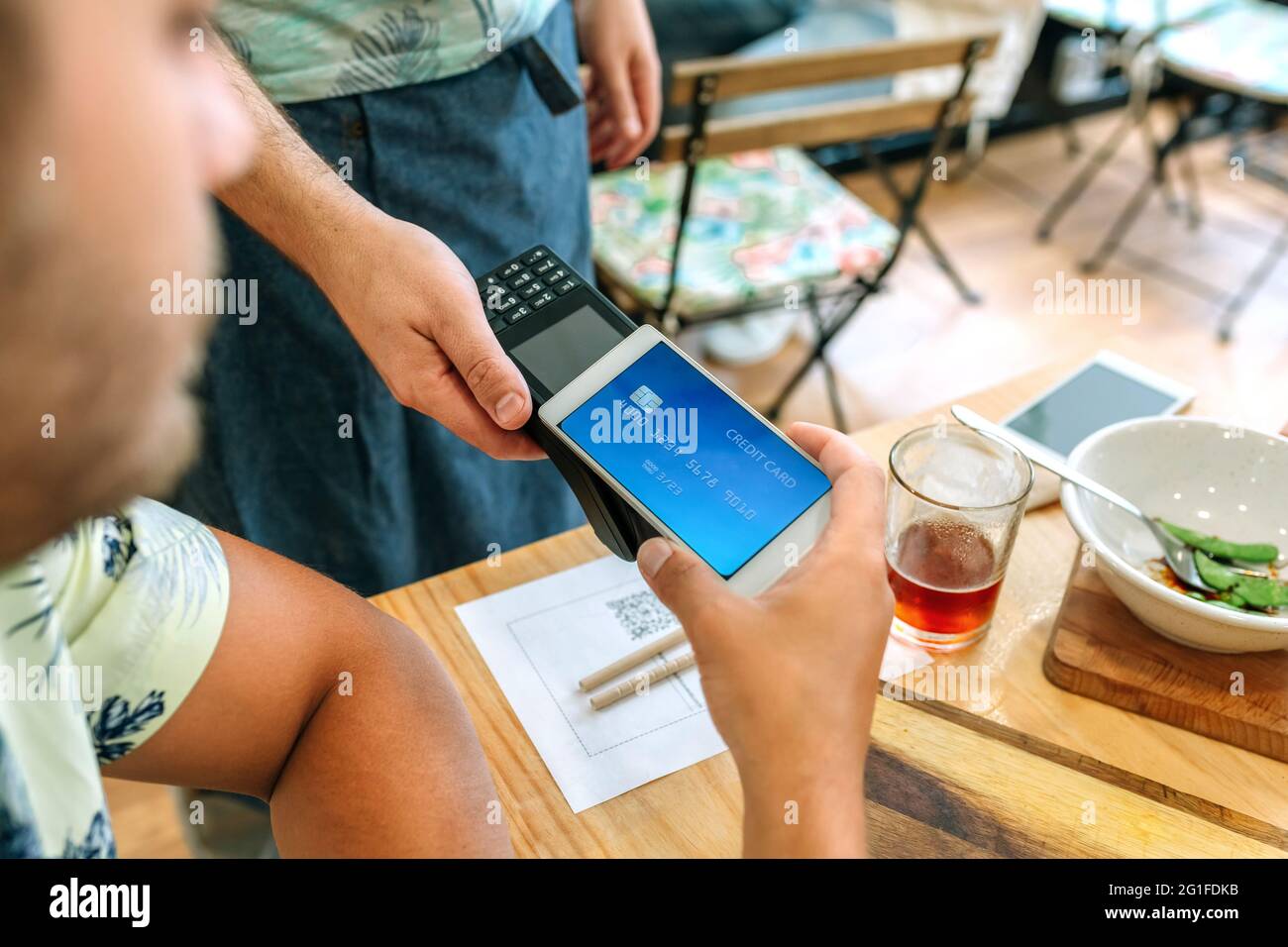
Picture this you’ve just had an epic meal, the waiter drops the bill, and instead of digging through your bag you just tap your phone on a lil’ machine and—bam!—you’re done. No swiping, no signing no stress. Paying with your phone ain’t just about looking cool (though it totally does); it’s about makin’ life smoother. Here’s why we’re obsessed with it
- Speedy Checkout: Tap and go. You’re outta there in seconds, no waiting for card machines to cooperate.
- No Wallet Needed: Forget carrying a bulky wallet. Your phone’s got your back—literally everything’s in one place.
- Split Bills Like a Pro: Some apps let you send money to pals instantly. No more “I owe ya” drama.
- Safer Vibes: Most of these setups encrypt your info, so your card deets ain’t floating around for anyone to snatch.
I remember the first time I paid with my phone at a diner. Felt like I was in a sci-fi movie, man! The server was just as shocked as me when it worked flawlessly. Now, I don’t leave home without makin’ sure my payment app is ready to roll.
How Does Paying a Restaurant Bill with Your Phone Even Work?
Alright let’s break this down real simple. Paying with your phone usually means using a mobile payment app or a digital wallet. These are like lil’ vaults on your device that store your card info securely. When it’s time to pay, you either tap your phone on a contactless reader at the restaurant or scan a code and the magic happens. Here’s the basic rundown of how it goes
- Get the Right App: Download a popular mobile payment app. There’s a bunch out there that let you link your credit or debit card.
- Set It Up: Add your card details to the app. Don’t worry, they usually lock this stuff up tighter than Fort Knox with encryption and all that jazz.
- Check for Contactless: At the restaurant, look for a lil’ symbol on the payment terminal that looks like sideways Wi-Fi bars. That means it’s ready for tap-to-pay.
- Tap or Scan: Unlock your phone, open the app (or just hold it near the reader if it’s set up right), and tap it on the machine. Sometimes, you might scan a QR code on the bill instead.
- Confirm and Done: You might gotta punch in a PIN or just watch the screen say “approved.” Grab your receipt, and you’re golden.
Some places even let ya pay through the app directly if they got their own system. You just punch in the table number or scan somethin’ on the menu, settle up, and roll out. Easy peasy, right?
Which Apps Should You Use to Pay at Restaurants?
Now, I ain’t gonna name-drop every app under the sun, but lemme tell ya, there’s a few big players that make paying with your phone a breeze. Most of ‘em work the same way—link your card, tap to pay, and keep your info safe. Here’s what to look for in a solid app:
- Contactless Payment: Make sure it supports tapping your phone at payment terminals. Most modern ones do.
- Wide Acceptance: Pick an app that lots of restaurants accept. Check with your fave spots if they’re cool with it.
- Bill Splitting Features: Some let you send cash to friends right in the app. Super handy for group dinners.
- Rewards or Cashback: A few of these bad boys give ya points or cashback on purchases. Who don’t love free money?
I’ve used a couple of these apps myself, and one time at a pizza joint, I even got a lil’ discount just for payin’ with my phone. Felt like I hacked the system! Do a quick search on your app store, read some reviews, and pick one that vibes with ya.
Step-by-Step: Setting Up Your Phone for Restaurant Payments
If you’re new to this whole “pay with phone” thang, don’t sweat it. I gotchu with a lil’ guide to get started. Let’s walk through setting up a typical mobile payment app on your device. (I’m keepin’ this general so it fits most apps out there.)
1. Download the App
Head to your phone’s app store, search for a mobile payment or digital wallet app, and hit download. It’s usually free, so no worries there.
2. Sign Up or Log In
Open the app and either create an account or log in if you’ve already got one. They might ask for your email or phone number to verify it’s you.
3. Add Your Payment Method
Go to the section where you can link a card. Snap a pic of your credit or debit card, or type in the numbers. The app will save it securely—most use some fancy encryption to keep hackers out.
4. Set Up Security
Pick a PIN, fingerprint, or face unlock to protect the app. You don’t want just anyone tappin’ your phone and spendin’ your cash, right?
5. Test It Out
Some apps let ya do a lil’ test to make sure your card’s linked right. If not, just head to a store or restaurant that takes contactless payments and give it a whirl.
Pro tip: keep your phone charged, ‘cause a dead battery means you’re stuck. I learned that the hard way once at a fancy brunch spot—had to beg a friend to cover me. Embarrassin’!
Where Can You Pay with Your Phone at Restaurants?
Good news, y’all—more and more eateries are jumpin’ on the mobile payment train. From fast-food joints to fancy steakhouses, tons of places now got the tech to let you tap and pay. Here’s how to spot if a restaurant is down with it:
- Look for Symbols: Check the payment terminal for that contactless symbol I mentioned—kinda looks like radio waves.
- Ask the Staff: If you ain’t sure, just ask your server, “Hey, do y’all take phone payments?” Most are happy to help.
- Check the Menu or Website: Some spots advertise it right on their menu or online if they got a custom app for payments.
I’ve paid with my phone at burger spots, coffee shops, and even food trucks. Heck, one time at a local diner, the owner showed me how to use their QR code system right on the bill. Felt like I was livin’ in the future!
Benefits of Paying Your Restaurant Bill with Your Phone
Let’s chat about why this is more than just a neat trick. Payin’ with your phone got some serious perks that’ll make you wonder why you ever carried a wallet. Check these out:
- Convenience Overload: No more diggin’ for cards or countin’ change. Your phone’s always on ya, so you’re always ready to pay.
- Faster Than Ever: Tap-to-pay is quicker than swipin’ a card or waitin’ for a server to run it. You’re in and out.
- Track Your Spendin’: Most apps keep a record of what you spent and where. Great for budgetin’ or just seein’ how much you dropped on tacos last month.
- Group Dining Made Easy: Split the bill instantly by sendin’ money to your crew through the app. No awkward IOUs.
I gotta say, the first time I split a bill with friends usin’ my phone, it was a game-changer. We were arguin’ over who owed what, and I just sent my share in two seconds. Everyone shut up real quick!
Is It Safe to Pay with Your Phone at Restaurants?
Now, I know what some of y’all are thinkin’—ain’t it risky to pay with a phone? What if someone steals my info? Fair question, and I had the same worry at first. But lemme ease your mind with how these things keep ya safe:
- Encrypted Transactions: Your card details ain’t sent as-is. They’re scrambled up so no one can read ‘em, even if they intercept the signal.
- Fraud Alerts: Many apps ping ya if somethin’ looks fishy, like a weird charge. You can lock it down fast.
- Privacy Options: You get to pick what info the app can use. They don’t just sell your data to randos.
- Device Security: Your phone’s got a PIN or fingerprint lock, so even if it’s stolen, they can’t just open your payment app.
I’ve been usin’ mobile payments for a while now, and I ain’t had a single issue. One time, I got a weird alert about a charge I didn’t make, and the app let me freeze everything in a snap. Felt good knowin’ I had that control.
What If Things Go Wrong?
Alright, let’s keep it real—tech can glitch sometimes. What do ya do if payin’ with your phone don’t work at the restaurant? Here’s a lil’ backup plan for when stuff hits the fan:
- Phone Dead?: Carry a spare card or some cash just in case. I keep a twenty tucked in my phone case for emergencies.
- No Signal?: Some apps work offline for tap-to-pay, but if not, ask the staff if they got another option.
- App Crashed?: Restart your phone or try a different payment app if you got more than one set up.
- Restaurant Don’t Accept It?: Not every spot is on board yet. Ask upfront or check for signs before you order.
I had a moment once where my app wouldn’t load at a cafe. Felt like a fool standin’ there, but the barista was chill and let me pay with cash. Lesson learned—always got a Plan B.
Tips to Make Payin’ with Your Phone Even Smoother
Wanna level up your mobile payment game? Here’s a few tricks I picked up along the way to make sure everything runs like butter:
- Keep Your App Updated: Old versions can glitch out. Hit that update button when ya see it.
- Double-Check Card Info: Make sure the card you linked ain’t expired. Nothin’ worse than a declined tap.
- Know Your Limits: Some apps got daily spendin’ caps. Check ‘em before a big dinner splurge.
- Charge Up: Like I said, dead phone equals dead payment. Bring a portable charger if you’re out all day.
I started carryin’ a lil’ power bank after that brunch disaster I mentioned. Ain’t makin’ that mistake twice!
Real-Life Stories: My Phone Payment Adventures
Lemme share a couple more moments where payin’ with my phone saved the day—or at least made me laugh. Last month, I was at this trendy ramen spot with a big group. Bill comes, and everyone’s tossin’ cards like it’s a poker game. I just whipped out my phone, tapped the reader, and sent my share to the group organizer through the app. They looked at me like I was a magician or somethin’!
Another time, I was on a date—tryin’ to impress, ya know—and I forgot my wallet at home. Thank goodness I had my phone set up for payments. Tapped to pay, no fuss, and my date was all like, “Wow, that’s so cool!” Total win, man.
Overcoming the “I Don’t Trust Tech” Mindset
I get it—some folks ain’t ready to ditch the old-school way of payin’. Maybe you’re worried about privacy, or you just like the feel of cash in hand. But lemme tell ya, once you try payin’ with your phone, it’s hard to go back. Start small—use it at a coffee shop for a $5 latte. See how quick and safe it feels. Pretty soon, you’ll be tappin’ everywhere like it’s second nature.
My pops was super against it at first. Kept sayin’, “What if they hack me?” I set up an app on his phone, walked him through one payment at a sandwich shop, and now he’s hooked. Keeps braggin’ to his buddies about bein’ “modern.”
The Future of Dining: Phone Payments Everywhere
Look, the way we pay for stuff is changin’ fast. More restaurants are gettin’ on board with mobile payments, and I bet in a few years, carryin’ a wallet will feel as outdated as a flip phone. Some places are even testin’ stuff like payin’ through QR codes on the table or apps tied to loyalty programs. It’s all about makin’ dinin’ out as smooth as possible.
I’ve seen lil’ mom-and-pop shops start acceptin’ phone payments lately, which blows my mind. If they can do it, the big chains got no excuse. We’re headin’ toward a cashless world, and I’m here for it.
Wrap-Up: Time to Ditch the Wallet and Pay with Your Phone!
So, there ya have it—everything you need to know about payin’ your restaurant bill with your phone. It’s quick, it’s safe, and it makes you feel like you’re livin’ in the future. Whether you’re tappin’ to pay at the terminal or splittin’ the bill with friends through an app, this lil’ trick is gonna change how you dine out. I’ve been doin’ it for a while now, and I ain’t goin’ back to the old ways.
Download a payment app today, set it up, and give it a shot next time you’re grabbin’ a bite. Trust me, once you tap that phone and see the “approved” message, you’ll be hooked. Got questions or a funny story about payin’ with your phone? Drop ‘em in the comments—I’d love to hear! Let’s keep this tech party rollin’!
Mellow Mushroom adds $136K in annual sales capacity per restaurant

Boost reviews on popular sites
Prompt paying guests to leave you more reviews on Google, Yelp, Tripsdvisor, and Facebook.


How iPhones are changing the way we pay restaurant bills
FAQ
How to pay a restaurant bill with a phone?
QR Code Payments: Customers scan a QR code provided by the restaurant using their mobile device. Scanning the code directs them to a secure payment page where they can settle the bill effortlessly. Restaurant Mobile Payment Apps: Some restaurants offer their own apps that handle ordering and payments.
Can I use my phone to pay for food?
To pay in stores using your phone, you’ll need to make sure Google Pay is downloaded and set up on your phone first. Get the Google Pay app on your Android phone. It only takes a few minutes to set up Google Pay on your phone. You’ll need your credit or debit card info handy to get the app set up.
Can I pay a bill with my phone?
Pay a bill
On your mobile device, open the Google Pay app . Tap Pay Bills. Type in the name of a biller. Make payment.
How to discreetly pay a restaurant bill?
If you prefer using cash, you can discreetly handle the bill by paying the waiter in advance. Upon arriving at the restaurant, find a moment to slip some cash to the waiter or hostess and let them know you’d like to cover the bill for your table.
