Hey there, folks! Tired of rummaging through drawers for stamps or rushing to the post office to mail off your utility bills? Lemme tell ya I’ve been there and it ain’t fun. That’s why I’m pumped to chat about somethin’ that’s changed the game for me and prolly will for you too—city utilities online bill pay. It’s like havin’ a personal assistant who handles all the boring payment stuff while you kick back with a coffee. In this post, we’re gonna break down what this online magic is, why it’s a total lifesaver, and how you can get started. So, grab a snack, and let’s dive in!
What’s City Utilities Online Bill Pay Anyway?
At its core, city utilities online bill pay is just a fancy way of sayin’ you can pay for stuff like water, electricity, or even parking tickets right from your phone or laptop. No more paper checks, no more late fees ‘cause you forgot to mail somethin’ Most cities now got websites or portals where you log in, see what you owe, and settle up with a few clicks. It’s like online shopping, but instead of buying a new gadget, you’re keepin’ the lights on
This ain’t just for one type of bill neither. We’re talkin’ a whole range of services that keep your life runnin’ smooth—think water and power, trash pickup, or even weird ones like brush clearance fees if you’re in a fire-prone area. Some places let you handle permits or licenses online too. It’s all about makin’ things easy for us regular folks who don’t got time to stand in line at city hall.
Why You Should Switch to Online Bill Pay Right Now
Before we get into the nitty-gritty of how to do it, let’s talk about why you’d wanna ditch the old-school way Trust me, once you go digital, you ain’t goin’ back Here’s the big perks that got me hooked
- Saves You Time, Big Time: No drivin’ to drop off payments or waitin’ on hold to pay over the phone. You can do it at 2 a.m. in your pajamas if you feel like it.
- No More Late Fees: Most systems let you set up auto-pay, so your bill gets paid on the dot without you liftin’ a finger. I used to forget due dates all the time—now, problem solved!
- Track Your Usage: Some portals show you how much water or power you’re usin’. It’s kinda eye-openin’ to see where your money’s goin’ and maybe cut back a bit.
- Go Green with Paperless: Say goodbye to stacks of bills clutterin’ your counter. You get digital statements, and the planet thanks ya for savin’ some trees.
- Peace of Mind: With online records, you got proof of payment right there. No more “did I pay that?” stress.
I remember the first time I paid online—I was skeptical, thinkin’ it’d be complicated. But nah, it took like five minutes, and I felt like a tech wizard. If I can do it, you def can too.
How Does City Utilities Online Bill Pay Work?
Alright, let’s get into the how-to part. While every city’s got its own setup, the basics are pretty much the same. I’m gonna walk ya through the steps based on what I’ve seen and done myself. It’s easier than settin’ up a new streaming account, I promise.
Step 1: Find Your City’s Utility Portal
Most cities got a website for utilities or resident services. Look for somethin’ like “Pay a Bill” or “My Account” on their main page. It’s usually front and center ‘cause they want you to use it. If you’re not sure, a quick search with your city name and “online bill pay” should get ya there.
Step 2: Sign Up or Log In
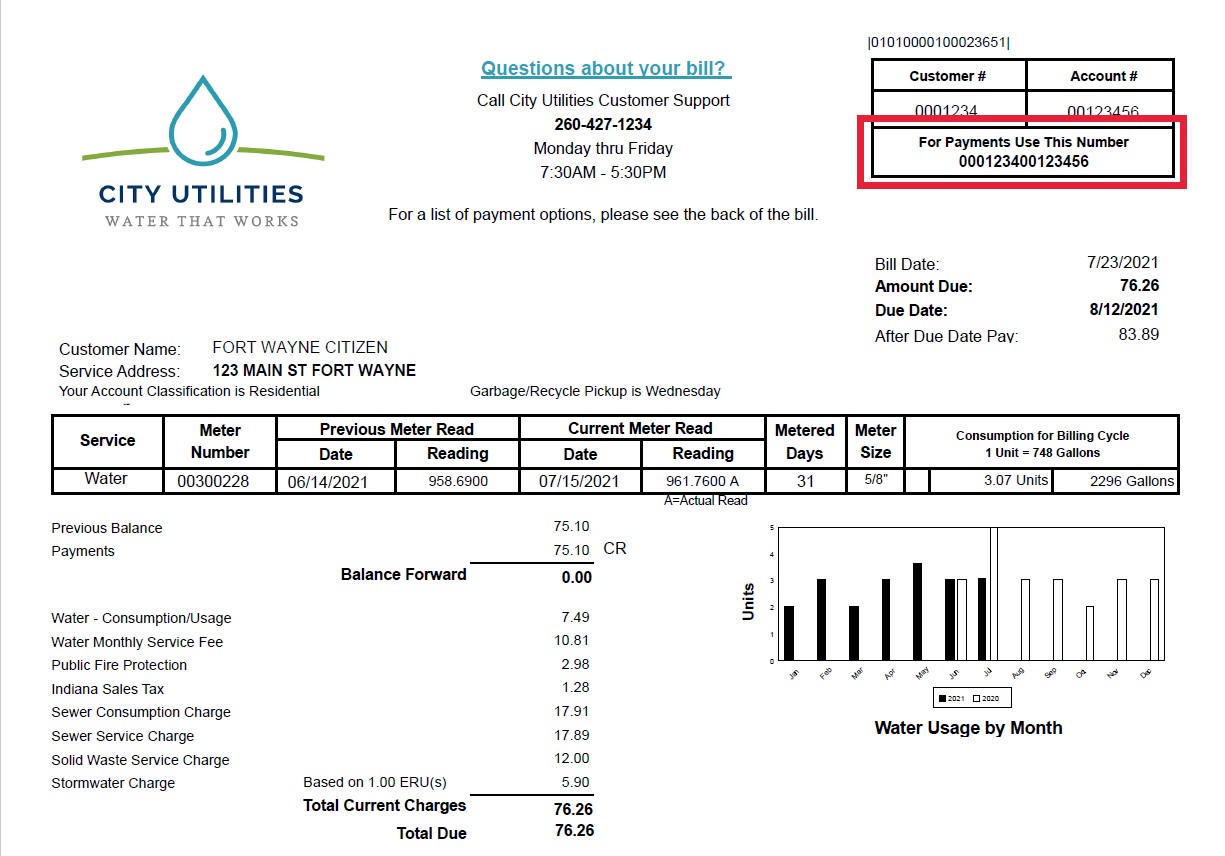
First time? You’ll need to create an account. They’ll ask for stuff like your account number (check your last bill for that) and maybe an email or phone number. Once you’re in, set a password you’ll remember—don’t make it “password123,” okay? If you’ve already got an account, just log in and boom, you’re ready.
Step 3: Link Your Payment Method
You’ll usually add a bank account or credit card for payments. I stick with my bank ‘cause some cities charge extra for cards, but check what works for ya. It’s a one-time setup, and then it’s smooth sailin’ from there.
Step 4: Check What You Owe
Once you’re in the portal, you’ll see a dashboard or summary of your bills. It might show water, power, or other fees you owe. Some places even break it down by month or show if you got a balance due. Click on the bill you wanna pay.
Step 5: Pay Up!
Hit that “Pay Now” button or whatever it’s called. Pick how much you’re payin’ (full amount or partial if they allow it), confirm your payment method, and submit. You’ll get a confirmation screen or email—save that just in case.
Bonus Tip: Set Up Auto-Pay
If you’re like me and forget stuff easy, look for an auto-pay option. You tell ‘em to take the money out each month automatically. Some cities even got a “level pay” thing where they average your bill so you pay the same amount every time—no crazy spikes in winter or summer.
Cool Features You Might Not Know About
Payin’ online ain’t just about settlin’ the bill. A lotta city portals got extra goodies that make managin’ your utilities a breeze. Here’s some stuff I’ve stumbled across that’s worth checkin’ out:
- Usage Reports: See how much water or energy you’re burnin’ through. I noticed we were usin’ way too much water one month—turned out the kids left the hose on. Fixed that real quick!
- Paperless Billing: Opt in to get emails or texts instead of paper bills. Less clutter, and you get reminders before stuff’s due.
- Payment Assistance: Some cities got programs if you’re strugglin’ to pay. Look for a link or tab about assistance—they might cut ya a break or set up a plan.
- Start or Stop Service: Movin’ to a new place? You can often start or stop service right from the portal. No need to call and wait on hold forever.
- Rebate Programs: A few places offer rebates for stuff like energy-efficient appliances or water-saving gadgets. Check if there’s a “ways to save” section.
These lil’ extras make the whole online thing feel like a one-stop shop for utility stuff. It’s kinda surprisin’ how much you can do without pickin’ up the phone.
What Kinds of Bills Can You Pay Online?
Now, you might be wonderin’ what exactly falls under “city utilities.” It’s more than just your electric bill, fam. Dependin’ on where you live, you might be able to pay for a whole buncha things online. Here’s a quick rundown of common ones I’ve come across:
- Water and Power: The big dogs. Almost every city lets you pay these online.
- Trash or Recycling Fees: Some places bundle this with other utilities or charge separate.
- Parking Tickets: Got a ticket? Many cities let you clear it up online instead of mailin’ a check.
- Permits and Licenses: Think buildin’ permits if you’re renovatin’, or even pet licenses for your furry buddy.
- Special Fees: Stuff like fire safety fees if you got property near brush areas, or rental property fees if you’re a landlord.
Not every city offers all of these, but it’s worth pokin’ around the website to see what you can knock out in one go. I was shocked when I found out I could renew a license online—saved me a trip downtown.
A Quick Table of Pros and Cons
Just to lay it out real clear, here’s a lil’ table of the good and the not-so-good about online bill pay for city utilities. I’ve been usin’ it for a while, so this comes from the heart.
| Pros | Cons |
|---|---|
| Super fast and convenient | Might need internet access |
| Auto-pay stops late fees | Small fees for credit card use |
| Track usage and save money | Learnin’ curve if you’re not techy |
| Digital records for proof | Security worries (but rare) |
| Paperless helps the planet | Some cities don’t offer all bills online |
Honestly, the cons ain’t that bad. Once you get the hang of it, it’s smooth as butter.
What If Somethin’ Goes Wrong?
I ain’t gonna lie—sometimes tech don’t play nice. Maybe the website’s down, or you fat-finger your payment amount. No worries, we got solutions for the hiccups. Here’s what to do if stuff goes sideways:
- Website Won’t Load: Check if it’s just you or if the site’s down. Try again later, or call the city’s customer service line. Most got a number listed for utility support.
- Payment Didn’t Go Through: Double-check your bank or card info. If it’s still funky, look for a transaction history in the portal to see what happened.
- Accidentally Paid Twice: Happens to the best of us. Contact support—they can usually credit ya back or apply it to the next bill.
- Worried About Security: Use a strong password and don’t log in on public Wi-Fi. Most city sites got solid security, but better safe than sorry.
I had a glitch once where my payment showed as “pending” for days. Freaked me out, but a quick call sorted it. They’re usually pretty helpful if you reach out.
Tips to Make Online Bill Pay Even Easier
Wanna level up your online pay game? Here’s some tricks I’ve picked up over time to keep things hassle-free:
- Set Reminders: Even with auto-pay, set a calendar alert a day before the due date to check everything’s good.
- Save Login Info: Use a password manager or write it down somewhere safe so you don’t gotta reset it every dang time.
- Check for Mobile Apps: Some cities got apps for bill pay. Downloadin’ one makes it even quicker on the go.
- Bundle Payments: If you got multiple bills, see if you can pay ‘em all at once on the portal. Saves a lotta clicks.
- Keep Digital Receipts: Screenshot or download confirmations. I got a folder on my laptop just for these—super handy.
These lil’ habits turn online pay from a chore into somethin’ you barely think about. It’s all about workin’ smarter, not harder.
Why Some Folks Hesitate (And Why They Shouldn’t)
I get it—not everyone’s jumpin’ on the online bandwagon. Maybe you’re worried about hackers stealin’ your info, or you just like the feel of writin’ a check. I was hesitant too at first, thinkin’ I’d mess somethin’ up. But lemme ease your mind a bit.
City websites these days got tight security—think bank-level encryption. As long as you ain’t sharin’ your password with randos, you’re golden. And if tech ain’t your thing, most portals are dummy-proof with big buttons and clear instructions. Plus, if you ever get stuck, there’s usually a help line or chat option right there on the site.
Still not convinced? Start small. Pay just one bill online and see how it feels. I betcha you’ll be hooked once you see how quick it is.
How Online Bill Pay Fits Into Your Busy Life
Let’s be real—life’s a juggle. Between work, family, and tryin’ to sneak in some “me time,” who’s got hours to deal with bills the old way? That’s where online pay shines. It slots right into your routine, whether you’re sneakin’ a payment during lunch or settlin’ up while binge-watchin’ your fave show.
I used to dread bill day ‘cause it meant a trip to the mailbox or worse, city hall. Now, it’s just another quick task I knock out between makin’ dinner and helpin’ the kids with homework. It’s one less thing to stress over, and in my book, that’s a win.
Wrappin’ It Up: Your Next Step
So, whatcha waitin’ for? City utilities online bill pay is the way to go if you wanna simplify your life. Head over to your city’s website, poke around for the bill pay section, and give it a shot. Start with creatin’ an account and explorin’ what you can do—pay a bill, set up auto-pay, or just check how much water you’re usin’. You’ll wonder why you didn’t do it sooner.
Got questions or weird quirks with your city’s system? Drop a comment below—I’m all ears and happy to help brainstorm. Or if you’ve already gone digital, share your fave feature. Let’s swap stories and make this bill stuff less of a drag together.
Remember, we’re all in this adultin’ thing together. Takin’ control of your utilities online is just one step to makin’ life a lil’ smoother. So go on, ditch them checks, and join the digital crew. You got this!
City of West Plains Search

Information about Online Bill Pay for City Utilities
0
