Hey there, West Palm Beach fam! Let’s talk about something we all dread—paying bills. Ugh, right? But hold up, paying your water bill in West Palm Beach don’t gotta be a headache. Whether you’re a longtime resident or just moved to our sunny slice of Florida, I’m here to walk ya through every dang option to get that water bill sorted. No stress, no mess. We’ve got online clicks, phone calls, good ol’ mail, and even in-person spots to make this as smooth as a beach breeze. So, grab a cold drink, kick back, and let’s dive into this ultimate guide on West Palm Beach water bill pay.
Why Paying Your Water Bill on Time Matters
Before we get into the nitty-gritty let’s chat about why this ain’t just another chore. Keeping your water bill paid up means no nasty surprises like shut-offs—trust me you don’t wanna be stuck with no water during a Florida summer. Plus, it keeps the city running, making sure our taps stay flowin’ and our community stays tight. So, let’s make sure we’re on top of this, yeah?
How to Pay Your West Palm Beach Water Bill: All the Options
Alright, let’s cut to the chase The City of West Palm Beach has hooked us up with a bunch of ways to pay that water bill. I’m gonna break ‘em down one by one, so you can pick what works best for your vibe.
1. Pay Online: Quick and Easy
If you’re like me, you’re all about doin’ things from the couch. Paying your water bill online is a breeze. The city’s got a portal where you can log in, check your balance, and settle up with a few clicks. Here’s the deal:
- Head to the city’s utility payment site (you’ll find it easy enough on their main page).
- You’ll need your account number handy to get started.
- Pay with a credit or debit card—no extra fees to worry about.
- Bonus: You can even set up paperless billing if you’re tryna save some trees.
It’s perfect for those last-minute, “oh shoot, I forgot!” moments. I’ve done this plenty of times, and it’s saved my butt more than I care to admit.
2. Pay by Phone: Old-School Cool
Not a tech wizard? No worries. You can ring up the city and pay over the phone. It’s super straightforward, and you don’t even need to leave the house. Here’s how
- Call the billing line at (561) 822-1300.
- Follow the automated prompts—have your utility account number, house number, and zip code ready.
- They’ll take your payment right then and there.
This one’s great if you’re on the go or just prefer hearin’ a voice (even if it’s a robot). Just make sure ya call between 8:00 a.m. and 5:00 p.m., Monday to Friday, to get a real person if you got questions.
3. Pay by Mail: For the Paper Lovers
If you’re old-school like my pops, mailing in your payment might be your jam. It’s reliable, though it takes a bit longer, so don’t wait til the last minute. Here’s the scoop:
- Send your check or money order to:
City of West Palm Beach
P.O. Box 30000
Tampa, Florida 33630-3000 - Make sure to include the payment stub from your bill so they know it’s you.
- Heads up: If your service is already disconnected or you got a reminder letter, don’t use the usual envelope. Call the billing office at (561) 822-1300 to sort it out first.
I’ve used this when I didn’t trust my internet connection, and it works fine—just plan ahead for mail delays.
4. Pay in Person: Face-to-Face Vibes
Sometimes, you just wanna handle things in person, right? Maybe you got questions or just like that receipt in your hand. West Palm Beach has got ya covered. Here’s where to go:
- Location: City Hall, 401 Clematis Street, Lobby (1st Floor), West Palm Beach, FL 33401
- Hours: Monday to Friday, 7:30 a.m. to 5:00 p.m.
- Bring your bill or account info, and they’ll take care of the rest.
I’ve swung by here when I needed to chat with someone about a weird charge on my bill. The folks are usually pretty chill, and it’s nice to get that human touch.
What If You’re in Palm Beach County, Not Just West Palm Beach?
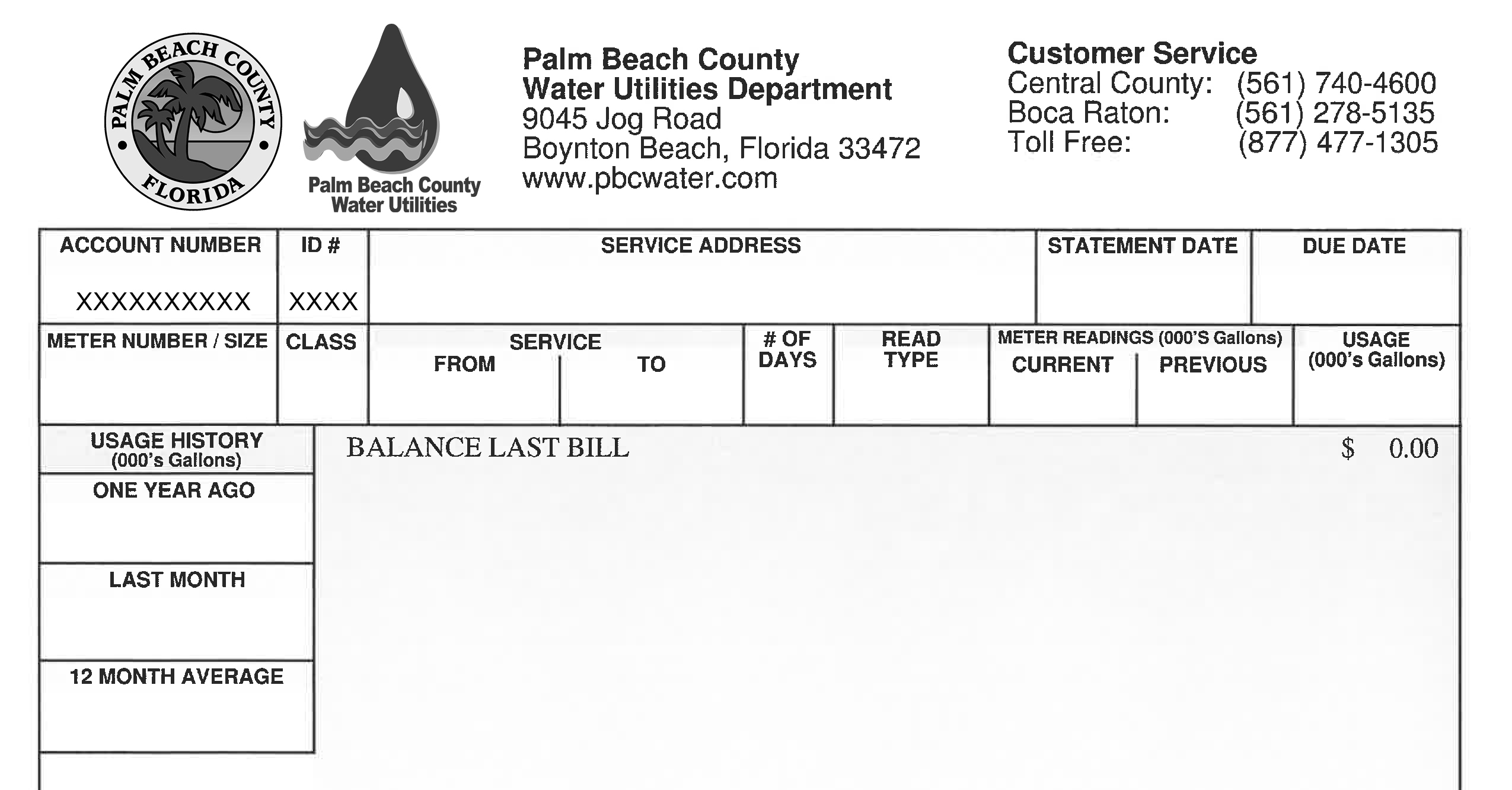
Now, lemme throw in a quick note for those of ya who might be in the broader Palm Beach County area but not directly under the city’s utilities. The county’s water department has its own setup, and it’s just as easy to navigate. You can pay online through their portal, by phone at numbers like 561-740-4600, or in person at spots like 9045 Jog Road in Boynton Beach. They even got drop boxes at libraries and city halls if you wanna swing by and drop off a check. Just make sure you’re clear on whether you’re billed by the city or the county—check your bill if you’re unsure.
Here’s a lil’ table to keep things straight for county folks:
| Payment Method | Details | Notes |
|---|---|---|
| Online | Use the county portal at pbcwater.com | Accepts major credit/debit cards |
| By Phone | Call 561-740-4600 or 877-477-1305, option #2 | Have your 10-digit account number |
| In Person | 9045 Jog Road, Boynton Beach, 8:00 a.m.-5:00 p.m. | Also at 2976 State Road 15, Belle Glade |
| Drop Box | Various spots like libraries and city halls | No cash; credited if before 9:00 a.m. |
We’ll keep the focus on West Palm Beach, but I wanted to toss this in for anyone on the edge of town.
Got Questions or Issues? Who to Call
Alright, so what if somethin’ ain’t right with your bill, or you’re strugglin’ to pay on time? Don’t sweat it—we got resources. The City of West Palm Beach has a customer service line you can hit up for anything related to your water bill. Here’s the deets:
- Phone: (561) 822-1300
- Hours: 8:00 a.m. to 5:00 p.m., Monday through Friday
- Written Stuff: If you gotta send a letter or form, mail it to P.O. Box 3506, West Palm Beach, FL 33402-3506
I’ve called these folks a few times when my bill looked off, and they’re usually pretty quick to help. Just have your account number ready to speed things up. If it’s an emergency, like a water shut-off threat, don’t hesitate—call right away.
Special Stuff You Should Know About
Paying your bill ain’t just about forkin’ over the cash. There’s some extra bits and pieces worth knowin’ to keep yourself protected and in the loop. Let’s run through ‘em.
Watch Out for Fraud
The city’s got some rules in place to stop scammers from messin’ with your account. They only let the account holder make changes or ask about the bill—nobody else. So, if someone’s tryin’ to snoop or switch stuff on your account, they ain’t gettin’ through. Keep your info tight, and if somethin’ feels fishy, call that customer service number I mentioned.
Public Records and Your Privacy
Here’s a weird one, but important. Since the city’s a public entity, they gotta share utility customer info if someone requests it under Florida law. That means your name and address could be out there. But, if you qualify for an exemption (like if you’re in a sensitive job or situation), you can request to keep your deets private. You’ll need to send a notarized form to the Customer Service Supervisor at the P.O. Box I listed earlier. Include your full name, address, and account number. I looked into this myself ‘cause I’m not keen on my info floatin’ around, and it’s worth checkin’ if you’re eligible.
Paperless Billing Option
If you’re tryna cut down on clutter, sign up for paperless billing through the online portal. No more losin’ bills in a pile of junk mail. Plus, it’s better for the planet, which is a win in my book. I switched to this a while back, and gettin’ an email reminder instead of a paper bill is a game-changer.
Late Payments or Disconnections
If you’re runnin’ late on a payment or got a disconnection notice, don’t panic—but don’t ignore it neither. Call the billing office ASAP at (561) 822-1300. They can work with ya on options or at least tell ya what’s up. If you got a reminder letter, don’t just mail a check like usual; get on the phone first to avoid delays. I’ve been there, thinkin’ I could just send it in, and learned the hard way to call first.
Tips to Make West Palm Beach Water Bill Pay Even Easier
Now that we’ve covered the basics, lemme toss in some pro tips to save you time and hassle. These come from my own trial and error over the years of dealin’ with utility bills in this town.
- Set a Reminder: Whether it’s a phone alarm or a sticky note on your fridge, remind yourself a few days before the due date. I use my phone calendar, and it’s kept me from missin’ payments.
- Go Auto-Pay: If you’re in the county system, they got an automatic debit option. City folks might wanna check if somethin’ similar pops up soon. Auto-pay is a lifesaver for forgetful types like me.
- Keep Records: Snap a pic of your payment confirmation or keep receipts if you pay in person. Had a mix-up once where they didn’t register my payment, and havin’ proof saved the day.
- Check Your Bill: Sometimes there’s weird charges or errors. Look over your statement before payin’. I caught a double charge one month just by glancin’ at it.
- Know Your Account Number: Write it down somewhere safe or save it in your phone. You’ll need it for online, phone, basically everythin’. I’ve fumbled around lookin’ for it too many times.
Why West Palm Beach Makes It So Dang Easy
I gotta give props to the city for makin’ this process pretty painless. With all these options—online, phone, mail, in-person—they’re meetin’ us where we’re at. Whether you’re a tech-savvy millennial or someone who still writes checks, there’s a way for ya to handle your water bill without breakin’ a sweat. And with clear contact points for when things go sideways, we ain’t left hangin’. I’ve lived in places where payin’ a utility bill felt like climbin’ a mountain, but here in West Palm Beach, it’s more like a stroll on the beach.
What If You’re New to West Palm Beach?
If you just rolled into town, welcome! Settin’ up your water service and gettin’ on top of payments is one of the first things you’ll wanna tackle. Head to the city’s utility page or call that magic number, (561) 822-1300, to get your account started. They’ll ask for some basic info, maybe even a Social Security number for verification (it’s normal, don’t freak). Once you’re set up, pick your fave payment method from the ones I’ve laid out. I remember movin’ here and feelin’ lost with bills, but a quick call got me squared away.
Common Questions About West Palm Beach Water Bill Pay
I’ve been chattin’ with neighbors and friends about this stuff, and some questions pop up all the time. Lemme hit a few of ‘em so you’re not left wonderin’.
What If I Can’t Pay On Time?
Life happens, I get it. If you’re short on cash, call customer service before the due date. They might have options or at least guide ya on avoidin’ shut-off. Don’t wait til it’s too late, trust me on this.
Can I Pay With a Credit Card?
Yup, both city and county systems take credit and debit cards online or over the phone. No extra fees that I’ve seen, which is sweet compared to other places I’ve lived.
Is Online Payment Safe?
Totally. The city’s portal is secure, and with their fraud protection rules, they ain’t lettin’ just anyone mess with your account. Still, use a strong password and don’t share your login, ya know?
What’s This Public Records Thing Again?
Basically, your utility info might be public unless you qualify for an exemption under state law. If you’re worried, look into it and send the notarized form to keep your info locked down. It’s a bit of a hassle, but peace of mind is worth it.
Wrappin’ It Up: Take Control of Your Water Bill Today
WAYS TO PAY YOUR UTILITY BILL
Phone Call 1-877-878-7406 at any time. Major credit cards, debit cards, and checking account may be used to make payments. Please have your City of Riviera Beach utility account number and customer identification number (CID) available. Automatic Bill Payment Automatic bill payment is a stress free way to pay your utility bill on time every month. Set it up once and on your utility bill due date, your bill amount will be withdrawn from your credit card or bank account. How to enroll: • Log in to your online account, or if you are a new user, you will need to register to access your account. • To sign up for automatic bill payment using your checking account, please click on Sign up for EFT Automatic Payments and enter your bank account number and routing number (U.S. accounts only). • To sign up for automatic bill payment using your credit card, please click on Pay by Credit Card and click on Enroll. Continue to the payment section and enter your credit card information. • You will need to pay any current balance using your current payment method. EFT and credit card payments will begin with you next monthly bill and will state “Do Not Pay.”
Bill Pay Service through your Bank Set up the City of Riviera Beach as a payee on your bank’s bill payment system. For the account number, please enter your utility bill account and customer numbers as shown on your utility bill and other required information. Your bank will remit your utility payment directly to the City of Riviera Beach. The City will then apply the payment to your utility account upon receipt of payment from your bank. Mail Payments must be in the form of check, cashier’s check or money order along with your bill payment stub. Do not mail cash. Please mail to: City of Riviera Beach P.O. Box 916035, Orlando, FL 32891-6035 City Hall Lobby Service City Hall Lobby – 600 W. Blue Heron Boulevard, Monday through Friday, 8:30 a.m. to 4:30 p.m. Cash, major credit cards, debit cards, checks, cashier’s checks and money orders are accepted. Kiosks • City Hall Lobby – 600 W. Blue Heron Boulevard, Monday through Friday, 8:30 a.m. to 5:00 p.m. Cash, major credit cards, debit cards, checks, cashier’s checks and money orders are accepted. • City Hall Drive through – On the west side of City Hall, 600 W. Blue Heron Boulevard, available 24 hours per day, 7 days per week. Major credit cards and debit cards are accepted. Cash and checks are not accepted. Payments at the kiosks are processed on the next business day. Drop Box
Located at the west side of City Hall, 600 W. Blue Heron Boulevard, available 24 hours per day, 7 days per week. Payments must be in the form of checks, cashier’s checks or money orders along with your bill payment stub. Cash should not be placed in the drop box. Payments placed in the drop box are processed on the next business day.
PAY YOUR UTILITY BILL ONLINE
If your service is disconnected, please call us at (561)845-4050 Monday through Friday (excluding City holidays) from 8:30 a.m. to 5:00 p.m.
Benefits for registering: Access to you Utility Bills and payment history anytime, Pay your Utility Bill securely. Enroll in automatic bill payment options.
By clicking on this button, you will be redirected to a third party website:
WAYS TO CONTACT US In Person: City Hall, 600 W. Blue Heron Boulevard, Riviera Beach, FL 33404 Monday to Friday (excluding City holidays) 8:30 a.m. to 5:00 p.m. Phone: (561) 845-4050 | Monday through Friday (excluding City holidays) 8:30 a.m. to 5:00 p.m. Email: [email protected] Water reconnections after normal business hours: Phone: (561) 845-4050 Monday to Friday 5:00 p.m. to 7:00 p.m. Weekends and City holidays 9:00 a.m. to 7:00 p.m. (Please leave a message and a representative will return your call within the hour.) Emergency water breaks and sewer backups after normal business hours:
Phone: (561) 845-4187
