Hey there, friend! If you’re sittin’ there scratchin’ your head, wonderin’ “how do I pay my Waste Management bill?”—don’t sweat it. I’ve been there, starin’ at that pesky invoice from WM, tryin’ to figure out the easiest way to get it done without losin’ my mind. Lucky for you, I’ve got the lowdown on all the ways to pay up, whether you’re a tech-savvy whiz or someone who still writes checks like it’s 1999. We’re gonna walk through every option, step by step, so you can pick what works best for ya.
At Waste Management or WM as I like to call ‘em, they’ve got a handful of ways to clear your bill. You can pay online (my personal fave) set up autopay for zero hassle, call ‘em up, mail a check, or even drop by in person if that’s your jam. Let’s dive right in, startin’ with the quickest methods, ‘cause I know you ain’t got time to waste—pun intended!
Why Payin’ Your WM Bill On Time Matters
Before we get to the nitty-gritty, let’s chat about why you shouldn’t let that bill sit on your counter too long. Late fees are a real pain in the behind, and trust me, I’ve paid a few in my day ‘cause I forgot. Plus, keepin’ your account in good standin’ means no interruptions in your trash pickup. Nobody wants a stinky backyard, right? So, let’s get this sorted pronto.
Option 1: Pay Online—Fastest Way to Get It Done
I’m gonna start with payin’ online ‘cause honestly, it’s the way to go if you’ve got a smartphone or computer handy. WM’s website makes it pretty darn simple even if you ain’t a tech genius like me (ha, just kiddin’). Here’s how ya do it
- Head to the WM website. Just type in their main site, and look for the “Pay Bill” or “My Account” section. It’s usually right there, starin’ at ya.
- Log in or sign up. If you ain’t got an account yet, you’ll need to make one. You’ll need your account number from your bill—don’t worry, it’s easy to find.
- Pick your payment method. You can use a credit card, debit card, or even a bank account. They take most major cards, so you’re prolly good.
- Hit submit and done! You’ll get a confirmation email or somethin’, so keep that for your records just in case.
I love this method ‘cause I can do it in my pajamas at 2 a.m. if I feel like it. No waitin’ on hold or stampin’ envelopes. Plus you can see your payment history and past bills right there on the site. How cool is that?
A Quick Tip for Online Payin’
If you’re new to this, double-check your account number when ya type it in. I messed that up once and almost paid someone else’s bill—yikes! Also, save your login info somewhere safe so you don’t gotta reset your password every dang time.
Option 2: Set Up Autopay—Set It and Forget It
Now, if you’re like me and sometimes forget to pay ‘til the last dang minute, autopay is your new best friend. WM lets ya set it up so they just take the money outta your account each month. No fuss, no muss. Here’s the deal:
- Log into your WM account online. Same as before, get yourself signed in.
- Find the autopay section. It’s usually under “Billing” or “Payment Options.”
- Link your bank or card. They’ll ask for your details, but it’s secure, don’t worry.
- Pick a date. You can choose when the payment comes out each month—handy if you get paid on a weird schedule.
- Confirm it. They’ll send ya a heads-up before the first payment, just to make sure.
I started usin’ autopay last year, and lemme tell ya, it’s a game-changer. I don’t even think about my WM bill no more—it just gets paid, and I can focus on more important stuff, like binge-watchin’ my shows.
Watch Out for This with Autopay
Make sure ya got enough cash in your account when the payment date rolls around. I had a lil’ oopsie once where my card got declined, and I didn’t notice ‘til I got a late notice. Keep an eye on them bank balances, folks!
Option 3: Pay Over the Phone—Old-School but Works
If you ain’t into the online thing or just wanna talk to a real person, you can pay your WM bill by phone. It’s pretty straightforward, though ya might gotta wait on hold if they’re busy. Here’s how:
- Grab your bill and a card. You’ll need your account number and a credit or debit card ready.
- Call WM’s customer service. Look for the number on your bill or their website—usually a toll-free line.
- Follow the prompts. They’ve got an automated system, or you can talk to someone if ya prefer.
- Pay and get confirmation. They’ll give ya a confirmation number—write it down somewhere!
I’ve used this method a couple times when my internet was down. It ain’t as fast as online, but it gets the job done. Just don’t call durin’ lunch hours unless you wanna listen to hold music for a spell.
A Lil’ Heads-Up on Phone Payments
Some companies charge a fee for payin’ by phone, and WM might too. I got hit with a small one once—nothin’ crazy, but it’s worth askin’ about before ya finalize the payment. Save yourself a surprise, ya know?
Option 4: Mail It In—For the Traditional Folks
Alright, if you’re the type who still loves writin’ checks and lickin’ stamps, WM’s got you covered. You can mail your payment the old-fashioned way. Here’s the steps:
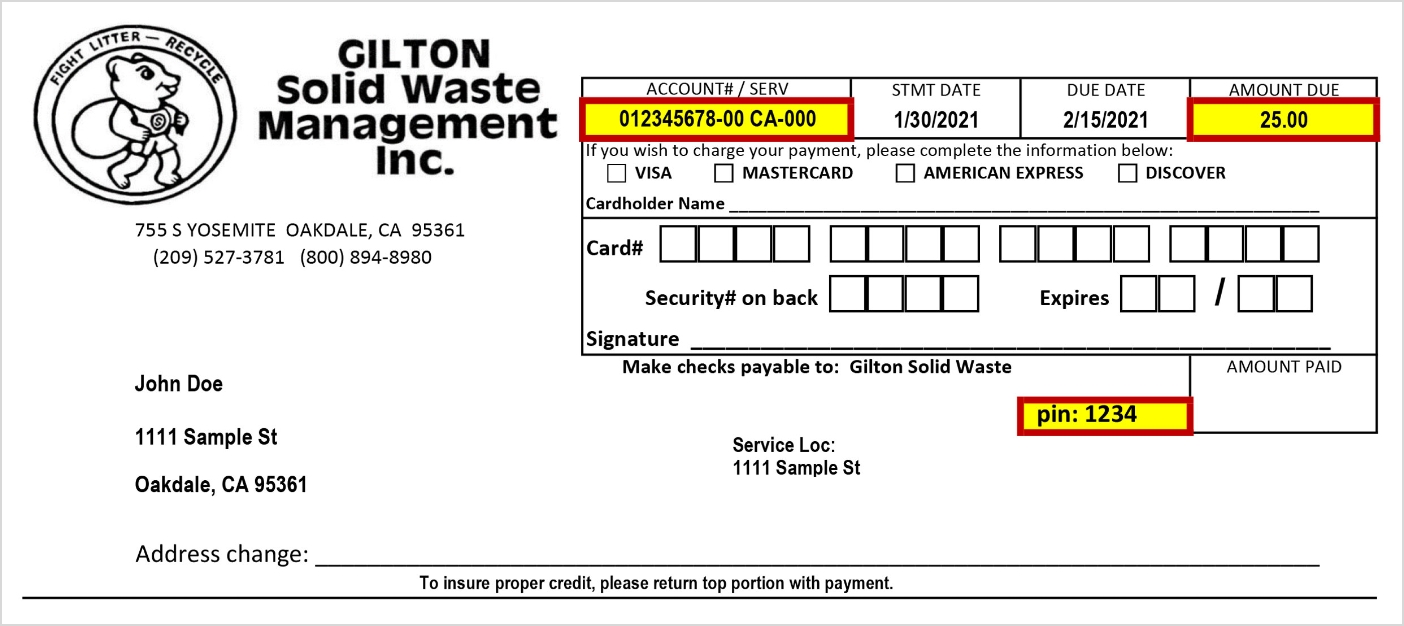
- Find the payment stub. It’s usually at the bottom of your bill—tear it off nice and neat.
- Write a check or get a money order. Make it out to Waste Management, and double-check the amount.
- Pop it in an envelope. Include that stub so they know it’s you payin’.
- Mail it to the address on the bill. It’s usually a specific payment center, not their main office.
- Send it early. Mail can take a few days, so don’t wait ‘til the due date.
I don’t use this much myself ‘cause I’m clumsy with checks, but my grandma swears by it. She says it feels more “official” or somethin’. To each their own, right?
Don’t Forget This When Mailin’
Make sure ya put the right postage on there. I sent one without enough stamps once, and it came back to me—talk about embarrassin’! Also, give it a week or so to process, ‘cause mail ain’t instant like online.
Option 5: Pay In Person—If You’re Nearby
Last but not least, if you’ve got a WM location or authorized payment spot near ya, you can pay in person. Not everywhere offers this, so check first, but here’s the gist:
- Find a location. Look on your bill or WM’s site for places that accept in-person payments.
- Bring your bill and cash/card. They might take both, but cash is usually safest at smaller spots.
- Hand it over and get a receipt. Always ask for proof ya paid, just in case.
I’ve only done this once when I was already out runnin’ errands, and it was fine. Kinda nice to see a face instead of a screen, but it ain’t worth drivin’ outta your way for, in my opinion.
Quick Note on In-Person Payin’
Some spots might charge a lil’ convenience fee for takin’ your payment. I didn’t run into that, but I’ve heard it happens, so ask before ya hand over the cash.
Common Hiccups When Payin’ Your WM Bill (And How to Fix ‘Em)
Now that we’ve covered the “how,” let’s talk about the “what ifs.” I’ve run into a few snags over the years with my WM bills, and I’m guessin’ you might too. Here’s some common issues and how to tackle ‘em:
- Forgot your login for online payment? No biggie. Just hit “Forgot Password” on the WM site and follow the steps. They’ll email ya a reset link faster than you can say “trash day.”
- Payment didn’t go through? Check if your card or bank info is up to date. I had an expired card mess me up once—felt like a dummy, but it happens. Call customer service if it’s still funky.
- Late on a payment? Don’t panic. Pay as soon as ya can, and reach out to WM to see if they’ll waive the late fee. I’ve sweet-talked my way outta one before—just be nice!
- Bill amount looks wrong? Log into your account or call ‘em to double-check. Sometimes they add weird charges, and ya gotta dispute it. Happened to me with an extra container fee I didn’t even have.
Tips to Keep Your WM Account Smooth as Butter
I’ve learned a few tricks to make dealin’ with WM bills less of a headache. Here’s my go-to advice for stayin’ on top of things:
- Mark your due date on a calendar. I use my phone now, but a sticky note works too. Whatever gets ya to remember!
- Save payment confirmations. Whether it’s an email or a receipt, keep it ‘til the next bill comes, just in case there’s a mix-up.
- Check for discounts. WM sometimes has deals if ya pay early or go paperless. I saved a few bucks switchin’ to e-bills—worth lookin’ into.
- Reach out if you’re strugglin’. If money’s tight, give ‘em a call. I’ve heard they can set up payment plans sometimes, though I ain’t needed one myself.
A Lil’ Story From My Own WM Adventures
Lemme tell ya ‘bout the time I totally botched my WM payment. I thought I’d set up autopay, but nope, I forgot to confirm it or somethin’. Next thing I know, there’s a late notice in my mailbox, and I’m scramblin’ to pay online at midnight. Turns out, my card was declined ‘cause I’d maxed it out on some dumb impulse buy. Had to call WM the next day, beg for mercy on the fee, and sorta laugh-cry through the whole thing. They were cool about it, thank goodness, but I learned my lesson—double-check everything!
Why I Stick With WM Despite the Occasional Headache
Look, payin’ bills ain’t never gonna be fun, but I gotta give props to Waste Management for makin’ it decently easy. They’ve got options for everybody, whether you’re a tech nerd or a paper-and-pen kinda person. Plus, their trash pickup’s been solid for me—never missed a day, even in crazy weather. So, I put up with the occasional billing glitch ‘cause the service is worth it.
Wrappin’ It Up: Pick Your Payment Style and Roll With It
So, there ya have it—every way under the sun to pay your Waste Management bill. Whether you’re clickin’ online, dialin’ up, mailin’ a check, or walkin’ in with cash, WM’s got a way for ya to settle up. My advice? Go online or autopay if you can—it’s the least hassle. But if that ain’t your style, pick whatever feels right and just get it done before them late fees sneak up on ya.
Got questions or run into a weird issue with your bill? Drop a comment below, or hit up WM’s customer service. I’m no expert, but I’ve been around the block with this stuff, so I’m happy to help if I can. Let’s keep them trash cans empty and them bills paid, alright? Catch ya later!
Pay Your Bill on the MyAccount Portal
Conveniently make a bill payment using the wide range of user-friendly features offered by MyAccount.
- Set up and manage automatic payments
- View statement history
- View payment history
- Manage billing notifications and preferences
.jpg)
Prefer a different payment method? Waste Connections offers a variety of other payment method for your convenience.
How to pay waste bill
FAQ
How do I make a payment to waste management?
Dial 866-964-2729 and follow the prompts to make a payment for a single account. Having your customer ID or service address on hand will make payment easier.
How do I start paying my bills online?
First, enroll for services with your bank online. This will allow you to access your checking account through your bank’s website. Then sign up for the bill payment service and add all of the accounts you plan to use the service for.
How do I update my waste management payment?
Log in to My WM. Under the “Billing” tab, in the My WM dashboard, select Billing Details. Select the payment method you want to update and select either Add Payment or Edit Payment. Add the required information and save your updates.
How do I pay bills on my phone?
On your mobile device, open the Google Pay app . Tap Pay Bills. Type in the name of a biller. Make payment.
