Are you tired of struggling with your Ochsner Home Medical Equipment bills? I’ve been there too! The whole process of paying medical bills can be confusing, but I’m here to help make it super easy for you. As someone who’s navigated the Ochsner billing system more times than I’d like to admit, I’ve put together this comprehensive guide to help you understand exactly how to handle your Ochsner HME bill payments.
What is Ochsner Home Medical Equipment (HME)?
Before diving into payment options, let’s quickly understand what we’re talking about. Ochsner Home Medical Equipment provides medical supplies and equipment that patients need for home use This might include
- Oxygen equipment
- CPAP machines
- Hospital beds
- Wheelchairs
- Walking aids
- And many other medical supplies
When you receive these services you’ll get a bill that needs to be paid and that’s exactly what we’re going to tackle in this article.
Ways to Pay Your Ochsner HME Bill
Ochsner offers several convenient payment options for their Home Medical Equipment bills. Let’s explore each one:
1. Online Payment Through the HME Patient Portal
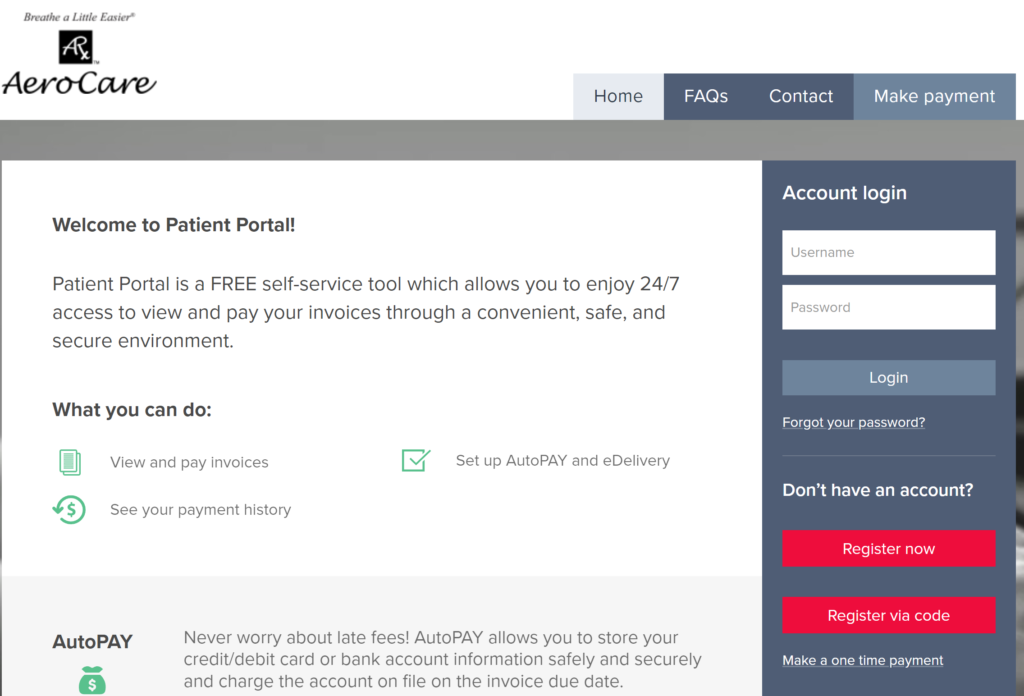
The easiest and most convenient way to pay your Ochsner HME bill is through their dedicated online portal.
How to use the Ochsner HME Patient Portal:
- Visit https://ochsner.hmebillpay.com/
- Log in to your account
- View your current invoices
- Make a payment using your preferred payment method
- Track your payment history
Benefits of using the HME Patient Portal:
- View invoices 24/7
- Make one-time payments
- Set up autopay services for recurring bills
- Track all your payment history in one place
- Secure and encrypted payment processing
This is honestly my favorite method because I can pay my bill at 2 AM in my pajamas if I want to!
2. Through MyOchsner
Another great option is using the general MyOchsner patient portal, which allows you to manage all your Ochsner health services in one place.
Steps to pay via MyOchsner:
- Go to the MyOchsner website or download the mobile app
- Log in to your account (or sign up if you’re new)
- Navigate to the billing section
- Select the HME bill you wish to pay
- Complete the payment process
Added benefits of MyOchsner:
- Manage all your Ochsner healthcare services
- Create estimates for certain procedures
- Verify benefits
- Access medical records
- Schedule appointments
I personally love that I can manage all my Ochsner healthcare needs in one place!
3. Quick Pay Option (For Non-Patients)
If you’re helping a family member or aren’t a registered patient yourself, Ochsner offers a quick pay option.
How to use Quick Pay:
- Visit the Ochsner website
- Select “Pay Online” under the Quick Pay section
- Enter the required billing information
- Complete your payment
You don’t need an account to use this service, which makes it great for one-time payments or when helping family members with their bills.
4. Pay by Phone
Sometimes talking to a real person just feels better, especially when dealing with billing questions.
To pay by phone:
- Call the customer service department at 504-842-4190
- For toll-free service, call 800-343-0269
- Have your account information and credit card ready
The phone payment option is perfect for those who might have questions about their bill or prefer speaking with a representative.
5. Pay by Mail
If you prefer traditional methods, you can still pay by check through mail.
How to pay by mail:
- Write a check payable to Ochsner
- Include your account number on the check
- Mail it to the address listed on your billing statement
Remember to send your payment about 5-7 days before the due date to ensure it arrives on time!
Paperless Billing: A Smart Choice
One thing I absolutely love about Ochsner is their paperless billing option. It’s environmentally friendly and super convenient!
Benefits of paperless billing:
- 24/7 online access to current and past bills
- Email notifications when new statements are ready
- No more lost bills in piles of mail
- Less paper clutter around the house
- Quick and secure payment options
How to enroll in paperless billing:
- Log in to your MyOchsner account
- Navigate to the billing section
- Select “Enroll in Paperless Billing”
- Confirm your email address
- Start enjoying the convenience!
Once enrolled, you’ll receive an email whenever a new statement is available, and you can view and pay your bill securely through MyOchsner.
Understanding Your Ochsner HME Bill
Sometimes the hardest part isn’t paying the bill—it’s understanding what you’re paying for! Here’s a quick breakdown of what you might see on your Ochsner HME bill:
- Equipment charges: The cost of the medical equipment provided
- Service fees: Any maintenance or service costs
- Insurance information: What your insurance covered
- Patient responsibility: The amount you owe after insurance
- Due date: When payment needs to be made
- Payment options: Methods available for payment
If something doesn’t make sense on your bill, don’t hesitate to call the customer service number. They’re usually quite helpful in explaining the charges.
Common Questions About Ochsner HME Bill Pay
How does Ochsner apply my payments?
Unless you specifically request otherwise, Ochsner spreads payments across all outstanding account balances, beginning with the oldest balance first. This helps ensure that no accounts become delinquent.
Do I receive statements for zero balances?
Ochsner doesn’t send zero balance statements unless you specifically request them. This reduces paper waste and unnecessary mailings.
Can I set up a payment plan?
Yes! If you’re finding it difficult to pay your bill in full, Ochsner offers payment plan options. Contact their customer service department to discuss your options.
What if my insurance hasn’t paid yet?
If you believe your insurance should cover part of your bill but hasn’t yet, you can contact either Ochsner’s billing department or your insurance company to check on the status.
Is there financial assistance available?
Ochsner offers financial assistance programs for those who qualify. You can find more information in their Financial Resource Center on the website or by speaking with a financial counselor.
Tips for Managing Your Ochsner HME Bills
After years of dealing with medical bills, I’ve learned a few tricks that might help you too:
- Set calendar reminders for bill due dates to avoid late payments
- Keep all statements until they’re fully resolved (I use a simple file folder)
- Review your bills carefully to catch any potential errors
- Know your insurance coverage for home medical equipment
- Consider autopay to never miss a payment
- Ask questions if something doesn’t look right—mistakes do happen!
What to Do If You’re Having Trouble Paying
Let’s be real—medical bills can sometimes be overwhelming. If you’re having difficulty paying your Ochsner HME bill, here are some steps to take:
- Contact Ochsner immediately to discuss your situation
- Ask about financial assistance programs that might be available
- Inquire about payment plans that could spread the cost over time
- Check if you qualify for any additional insurance coverage
- Be honest about your financial situation—they often want to help
Remember, ignoring bills won’t make them go away and could lead to collections, which nobody wants!
The Benefits of Staying on Top of Your HME Bills
There are some real advantages to keeping your Ochsner HME account in good standing:
- Continued access to necessary medical equipment and supplies
- Avoidance of late fees and potential collections
- Maintenance of good credit score and history
- Less stress from unpaid medical bills
- Smoother relationship with your healthcare provider
Final Thoughts
Managing your Ochsner Home Medical Equipment bills doesn’t have to be a headache. With the various payment options available—from online portals to phone payments—you can choose the method that works best for you.
I’ve found that signing up for paperless billing and using the HME patient portal makes the whole process so much easier. No more digging through stacks of mail or trying to remember payment dates!
Remember, if you ever have questions or concerns about your bill, Ochsner’s customer service team is there to help. Don’t hesitate to reach out to them at 504-842-4190 or toll-free at 800-343-0269.
Take care of those bills, and more importantly, take care of yourself!
Have you used any of these payment methods for your Ochsner HME bills? Which one worked best for you? We’d love to hear about your experiences in the comments below!
How to pay your bill
Payment can be made by check or through the credit cards listed at the top of your statement. Learn more about paperless billing.
- Unless specifically indicated, Ochsner spreads payments across all outstanding account balances, beginning with the oldest balance.
- Each billing statement shows payments that Ochsner has received and applied to specific accounts as long as a balance is due.
- Ochsner does not send zero balance statements unless requested by the guarantor.
Create your own estimates for certain procedures and verify benefits quickly and securely using the MyOchsner website or the MyOchsner mobile app.
If you are not a patient, you can pay online or create a self-pay or guest estimate for certain services using MyOchsner. You cannot save estimates and will need to manually enter insurance information and benefits using the guest estimate option.
Ochsner Home Medical Equipment
With our Ochsner home medical equipment patient portal you can view invoices, make and track payments, or set up autopay services.
Payment can also be made by phone with a credit card. Call our customer service department if you wish to pay by phone.
