Are you tired of scrambling to pay your LUS Fiber bill at the last minute? I’ve been there too! As someone who’s lived in Lafayette for years, I’ve tried pretty much every payment method LUS offers, and today I’m gonna share everything I know about paying your LUS Fiber bill easily and on time.
Quick Summary of LUS Bill Payment Options
Before diving into the details here’s a quick look at all the ways you can pay your LUS Fiber bill
- Online through LUS Quick Pay
- Through the LUS My Account portal
- By phone
- By mail
- In person at customer service centers
- Using drop boxes
- Through Walmart Bill Pay
- Using Scan to Pay at retail locations
- With digital wallets like PayPal, Venmo, Apple Pay, and Google Pay
Online Payment Options – The Most Convenient Way!
LUS Quick Pay – For When You’re in a Hurry
If you’re like me and always running behind, LUS Quick Pay is a lifesaver! It’s designed for those times when you just need to make a fast payment without logging into a full account.
What you need to use Quick Pay
- Your LUS account number
- Last name or business name of the account holder
Payment methods accepted:
- VISA
- Mastercard
- Discover
- E-Check
The best part? Payments are usually reflected immediately, and you’ll get an email confirmation to know everything went through. I use this all the time when I realize my bill is due TODAY (happens more often than I’d like to admit!).
To use Quick Pay, just visit LUS Quick Pay and enter your details.
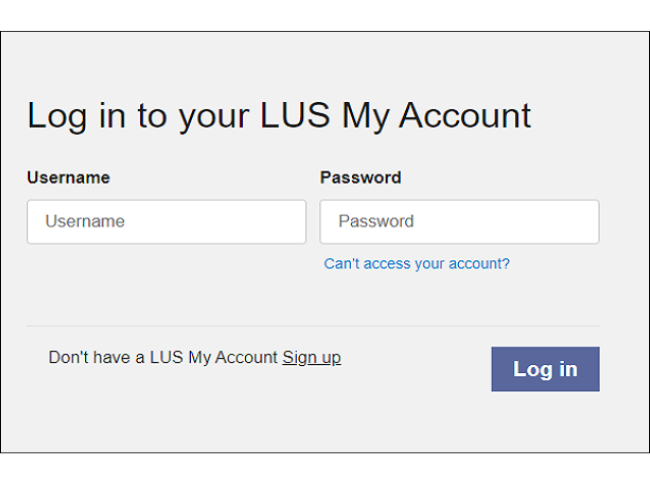
LUS My Account – For Complete Account Management
If you prefer having more control over your LUS services, the My Account portal is definitely the way to go. I switched to this a couple years ago and it’s been great for tracking my usage patterns.
Features of My Account:
- Update your contact info
- Pay bills online
- Switch to paperless billing (saved me from losing bills!)
- View current and past bills
- Track your energy and water usage
- Set up text or email alerts
To register for My Account, you’ll need:
- Email address
- Account number
- Social security number or driver’s license
Visit LUS My Account to sign up or log in.
Phone Payments – For the Old-School Folks
Sometimes the internet goes down or the website isn’t working right. When that happens, you can still pay your bill by phone.
Call:
- 337-291-8280 (from Lafayette)
- 1-800-935-2587 (from outside Lafayette)
I’ve used this method a few times when my internet was out (ironically, when trying to pay my internet bill!). The customer service reps are usually pretty helpful.
Mail-In Payments – The Traditional Route
If you prefer the traditional way, you can always mail in your payment. My grandma still does this every month!
Here’s what to remember:
- Include your payment stub (the bottom part of your bill)
- Don’t send cash
- Don’t staple, fold, or paper clip anything
- Write your LUS account number on your check
- Sign your check (I forgot once and had to redo everything!)
Mail your payment to:
Lafayette Utilities System Customer ServiceP.O. Box 4024-CLafayette, Louisiana 70502In-Person Payment Options – When You Need to Talk to Someone
Sometimes you just need to speak with someone face-to-face about your bill. LUS has two customer service locations:
Pinhook Road Location
- 1875 W. Pinhook Rd., Suite B
- Hours: Monday-Friday, 8 a.m. to 5 p.m. (excluding holidays)
Moss Street Location
- 2701 Moss St.
- Customer Service Hours: Monday-Friday, 8 a.m. to 5 p.m. (excluding holidays)
- Drive-thru Service: Monday-Friday, 8 a.m. to 7 p.m. (excluding holidays)
The Moss Street location is my personal favorite because of the drive-thru option. Perfect when you have kids in the car!
Drop-Box Payments – For After Hours
If you work late and can’t make it during business hours, the drop boxes are super convenient. There’s one at each customer service center:
Pinhook Road: Located outside the building on the left side of the main entrance
Moss Street: Located in the front parking lot
Just remember:
- Only check or money order payments accepted
- No cash!
- Payments are processed during business hours (Monday-Friday, 8 a.m. to 5 p.m., excluding holidays)
I’ve used these several times when I remembered to pay my bill after the offices closed.
New Payment Options You Might Not Know About!
LUS recently added some new ways to pay that are worth checking out:
Walmart Bill Pay
You can now request same-day processing at any Walmart MoneyCenter or Customer Service desk. Just bring your account number! There is a small processing fee, but the convenience might be worth it if you’re already at Walmart.
Scan to Pay
This is perfect if you prefer paying with cash at retail locations. LUS now accepts in-store retail cash payments at:
- Dollar General
- CVS
- Walgreens
- Office Depot
You’ll need to generate a barcode from the LUS website first. A small fee applies, but it’s super convenient if one of these stores is close to your house or work.
Digital Wallets
This is my new favorite way to pay! LUS now accepts:
- PayPal
- PayPal Credit
- Venmo
- Apple Pay
- Google Pay
It’s perfect for when I’m on the go and just wanna pay from my phone.
Common Questions About LUS Bill Pay
What is my Account ID?
Your account ID is your account number, located at the top left of your paper bill. If you can’t find it, call Customer Service at (337) 291-8280.
Can I view multiple accounts with one login?
Yes, but only if you’re the primary account holder on each account.
What if I forget my password?
Click “Can’t access my account” on the sign-in screen. An email will be sent to your registered address to reset your password. Been there, done that!
How do I know if my payment was successful?
LUS account payments are reflected in real time, and you’ll get an email confirmation. I always check my email after making a payment to make sure it went through.
Are there any browser compatibility issues?
LUS My Account works with most modern browsers:
- Android – Chrome
- iOS – Safari
- MacOS – Safari, Chrome, Firefox
- Windows – Chrome, Firefox, Edge
I’ve had some issues with older browsers, so make sure yours is updated!
Tips for Hassle-Free Bill Payments
After years of paying my LUS Fiber bill, I’ve learned a few tricks:
- Set calendar reminders – I set a reminder 5 days before the due date every month
- Sign up for autopay through My Account if you’re forgetful like me
- Keep your account number handy – I store mine in my phone’s notes app
- Use paperless billing – No more lost bills!
- Double-check payment info – One wrong digit can cause delays
Other Helpful LUS Services
While we’re on the topic, LUS offers some other great services worth knowing about:
- BudgetBill – Spreads your utility costs evenly throughout the year
- Paperless Billing – Save paper and never lose a bill
- Energy Conservation Programs – Check out Bright Ideas and Home Audits to save money
- Water Conservation – Programs like Watersense and Rain Barrel can help reduce your bill
Conclusion – Find Your Perfect Payment Method
So there you have it – all the ways to pay your LUS Fiber bill! Whether you’re tech-savvy and prefer online payments or old-school and like to mail a check, LUS has an option that will work for you.
For me, the digital wallet option is my current favorite, but I’ve used just about all of these methods at some point. The most important thing is finding what works for your schedule and preferences.
No more late fees or service interruptions because of forgotten bills! With so many convenient payment options, keeping up with your LUS Fiber bill has never been easier.
What’s your preferred way to pay your LUS bill? I’m always curious to hear what works for other people!
Frequently Asked Questions: Quick Pay
Quick Pay is a fast and flexible way to make bill payments.
Account number and last name or business name of the account holder.
Users can pay using VISA, Mastercard, Discover, or E-Check.
LUS account payments are reflected in real time. An auto-generated email notification will be sent to the customer’s existing email address.
