Are you tired of hunting down your checkbook every time your Con Edison bill arrives? Maybe you’re looking to rack up some sweet reward points on your credit card while paying for a necessary expense? Well, you’ve landed in the right place! As someone who’s navigated the Con Edison payment system for years I’ve got all the insider tips you need to make this process smooth as butter.
Why Paying Your Con Edison Bill with a Credit Card Makes Sense
Before we dive into the “how” let’s talk about why you might wanna pay your Con Edison bill with a credit card
- Convenience – No stamps, no checks, no trip to the mailbox
- Rewards – Earn those points, miles, or cashback
- Automatic payment records – Digital trail of all your payments
- Flexibility – Pay from anywhere, anytime
- Better budgeting – Put everything on one card to track expenses
I personally switched to credit card payments after realizing I could earn nearly $60 in cashback annually just from my utility bills. That’s basically a free dinner out!
Method 1: Pay Online Through Your Con Edison Account
The easiest and most direct method is paying online through the Con Edison website. Here’s how
- Visit Con Edison’s website
- Log in to your account (or register if you haven’t already)
- Navigate to the “Pay Bill” section
- Select credit/debit card as your payment method
- Enter your card details
- Confirm payment
What I love about this method is that you can see your current balance, due date, and payment history all in one place. Plus, the website offers charts showing your real-time energy usage, which is super helpful for managing your consumption.
Method 2: Pay as a Guest Online
Don’t have an account or don’t wanna create one? No problem! Con Edison allows guest payments too:
- Go to Con Edison’s payment options page
- Look for “Pay as a guest” under the Online section
- Follow the prompts to enter your account number and payment information
- Complete your transaction
I’ve used this method when helping my elderly neighbor pay her bill – it’s quick and doesn’t require remembering another username/password combo.
Method 3: Con Edison Mobile App
For those of us glued to our smartphones, the Con Edison app is a game-changer:
- Download the app from the App Store (iOS) or Google Play Store (Android)
- Log in or create an account
- Select the payment option
- Enter your credit card information
- Submit payment
The app is seriously the fastest way to pay. I’ve literally paid my bill while waiting for coffee! It also lets you report outages and check your energy usage patterns.
Method 4: Pay by Phone
Sometimes the old-fashioned way is the best, especially if you’re not tech-savvy:
- Call Con Edison’s automated payment system at 1-888-925-5016
- Have your account number and credit card ready
- Follow the prompts to make your payment
This toll-free service is available 24/7, which is perfect for those “oh no, I forgot to pay my bill!” moments at 11 PM.
Method 5: Auto Pay Program
If you’re forgetful like me, Auto Pay is your best friend:
- Log into your Con Edison account
- Look for the “Auto Pay” option
- Set up automatic payments from your credit card
- Choose your preferred payment date
Since setting up Auto Pay, I’ve never paid a late fee again. The system automatically charges your card when your bill is due, so there’s one less thing to worry about.
Method 6: Text Message Payment Reminders
While not a direct payment method, Con Edison’s text reminders can help you remember to pay:
- Log in to your account
- Set up text message payment reminders
- Receive a text when your bill is ready
- Follow the link in the text to make a quick payment
I find these reminders super helpful during busy months when bills might otherwise slip my mind.
Method 7: Using OTC Plus Card (For Healthfirst Medicare Advantage Members)
If you’re a Healthfirst Medicare Advantage plan member, you’ve got a special option:
- Use your OTC Plus card (must have a VISA logo)
- Ensure the card is activated
- Pay online or through any of the other methods listed
- Visit the Healthfirst card page for more details
Comparing Payment Methods: What’s Best for You?
| Payment Method | Convenience | Speed | Good for | Best Feature |
|---|---|---|---|---|
| Online Account | High | Instant | Regular users | Access to usage data |
| Guest Payment | Medium | Instant | Occasional payers | No login required |
| Mobile App | Very High | Instant | On-the-go users | Portability |
| Phone Payment | Medium | 1-2 days | Non-tech users | 24/7 availability |
| Auto Pay | Highest | Automatic | Busy people | Set and forget |
| Text Reminders | High | Varies | Forgetful folks | Timely nudges |
| OTC Plus Card | Medium | Varies | Medicare members | Special benefits |
Tips for Successful Credit Card Payments
After years of paying my Con Edison bills, I’ve learned a few tricks:
- Set calendar reminders if not using Auto Pay
- Check your due date – it might change slightly each month
- Keep card info updated – expired cards can lead to missed payments
- Consider using a rewards card specifically for bills
- Double-check payment confirmations and save them just in case
What to Do If Your Payment Doesn’t Go Through
Sometimes things go wrong. If your credit card payment doesn’t process:
- Check your card’s expiration date and CVV
- Ensure you have sufficient credit available
- Try a different card if possible
- Call Con Edison at 1-800-752-6633 for assistance
One time my payment didn’t go through because my card was flagged for suspicious activity (apparently paying bills on time was out of character for me ). A quick call to my bank solved the problem.
Beyond Just Paying: Other Con Edison Online Features
When you pay online, you gain access to several helpful features:
- Energy usage charts that show consumption patterns
- Paperless eBill enrollment options
- Personalized energy-saving tips
- Outage reporting and tracking
These extras have actually helped me reduce my energy bills by identifying peak usage times and adjusting my habits accordingly.
What About Fees?
Here’s the good news – Con Edison doesn’t currently charge additional fees for credit card payments! This makes it even more attractive compared to other utilities that sometimes add processing charges.
Assistance Programs If You’re Struggling to Pay
If you’re having trouble paying your bill, Con Edison offers several assistance options:
- Payment plans to spread costs over time
- Energy assistance programs for qualified customers
- Budget billing to even out seasonal highs and lows
Don’t hesitate to reach out to them at 1-800-752-6633 if you need help. They’re actually pretty understanding – I had to use a payment plan once after some unexpected medical expenses, and the process was straightforward.
Final Thoughts: Is Credit Card Payment Right for You?
Paying your Con Edison bill by credit card is convenient, secure, and potentially rewarding. Whether you choose to pay online, through the app, or set up Auto Pay, you’ll save time and possibly earn rewards in the process.
I’ve been paying my utility bills with credit cards for years now, and the convenience factor alone makes it worthwhile. The rewards points are just icing on the cake!
Remember, the best payment method is the one that fits your lifestyle and helps you avoid late payments. For most of us, that’s going to be some form of credit card payment through Con Edison’s various digital channels.
Have you tried paying your Con Edison bill with a credit card? What method works best for you? I’d love to hear about your experiences in the comments!
Quick FAQ
Q: Is there a fee for paying my Con Edison bill with a credit card?
A: No, Con Edison doesn’t currently charge extra fees for credit card payments.
Q: Which credit cards does Con Edison accept?
A: They accept most major credit cards, including Visa, MasterCard, Discover, and American Express.
Q: Can I set up recurring payments with my credit card?
A: Yes, through the Auto Pay program available on the Con Edison website.
Q: What if I need to change my payment method after setting up Auto Pay?
A: Simply log into your account and update your payment preferences.
Q: Is it safe to pay my Con Edison bill with a credit card online?
A: Yes, Con Edison uses secure encryption technology to protect your payment information.
Now you’re all set to ditch the checkbook and start earning rewards while paying for your electricity. Happy bill paying!
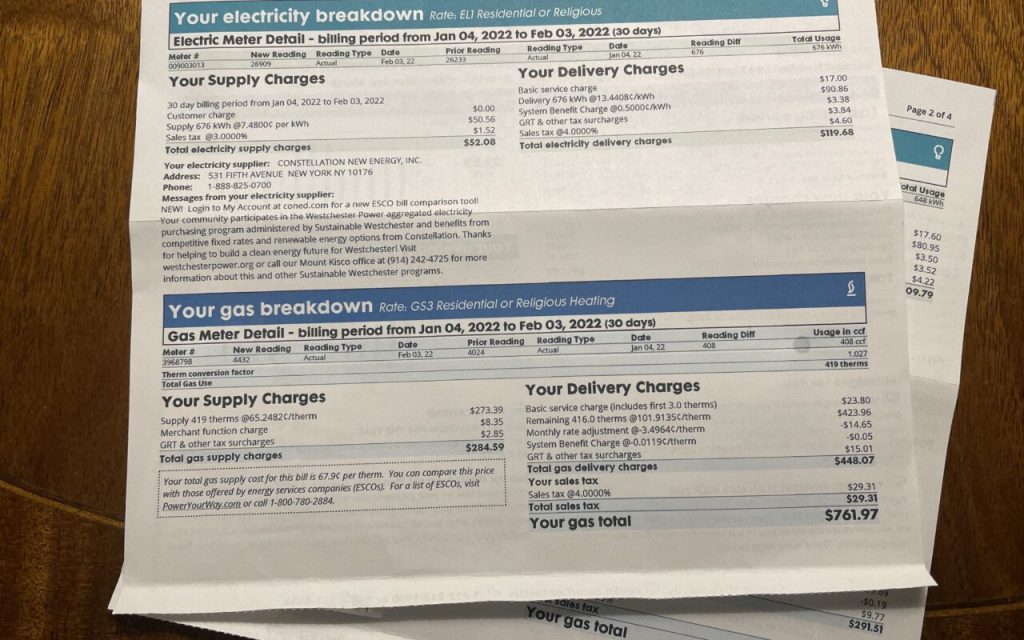
How to Lower Your Con Edison Bill
Deregulated energy plans allow customers to choose from several rates from multiple competitive energy distributors and suppliers. Check the âPrice to Compareâ â the default rate offered by the Con Edison â and compare it with licensed electricity supplier prices.
Arborâs free TrueRate Protection is the best way to ensure that you always pay the lowest rate against your current âPrice to Compare.â
For example, the companys current electricity Price to Compare is 6.29 cents per kilowatt-hour. Arbor scans the electricity utility markets for the best rates, and will generally find lower rates than your current supplierâs price.
When your term is expiring, Arbor finds the best rate and switches you again. You always pay the best rate and never have to worry about overpaying for electricity ever again.
You can use the free savings calculator to find out how much you could save in each case. Electricity payments can be complicated, thats why a lot of people trust Arbor to manage their electricity service, so they end up saving on their energy bills.
What to Do if Thereâs a Power Outage
In case you experience a power outage or see a damaged electricity/gas line, vacate the area immediately and call 1-800-752-6633. It is requested that you DO NOT attempt to repair or handle damaged power lines yourself.
You can also contact emergency services if you have medical concerns pertaining to the COVID-19 (coronavirus) pandemic or special home safety needs regarding an outage.
