Are you tired of writing checks or making trips to payment centers just to pay your RCN bill? I know I was! As an Astound (formerly RCN) customer for years, I’ve tried every payment method they offer, and online bill pay is definitely the most convenient option. Let me walk you through everything you need to know about RCN online bill pay and other payment options that might work for your lifestyle.
Why Choose RCN Online Bill Pay?
Before diving into the “how,” let’s talk about the “why” Online bill payment isn’t just convenient—it saves time, paper, and helps you avoid those pesky late fees when you forget to mail your check on time (been there, done that!)
With RCN now operating as Astound Broadband, their online payment system has become even more streamlined. You can pay from literally anywhere with internet access—your couch, your office, or even while waiting in line for coffee.
The 5 Ways to Pay Your RCN Bill
Astound (RCN) offers several convenient payment methods. I’ve personally tried all of these and each has its pros and cons
1. Online Payment Through MyAstound
This is by far the easiest method and my personal favorite, Here’s how to do it
- Visit my.astound.com/login
- Log in with your username and password
- Navigate to the billing section
- Select “Make a Payment”
- Enter your payment information
- Confirm and submit
With the online portal, you can make one-time payments or (even better) set up automatic monthly payments directly from your checking account. Just be aware that there’s a processing fee for one-time payments.
The MyAstound portal also lets you:
- View current and previous statements
- Update your account information
- Manage your services
2. Mobile App Payment
I love this option when I’m on the go! The Astound mobile app is super convenient and lets you manage your account from anywhere.
To get started:
- Download the app from the Apple App Store or Google Play Store
- Log in with your MyAstound credentials
- Tap on “Pay Bill” in the menu
- Enter payment details and confirm
What’s cool about the app is that beyond bill payments, you can also:
- Check voicemail for all phones on your account
- Review call history
- Update account info
- View current and previous statements
3. Phone Payment
Sometimes the old ways are still good ways. If you prefer speaking with a human or using an automated system, you can call 1-800-427-8686 to make a payment.
They accept credit or debit cards including:
- Visa
- MasterCard
- Discover
- American Express
I’ve used this option when my internet was down (ironically) and couldn’t access the online portal.
4. Mail Payment
If you’re old school (or just like having a paper trail), you can still pay by mail. Astound will send you a paper bill each month, and you can mail back a check or money order with the enclosed bill stub.
Where you send your payment depends on which state you live in:
For DC Metro (DC/MD/VA), Illinois, Indiana, Massachusetts, New York, and Pennsylvania:
AstoundPO Box 830714Philadelphia, PA 19182-0714For Texas:
AstoundPO Box 679367Dallas, TX 75267-9367For California, Oregon, and Washington:
AstoundPO Box 31001-2714Pasadena, CA 91110-27145. In-Person Payment
Sometimes ya just wanna talk to a real person! Astound has many convenient payment locations where you can pay in person. They accept cash, checks, money orders, and credit cards (Visa, MasterCard, Discover, and American Express).
To find the payment center nearest to you, check the Astound website for their payment center locations.
How to Create a MyAstound Account for Online Bill Pay
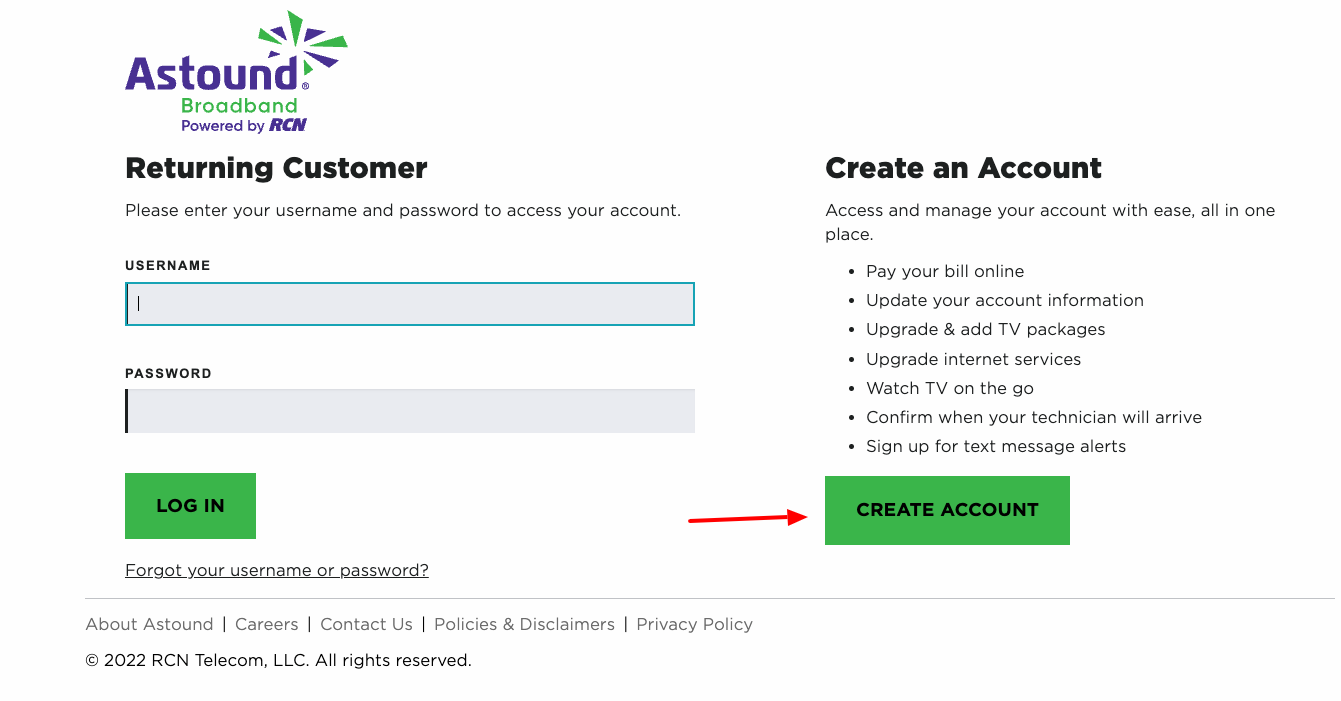
Don’t have a MyAstound account yet? No worries! It’s super simple to set up:
- Go to MyAstound Account Signup
- Click on “Create Account”
- Fill out the registration form
- Have your Astound Account number ready (it’s on your bill)
- Follow the prompts to complete registration
Once registered, you’ll have access to all the online features, including bill pay, account management, and service upgrades.
Tips for Smooth RCN Online Bill Pay Experience
After years of using their online payment system, here are some tips I’ve learned:
-
Set up autopay: This has been a lifesaver for me! No more forgetting to pay bills or getting hit with late fees.
-
Keep payment info updated: Make sure your credit card expiration dates and billing address are always current.
-
Check your email: Astound sends payment confirmation emails that are good to keep for your records.
-
Review your bill: Before paying, take a quick glance to ensure there aren’t any unexpected charges.
-
Use calendar reminders: If you don’t use autopay, set a reminder a few days before your bill is due.
Understanding Your RCN Bill
Astound has designed their billing statement to be easy to review, with 9 key sections to help you understand the details. It’s worth taking a few minutes to familiarize yourself with the layout so you know exactly what you’re paying for.
The statement typically includes:
- Account summary
- Current charges
- Payment information
- Service details
- Taxes and fees
- Special promotions or discounts
Why I Switched to RCN Online Bill Pay
I used to be that person who would wait until the last minute to mail my payment or rush to a payment center during my lunch break. It was stressful and I occasionally missed a payment deadline (oops!).
Since switching to online bill pay with autopay, I haven’t had to worry about my RCN bill at all. It’s automatically deducted from my account each month, and I receive an email confirmation that gives me peace of mind.
What Can You Do Beyond Bill Payment in MyAstound?
Your MyAstound account is useful for much more than just paying bills. Here’s what else you can do:
- Add Astound Mobile: Expand your services right from the portal
- Upgrade internet speeds: Need faster internet? You can upgrade online
- Add TV packages: Customize your entertainment options
- Watch TV on the go: Access streaming content
- Confirm technician appointments: See when your service tech will arrive
- Sign up for text alerts: Get notifications about service or billing
Common Questions About RCN Online Bill Pay
Is there a fee for paying online?
There is a processing fee for one-time payments, but automatic recurring payments typically don’t have additional fees.
How soon will my payment be processed?
Online payments are typically processed within 24 hours, though it may take 1-2 business days to reflect in your account.
Can I schedule a future payment?
Yes! This is great for budgeting. You can schedule your payment ahead of time.
What if I forgot my username or password?
No problem. On the login page, there’s a “Forgot your username or password?” link that will help you recover your account information.
Is online bill pay secure?
Astound uses industry-standard encryption and security measures to protect your financial information.
Final Thoughts on RCN Online Bill Pay
After trying all the different payment methods Astound offers, I gotta say that online bill pay is hands-down the winner for convenience and reliability. The ability to set up automatic payments means one less thing to worry about each month.
Whether you choose to pay online through the MyAstound portal, via the mobile app, over the phone, by mail, or in person, Astound has made sure there’s a payment option that works for everyone’s preferences and needs.
If you haven’t created a MyAstound account yet, I’d highly recommend taking five minutes to set one up. It’ll save you hours of time and potential headaches in the long run.
Remember, staying connected shouldn’t be complicated—and neither should paying for it!
Getting Additional Help
If you’re having trouble with online bill payment or have other questions about your Astound (RCN) service, there are several resources available:
- Visit the Astound Support Center
- Contact customer service at 1-800-427-8686
- Check out their help & support section online
Have you tried RCN online bill pay? What has your experience been like? I’d love to hear about it!
Convenient ways to pay that work for you
Astound offers convenient ways to pay your bill – online, through our automated phone system, by mail, or at any of Astound’s payment locations. Find the way that best meets your needs.
To get started, you can set up, access, and maintain your MyAstound account at my.astound.com/login.
Have more billing or payment questions? Further resources can be found in the Quick Links section below or contact us for more help!
Give us a call!
 Make payments through our automated phone system.
We accept one-time credit or debit card payments from Visa, MasterCard, Discover, and American Express.
Call 1-800-427-8686 to make a payment through our automated phone system or to speak with a customer service professional.
