Xfinity is a popular internet and cable TV service provider in the US. The Comcast-owned brand offers several high-speed internet and TV plans so you can watch your favorite shows on your Google TV without interruptions.
Xfinity offers convenient options to stay on top of your monthly payments, ensuring a disruption-free service. This guide walks you through all the methods of paying your Xfinity bill. It also explains what to do if you get a late payment notification.
These Xfinity support tricks and tips can help bypass automated menus, AI assistance, and long wait times to solve your problem more quickly
Ever got stuck trying to pay your Comcast bill but can’t remember your login details? Don’t worry! I’ve been there too. Paying your Comcast bill online with just your account number is actually super easy once you know how. In this guide I’ll walk you through exactly how to do it plus share some other payment options that might work better for your situation.
Quick Summary: Paying Your Comcast Bill Online
If you’re in a hurry, here’s what you need to know:
- Residential Xfinity customers can pay at xfinity.com/bill-pay
- Business customers should go to business.comcast.com/payment/quickpay
- You’ll need your account number (found on your bill)
- No login or password required for quick payments!
Now let’s get into the details..
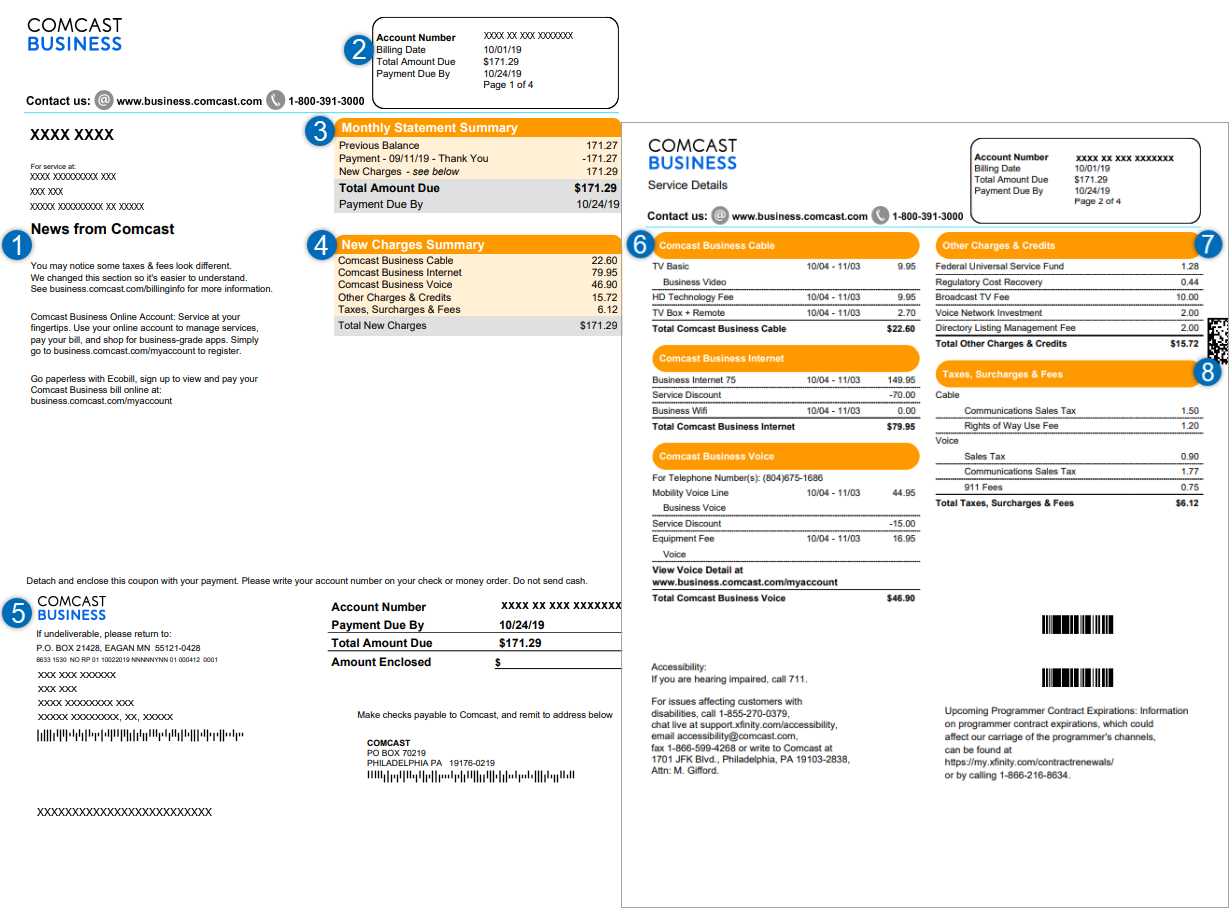
Finding Your Comcast Account Number
Before you can pay your bill, you need to know your account number. It’s usually found:
- At the top of your paper bill
- In the account details section of your online account
- On emails Comcast sends you about billing
- By calling Comcast customer service (though who wants to do that? )
Write this number down somewhere handy so you don’t have to dig for it every month!
Step-by-Step: Paying Your Xfinity Residential Bill Online
So your internet bill is due, but you don’t wanna login to your account? No problem! Here’s how to pay with just your account number:
- Visit the official Xfinity payment page at xfinity.com/bill-pay
- Look for the “Pay your bill” button and click it
- Select the “Quick Pay” or “Pay without signing in” option
- Enter your account number when prompted
- Verify your identity (they might ask for your zip code or phone number)
- Enter your payment amount
- Provide your payment method details (credit card, debit card, or bank account)
- Review everything and hit submit!
Boom! Your payment is processed and you can go back to binge-watching your favorite shows without interruption
Paying Your Comcast Business Bill Online
Running a business? The process is slightly different but just as easy:
- Navigate to business.comcast.com/payment/quickpay
- Look for the “Quick Pay” option (no login needed!)
- Enter your business account number
- Verify your business information
- Enter payment amount and method
- Confirm and submit
And that’s it! Your business services will stay up and running – which is crucial when you’ve got a company to manage!
Other Ways to Pay Your Comcast Bill
While paying online with your account number is super convenient, Comcast offers several other payment methods:
Using the Xfinity App
The Xfinity app makes bill payments super simple. Plus, you can:
- Set up autopay so you never miss a payment
- Manage your billing details on the go
- Get notifications when payments are due
- View your payment history
By Mail
Old school? You can mail a check using the info on your bill. Just make sure to:
- Include your account number on the check
- Allow enough time for delivery (usually 5-7 business days)
- Address it exactly as shown on your bill
In Person with Cash
If you prefer paying in cash or with a money order, you can visit a Western Union® Quick Collect® location. You’ll need:
- Your Comcast account number
- Valid ID
- The payment amount in cash or money order form
Setting Up Autopay to Never Worry Again
I personally got tired of manually paying my bill every month, so I set up autopay. Here’s why it’s awesome:
- Never deal with late fees again
- Your services won’t get interrupted
- One less thing to remember each month
- Some plans even offer discounts for autopay!
To set it up, you’ll need to create an online account if you haven’t already, but trust me, it’s worth the extra 5 minutes.
Troubleshooting Common Payment Issues
Sometimes things don’t go according to plan. Here are some common issues and how to fix them:
Payment Not Showing Up
If you made a payment but it’s not reflected on your account:
- Allow 24-48 hours for processing
- Double-check that you entered the correct account number
- Keep your payment confirmation number handy
Website Issues
If the payment website isn’t working:
- Clear your browser cache and cookies
- Try a different browser
- Use the Xfinity app instead
- Wait a few hours and try again
Late Payment Concerns
If you’re worried about a late payment:
- Comcast usually gives a grace period of a few days
- Call customer service to explain your situation
- Ask about flexible payment options if you’re struggling
Flexible Payment Options When You’re Short on Cash
We’ve all been there – sometimes the budget gets tight! Comcast offers some flexible payment options:
- Payment arrangements to spread out large bills
- Extended due dates in some cases
- Assistance programs for qualifying customers
These options are mentioned on the xfinity.com/bill-pay page where it says “explore our flexible payment options.”
Keeping Track of Your Payments
It’s always smart to keep records of your Comcast payments. I recommend:
- Saving confirmation numbers and screenshots
- Checking your bank statement against your Comcast bill
- Reviewing your account periodically for any discrepancies
- Keeping an eye out for unexpected charges
Security Tips When Paying Bills Online
Whenever your paying bills online, security matters! Here’s how to stay safe:
- Always use official Comcast websites (the ones I linked above)
- Check for “https” in the URL and a lock icon in your browser
- Never share your payment details over email or text
- Use a credit card rather than debit when possible for better fraud protection
- Consider using a password manager for your online accounts
Why Paying Online is Actually Better
I used to mail my payments, but switching to online payments changed everything:
- Saves time (no stamps, envelopes, or trips to the mailbox)
- Payments process faster
- Creates an instant digital record
- Reduces paper waste
- Can be done anytime, anywhere!
Setting Reminders So You Don’t Forget
Even without autopay, you can stay on top of your bills:
- Set a recurring calendar reminder a few days before your bill is due
- Use your phone’s reminder app
- Subscribe to email or text alerts from Comcast
- Stick a note on your fridge (sometimes the old ways work best!)
What to Do If You Can’t Pay Your Bill
Life happens, and sometimes bills pile up. If you’re struggling to pay:
- Contact Comcast before your bill is due
- Ask about hardship programs
- See if you qualify for payment extensions
- Look into more affordable plan options
They’re often willing to work with you if you reach out proactively!
The Bottom Line: Keeping Your Comcast Service Running Smoothly
Paying your Comcast bill online with just your account number is one of the easiest ways to keep your services active. Whether you’re a residential customer or business owner, the process is streamlined and secure.
Remember:
- Residential customers: xfinity.com/bill-pay
- Business customers: business.comcast.com/payment/quickpay
I’ve been a Comcast customer for years, and once I figured out these payment methods, managing my bill became so much simpler. No more scrambling at the last minute to avoid service interruptions!
FAQs About Paying Your Comcast Bill Online
Can I pay someone else’s Comcast bill for them?
Yes! You just need their account number. This is great for helping out family members who aren’t tech-savvy.
How long does an online payment take to process?
Most online payments are processed within 24 hours, but it’s best to pay a few days before the due date just to be safe.
Is there a fee for paying online?
Nope! Comcast doesn’t charge extra fees for online payments, which is another reason it’s better than some other payment methods.
What payment methods are accepted online?
Comcast accepts credit cards, debit cards, and direct bank account payments (ACH) for online transactions.
Can I schedule a payment for a future date?
Yes, you can schedule payments in advance through your online account or sometimes through the Quick Pay option.
What if I accidentally pay too much?
Any overpayment will typically be credited to your account and applied to future bills. If you need a refund, you’ll need to contact customer service.
Hopefully this guide has made paying your Comcast bill a little easier! The next time your bill comes due, you’ll know exactly what to do – even if all you have is your account number.
How to pay your Xfinity bill through chat
You can chat with the Xfinity Assistant to pay your bill. Here’s how to access the virtual assistant:
- Web browser: Visit the support page to chat with the Assistant.

- Xfinity app: Tap the chat bubble icon in the upper-right corner.
- Text message: Text your query to 266278 on your phone.
- Xfinity Voice Remote: Use your Xfinity Voice Remote on your Xfinity X1 or Flex streaming TV Box to ask for help with your bill. Say Xfinity Assistant and the virtual assistant will appear at the bottom of your screen. To access the billing option, say Pay my bill.
- Xfinity X1: On your Infinity X1 TV Box, go to Tools > X1 Help Menu and Choose Xfinity Assistant. This option isn’t available on the RNG150 model.
What happens if you get a late payment notification from Xfinity?
If you don’t pay by the due date, you’ll get a late payment notification. The company will also email you so you can pay your bill online to avoid late fees. It will add a late fee to your next bill if you still don’t pay.
Xfinity may disconnect or interrupt your service due to missed or late payments. It will email you about the late fee. You can reactivate the service by making a payment that may include a reactivation charge and late fees. After you make the payment, you’ll have to wait 48 to 72 hours until the company restores your services.
Make sure your Xfinity remote is working properly with your TV
