Hey there, friend! Let’s talk about somethin’ that’s probably haunted ya at least once—bills. Ugh, right? I’ve been there, starin’ at a due date I almost missed, heart racin’ like I’m in a thriller movie But here’s the secret sauce that saved my bacon scheduling bill pay. If you’re tired of late fees or just wanna get your financial ducks in a row, stick with me We’re gonna break down how to schedule bill pay, why it’s a total game-changer, and how to do it without breakin’ a sweat.
At its core, scheduling bill pay means settin’ up your payments in advance through your bank’s online or mobile platform so they hit the due date on time. No more last-minute scrambles or prayin’ the mail don’t delay. Whether it’s your rent, utilities, or credit card, you can plan it out and let the bank handle the rest. Let’s dive straight into the good stuff—how to make this work for you, right now.
What Is Scheduling Bill Pay, Anyway?
Real quick, let’s clear the air. Scheduling bill pay ain’t some fancy Wall Street trick. It’s just tellin’ your bank, “Hey, pay this bill for me on this date.” Most banks got this feature in their online banking or mobile app, and it lets you pick who to pay, how much, and when. You’re basically settin’ a reminder for your money to do its job without you hoverin’ over it.
Why’s this matter? ‘Cause life’s busy, man. One missed payment can slap ya with fees or ding your credit score. When you schedule, you’re takin’ control. Plus, a lotta banks guarantee the payment arrives on time if you’ve got the funds and set it up right. Sweet deal, huh?
How to Schedule Bill Pay: A Step-by-Step Guide
Alright let’s get down to business. I’m gonna walk ya through this like I’m sittin’ next to ya with a coffee. Here’s how we do it at my bank, and yours prolly ain’t much different.
- Log Into Your Online Banking or App: First things first, get into your bank account online or on their mobile app. If you ain’t set up for online banking yet, do it now—it’s usually a quick sign-up.
- Find the Bill Pay Section: Look for somethin’ labeled “Bill Pay” or “Payments.” It’s often right on the main dashboard or under a menu for transfers and payments.
- Add Your Payees: This is just who you’re payin’—like your landlord or electric company. You might need their account number or address the first time, but after that, it’s saved for next time.
- Set the Amount and Date: Pick how much to pay and when. Here’s the kicker—don’t wait ‘til the due date. Give it a buffer ‘cause processing times vary.
- Choose Your Payment Method: Some banks let ya decide if it’s electronic (faster) or a paper check (slower). Electronic is usually the way to go if it’s an option.
- Confirm and Schedule: Double-check the deets, hit confirm, and boom—you’re set. Some banks even send ya an email to say it’s done.
That’s it! Takes maybe five minutes once you get the hang of it. Now, let’s talk timing, ‘cause this is where folks mess up big time.
Timing Is Everything: When Should You Schedule?
Here’s the deal—scheduling don’t mean payin’ early, it means plannin’ early. Different payment types take different times to process, and you gotta account for that. Lemme break it down with what I’ve learned from messin’ this up once or twice.
- Electronic Payments: These are usually quicker. Most banks need just one business day to get the money where it’s goin’. So, if your bill’s due on Friday, schedulin’ it by Thursday mornin’ should cover ya.
- Paper Checks: Old-school, but sometimes ya gotta use ‘em. These can take up to five business days ‘cause the bank’s gotta cut the check and mail it. If your due date’s the 15th, schedule by the 10th at the latest to be safe.
- Weekends and Holidays: Don’t forget, business days ain’t weekends or holidays. If your due date lands near one, push your schedule back a bit more.
My rule of thumb? Always give it at least five business days ahead, no matter what. Better safe than sorry ya know? I’ve had a payment get held up ‘cause of a random holiday I forgot about and it weren’t pretty.
Here’s a lil’ table to keep things straight:
| Payment Type | Processing Time | Schedule By |
|---|---|---|
| Electronic (ACH) | 1 Business Day | At least 2 days before due |
| Paper Check | Up to 5 Business Days | At least 5-7 days before due |
Pro tip: Check your bank’s app or website for exact timelines—they usually spell it out somewhere in the fine print. And if you’re ever unsure, call ‘em up. Ain’t no shame in askin’!
Why Schedule Bill Pay? The Benefits Are Real
Now that ya know the how and when, let’s chat about why this is worth your time. I ain’t just blowin’ smoke here—scheduling bill pay has legit perks that’ll make your life easier.
- No More Late Fees: This is the biggie. Late fees suck, and they add up quick. Scheduling means your payment hits on time, every time, savin’ ya cash.
- Less Stress, More Chill: Forgettin’ a bill is a gut punch. When you schedule, it’s off your mind. I sleep better knowin’ my rent’s handled without me thinkin’ twice.
- Trackin’ Made Easy: Most banks let ya see your payment history for months back. No more diggin’ through old statements to prove ya paid somethin’.
- Set It and Forget It: Got a bill that’s the same every month? Set up recurrin’ payments. It’s like autopilot for your finances.
- Control Freak’s Dream: You decide the amount and date. If a bill’s higher one month, adjust it. You’re the boss of your money.
I remember when I first started doin’ this—felt like I unlocked a cheat code for adultin’. No more last-minute runs to pay stuff. It’s all lined up, neat and tidy.
Common Mistakes to Dodge When Schedulin’ Bill Pay
Alright, I ain’t gonna sugarcoat it—there’s ways to mess this up if you ain’t careful. I’ve made a couple o’ these blunders myself, so learn from my dumb moments.
- Cuttin’ It Too Close: Schedulin’ on the due date or day before? Bad idea. Processing ain’t instant, even for electronic stuff. Give it that buffer I mentioned.
- Not Checkin’ Funds: If your account’s low when the payment goes through, it might bounce or trigger fees. Always peek at your balance before hittin’ confirm.
- Forgettin’ to Update Payees: Moved to a new place? Make sure your landlord or utility info is current in the system. Wrong deets mean delayed payments.
- Ignorin’ Confirmation: Some banks send an email or alert when a payment’s sent. Check it. If somethin’ looks off, you can catch it early.
- Over-Schedulin’: Don’t set up too many payments at once without trackin’ your cash flow. I did this once and almost overdrew my account—yikes!
A lil’ caution goes a long way. Just take a sec to double-check stuff, and you’ll be golden.
Extra Features You Might Wanna Use
Banks got some neat tricks up their sleeves with bill pay, and I’ve found a few that make things even smoother. Check if yours offers these:
- Auto-Pay: For bills that don’t change much, like subscriptions, set ‘em to pay automatically. Just keep an eye on ‘em in case the amount shifts.
- eBills: Some banks let ya get digital bills right in the app. You see what’s due and pay it in one spot—no paper clutter.
- Reminders: Set alerts for when a payment’s comin’ up or when it’s been sent. It’s a nice nudge if you’re forgetful like me.
- Expedited Payments: Need it there tomorrow? Some banks got a fast-track option, though it might cost a small fee. Handy in a pinch.
I love the eBills thing—saves me from losin’ paper statements in my messy desk drawer. Dig around your bank’s app; ya might find somethin’ cool like this.
What If Somethin’ Goes Wrong?
Look, tech ain’t perfect, and neither are we. Sometimes a scheduled payment don’t go as planned. Here’s how to handle it if stuff hits the fan.
- Payment Don’t Arrive: If the payee says they ain’t got it, check your bank’s payment history first. Then call customer service—they can track it or resend if needed.
- Wrong Amount or Date: Most banks let ya edit or cancel a scheduled payment if it ain’t processed yet. Jump on that quick through the app.
- System Glitches: Rare, but outages happen. If the app’s down, call the bank or wait it out. Don’t panic; they usually fix it fast.
- Merchant Issues: Sometimes the payee’s the problem—like if their account info changed. Contact ‘em to confirm deets, then update your bill pay setup.
I had a payment get lost once ‘cause I typo’d an account number. Felt like an idiot, but a quick call to my bank sorted it. They got your back if ya reach out.
How Schedulin’ Bill Pay Boosts Your Financial Game
Let’s zoom out a bit. Schedulin’ your bill pay ain’t just about avoidin’ late fees—it’s about levelin’ up your whole money vibe. When you got this on lock, you’re buildin’ habits that spill over into other areas. You start budgetin’ better ‘cause you know exactly when money’s leavin’ your account. You’re less likely to overspend since you’ve planned for them bills. And your credit score? It thanks ya for payin’ on time.
I’ve noticed since I got serious about this, I’m way more chill about money. I used to dread checkin’ my account, scared I forgot somethin’. Now, it’s all mapped out. It’s like I’ve hired a personal assistant, except it’s just me and my bank app.
Tips for Stayin’ on Top of It
Wanna make this second nature? Here’s some extra nuggets of wisdom I’ve picked up along the way.
- Calendar It: Even with schedulin’, mark due dates on your phone or a wall calendar. Double reminders never hurt.
- Batch Your Payments: Set aside one day a month to schedule everything. I do mine on the 1st while sippin’ coffee—feels like a ritual.
- Check Monthly: Peek at your scheduled payments now and then. Life changes, and so do bills. Adjust as ya go.
- Keep a Buffer Fund: Stash a lil’ extra in your account for bill pay months. Covers ya if somethin’ unexpected pops up.
- Talk to Your Bank: Not sure how their system works? Give ‘em a ring. They’re usually happy to explain the nitty-gritty.
These lil’ habits stack up. Before ya know it, you’re runnin’ your finances like a pro without even thinkin’ hard about it.
Wrappin’ It Up: Take Charge Today
So, there ya have it—a full-on guide to schedulin’ bill pay like you’ve been doin’ it forever. It ain’t rocket science, just a smart way to dodge stress and keep your money straight. Start small if ya need to—schedule just one bill this month and see how it feels. Once ya get that “I got this” vibe, add more.
We at [Your Blog Name] are all about helpin’ ya win at life, one practical tip at a time. Got questions or a story about how schedulin’ saved your hide? Drop a comment below—I’d love to hear it! And hey, if this helped, share it with a buddy who’s always dodgin’ late fees. Let’s get everyone on this bandwagon.
Now, go log into that bank app and set up a payment. Future you is gonna thank ya for takin’ care of business. Catch ya later!
Pay your bills without the hassles of writing checks and buying stamps Bill Pay set-up is easy. Take control over when your bills are paid.
No more checks to write, envelopes to find, or stamps to buy. Set up your bill amount, and we’ll pay it. Initial set-up is quick and easy.
View your payment history, and help stay in control by knowing who’s getting paid and by when. If you want, we’ll send you an email confirmation of your payments.
Esta página solo está disponible en inglés
Selecione Cancele para permanecer en esta página o Continúe para ver nuestra página principal en español.

QuickBooks product update: Save time & schedule payments with Bill Pay | In the Know episode 6
FAQ
How do I pay my bills?
See how easy it is to pay bills 1 in the Mobile Banking app 2 or Online Banking. Make fast, easy payments. Receive immediate confirmation that your payment was scheduled. Use Bill Pay to set up one-time or recurring payments on the date you specify. Pay your bills without sharing your account details.
What is online bill payment?
Online bill payment is an electronic service that allows you to pay your bills all in one place, without having to write and mail checks. This service can usually be set up through your bank, credit union, or directly through service providers. How Does Online Bill Pay Work?
How does online bill pay work?
Online Bill Pay is fast, secure, guaranteed – and so convenient. Track and schedule your bill payments, set up recurring payments, Expedite Payment 1 and transfer money anytime in online banking through key.com or your mobile app. Pay your bills online, make transfers, and send money from the account summary page.
How do I set up online bill pay?
Keep in mind that each bank, credit union, or service provider will have its own set of steps for setting up online bill pay, but you can generally expect to do the following: Log in: You can sign into your account through your bank or financial institution’s online portal or mobile app, and then go to the “bill pay” feature.
How do I schedule a chase payment?
Sign in to Chase Online℠ or the Chase Mobile®app and choose “Pay bills” then “Schedule payment” in the navigation menu. Choose your payee, enter the amount, “Pay from” account and the “Send on” or “Deliver by” date, then verify your details and submit. You’ll see a payment confirmation where you can save or share your payment receipt.
How do I cancel or change a bill payment?
In online banking: Select Bill payments at the top of the page, then Pay bills & U.S. Bank accounts. On the Your bills screen, find the biller whose payment you wish to cancel or change under SCHEDULED in the right column and select it. Make your desired changes on the Edit payment page, then select Save.
How to create a bill payment schedule?
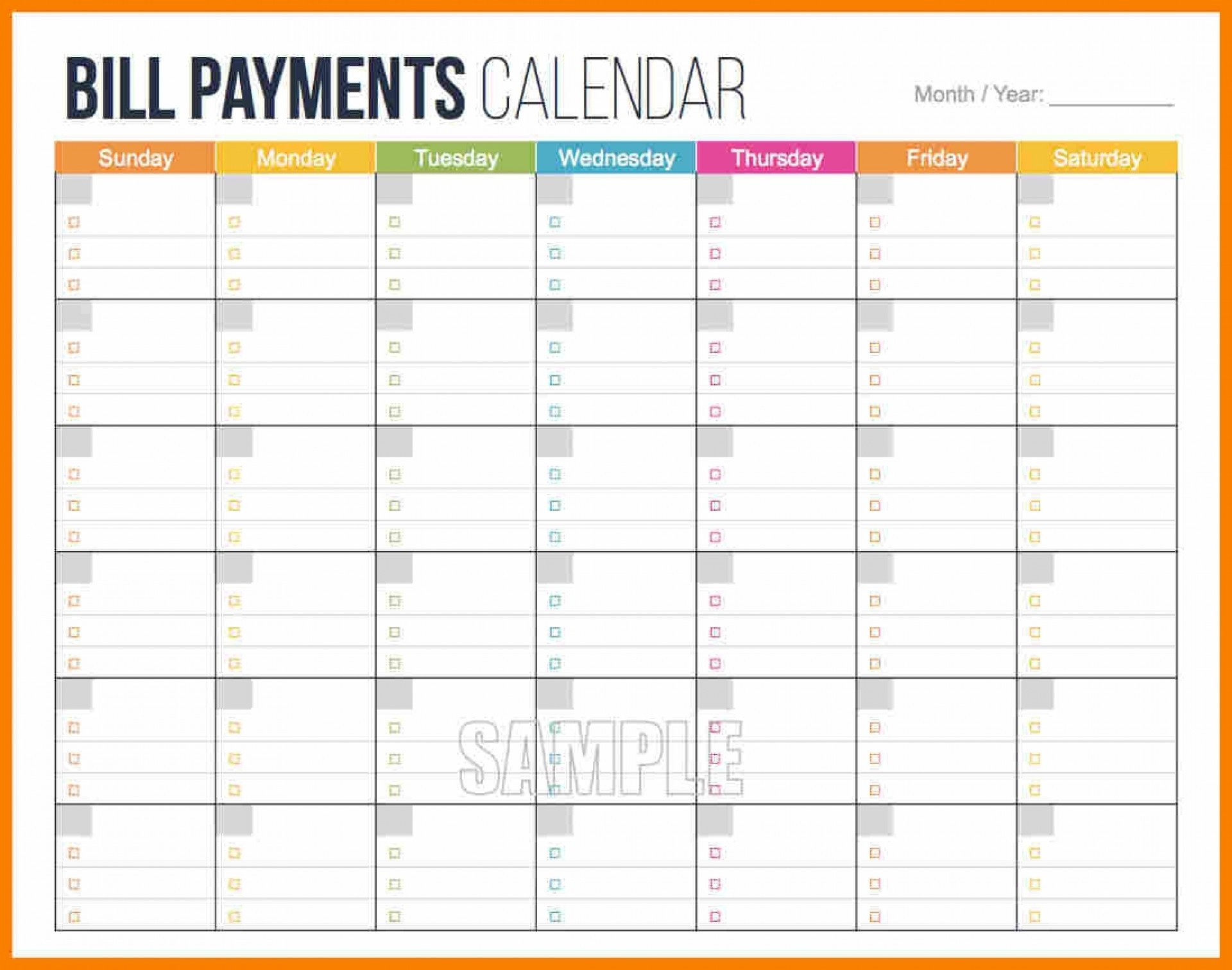
Set up a bill paying schedule that coincides with your pay days. List all your obligations by payee name or type of expense. Place them in due date order with the amount you pay every month, and any balances left to be paid. Bills should be paid about one week before the due dates, so plan accordingly.
What is a schedule bill?
A billing schedule outlines the predetermined dates and terms for invoicing and payment between businesses or individuals. These schedules help establish clear expectations for when payments are due, ensuring smooth financial transactions and cash flow management.
What is a schedule payment?
A scheduled payment is a cash management tool for planning and timing business payments for specific dates. Scheduled payments automatically process on the day you set. Scheduled payments are an excellent cash flow optimisation tool for managing payments that are not due immediately.
What is bill pay and how does it work?
