Have you been pulling your hair out trying to pay your Comcast bill online? Trust me, you’re not alone For the past few months, I’ve seen tons of customers (myself included!) struggling with this super frustrating issue.
It’s ironic, isn’t it? A company that provides internet service can’t seem to get their own payment website working properly. I’ve spent countless hours troubleshooting this myself, and after scouring community forums and testing different solutions, I’ve put together this comprehensive guide to help you get your Comcast bill payment processed without losing your sanity.
The Most Common Comcast Bill Pay Problems
Before jumping into solutions, let’s look at what might be happening when you try to pay your bill online. Here are the problems customers report most often
- Website redirects to blank or error pages after clicking “Pay Bill”
- Error messages like “Payment Failed” or “Unable to Process Payment”
- Pages that load infinitely or get stuck on the payment screen
- Unable to log into your account to access bill pay
- Payment goes through but account still shows unpaid
- Autopay suddenly stops working without notice
- The dreaded “Something went wrong” or “404 error” messages
- System keeps asking for verification codes in an endless loop
What’s especially frustrating is that these issues prevent you from paying on time, which can result in late fees. Talk about adding insult to injury – you literally can’t give them your money!
Why Your Comcast Bill Pay System Might Not Be Working
Understanding the root causes can help you troubleshoot more effectively:
1. Technical Issues on Comcast’s End
Let’s be honest – this is the most likely culprit. Comcast’s billing website experiences regular glitches and outages. Many users report completely blank payment pages. According to community forums, these technical issues have been ongoing for months, with some users reporting problems lasting for 7-8 months!
2. Browser Conflicts
Different web browsers handle Comcast’s payment system differently Chrome users seem to report more problems than others The issue might be related to certain browser extensions or plugins interfering with the payment page.
3. Cookies and Cache Problems
Payment websites heavily rely on cookies and cached data to store login information and populate pages correctly. Outdated or corrupted cache data can prevent the bill pay page from loading properly.
4. Account Restrictions
If your bill is past due, Comcast may place restrictions on your account that block online payments. This is particularly frustrating since you’re trying to pay the bill to resolve the past-due status!
5. Random System Glitches
Sometimes, for no apparent reason, accounts get stuck in states that reject payments, or autopay gets disabled without notification.
10 Practical Troubleshooting Tips for Comcast Bill Pay Problems
After experimenting with different solutions and combing through user reports, here are the most effective ways to get your Comcast bill pay working again:
1. Try Using a Different Browser
This is one of the most successful fixes reported by users. If Chrome isn’t working, try Firefox, Safari, or Microsoft Edge. One user in the Xfinity forums noted: “I tried several times yesterday, and in the end, I just decided to log out and log back in and tried again. Very slow, but it worked, and I was able to pay online.”
2. Use Incognito or Private Browsing Mode
Several Xfinity support representatives recommend using incognito mode. This disables extensions and clears temporary cache/cookies that might be causing conflicts. In Chrome, press Ctrl+Shift+N (or Cmd+Shift+N on Mac) to open an incognito window.
3. Clear Your Browser’s Cache and Cookies
This step resolves many payment issues by removing potentially corrupted data:
For Chrome:
- Click the three dots in the top-right corner
- Select “More tools” > “Clear browsing data”
- Check “Cookies and site data” and “Cached images and files”
- Click “Clear data”
For Safari:
- Go to Safari > Preferences > Privacy
- Click “Manage Website Data”
- Click “Remove All”
4. Try Paying on Mobile Instead of Desktop
Many users report success switching to their smartphones or tablets. You can either:
- Use the Xfinity mobile app
- Visit the Xfinity website through your mobile browser
5. Disable Browser Extensions
Some browser extensions, particularly ad blockers or script blockers, might interfere with the payment page. Try temporarily disabling all extensions before attempting payment.
6. Ensure Two-Factor Authentication is Set Up
According to Xfinity support: “Once you are logged in, check if you have two-factor authentication on. If it is not on, please select an option you can use.” Having this properly configured may help with the authentication loops some users experience.
7. Try Multiple Payment Methods
If your credit card isn’t being accepted, try another payment method if available. Sometimes switching from credit card to bank account payment (or vice versa) can bypass specific payment processing issues.
8. Contact Comcast Support for Direct Assistance
If you’ve tried everything else, reaching out to Comcast support might be necessary. However, be prepared for potentially long wait times. Instead of calling, try:
- Using the direct messaging feature on Comcast’s forums
- Messaging @ComcastCares on Twitter
- Starting a chat through their website (when it works)
When contacting support, clearly explain that you’ve already tried clearing cache, using different browsers, and other troubleshooting steps.
9. Switch to Automatic Payments
If manually paying each month consistently causes headaches, setting up autopay might be worth considering. This authorizes Comcast to automatically charge your preferred payment method each month. Just be sure to monitor your statements for the first couple of months to ensure it’s working correctly.
10. Pay Through Alternative Channels (Last Resort)
If online payment simply won’t work, you still have other options:
- Visit a physical Xfinity payment center
- Use Western Union Quick Collect locations to pay with cash or money order
- Mail a check using the information on your bill
What Real Customers Are Saying About Comcast Bill Pay Issues
The Xfinity Community Forums are filled with frustrated customers experiencing these problems. Here are some actual comments from users:
“I’ve been trying for 3 days to pay my bill online. I’ve signed in, requested the code to verify and entered the code. The system bounces back to verify again.” – Forum user
“I’m pretty much positive this is an issue with some sort of common chrome/chromium plugin. I get this same issue with Chrome — and have for ages. I don’t have this issue with my phone browser or even Microsoft Edge” – Hawkerra
“It’s November 12th and I am on day 4 of not being able to pay my bill through comcast website. Tried clearing cache, different browsers,different computers and devices but Every time I press the pay your bill button, I get a something went wrong reload button message.” – Forum user
“I have been unable to pay via the xfinity app(error 404 code) for months and when I attempt to go through the browser I get the same message. It is insane that this has not been fixed.” – Forum user
Requesting Account Credits for Late Fees
If Comcast’s payment system issues prevented you from paying on time, don’t accept late fees! Many customers have reported success in getting these fees waived by explaining the situation. Be firm but polite when requesting the removal of late charges, as these issues are clearly on Comcast’s end, not yours.
The Bigger Problem: Comcast Needs to Fix Their Bill Pay System
Based on the overwhelming number of complaints from customers, it’s clear that Comcast’s online bill payment system has serious problems. The billing system seems to have deteriorated after Comcast’s migration to their new website and changes intended to improve security.
Reliably collecting money from customers should be the most basic functionality for any service provider. Yet month after month, customers struggle with this fundamental task.
While we hope Comcast gets their act together soon, the troubleshooting tips above should help you work around the problems and successfully pay your bill with minimal frustration.
Frequently Asked Questions About Comcast Bill Pay Issues
Why is Xfinity Quick Pay not working?
According to Xfinity: “At Xfinity, one of our top priorities is protecting your account and account-related information. In order to further protect your account and information, we now require you to sign into your Xfinity account and validate your customer credentials before we accept a payment.” This additional security may be causing some of the login loops and verification issues.
Can I still pay my Comcast bill over the phone?
Despite some users reporting that phone payments are no longer available, Comcast still lists this as an option. Call 1-800-XFINITY (1-800-934-6489) and select prompt #2 for Billing and Payments. However, some forum users report that the automated system says phone payments are no longer accepted.
What if I can’t pay my Xfinity bill due to financial hardship?
Comcast offers payment plans for eligible customers. Contact them at 1-888-936-4968, and a specialist can help set up a repayment plan. After setup, you’ll receive a confirmation email with payment dates and installment amounts.
What other ways can I pay my Xfinity bill?
Alternative payment methods include:
- Xfinity app
- Using your Voice Remote by saying “my Account” or “Pay my bill”
- Mailing a check using the information on your bill
- Visiting a Western Union Quick Collect location to pay with cash or money order
- Visiting a physical Xfinity store
Conclusion: Perseverance Pays Off
Dealing with Comcast bill pay issues is undoubtedly frustrating, but don’t give up! With the troubleshooting tips outlined in this article, you should be able to find a workaround that works for your situation. Remember to try different browsers, clear your cache, use incognito mode, or switch to mobile if necessary.
And please, share your experiences in the comments below! Did any of these solutions work for you? Do you have additional tips that might help other readers? Your insights could save someone else hours of frustration!
Until Comcast finally fixes their bill pay system, we’re all in this together. Good luck, and may your next payment attempt be successful!
How to Cut your Comcast Bill: Step-by-Step Phone Script
I’ll now walk you step-by-step how I was able to negotiate by Xfinity price down to $90 per month.
1. I picked up the phone and called Xfinity customer service number @: 1-800-934-6489 (1-800-XFINITY).
2. I state (“disconnect service”) when prompted by the automated voice prompts.
This should get you connected to an Xfinity loyalty or retention specialist, who have more power to offer discounts than other customer service reps.
3. I lead my negotiation with the competition.
Comcast fears losing customers to AT&T U-Verse, who is offering up some great discounted packages to new customers.
My discussion was almost identical to this – and this Comcast script has reportedly worked well for hundreds of readers:
- Me: I’d like to discontinue my service.
- Comcast Rep: OK, may I ask why?
- Me: Because I need to lower my bill and AT&T U-Verse is now available in my neighborhood and has some great offers for me, including fiber internet and streaming for much less than I am currently paying. Or, I’ve been looking at a few streaming services as well.
- Comcast Rep: OK. Well AT&T doesn’t offer as many HD channels, but I can look to see what kind of package we may be able to offer you.
- Me: OK, I’ll hear you out.
- Comcast Rep: OK, so we have a new offer where you can give you the same price as a new customer, with a 2-year contract: $79.99 for Fast 400 Mbps and Popular TV cable with 125 channels. There is also a $10/month DVR fee.
- Me: Are you able to cut the DVR fee?
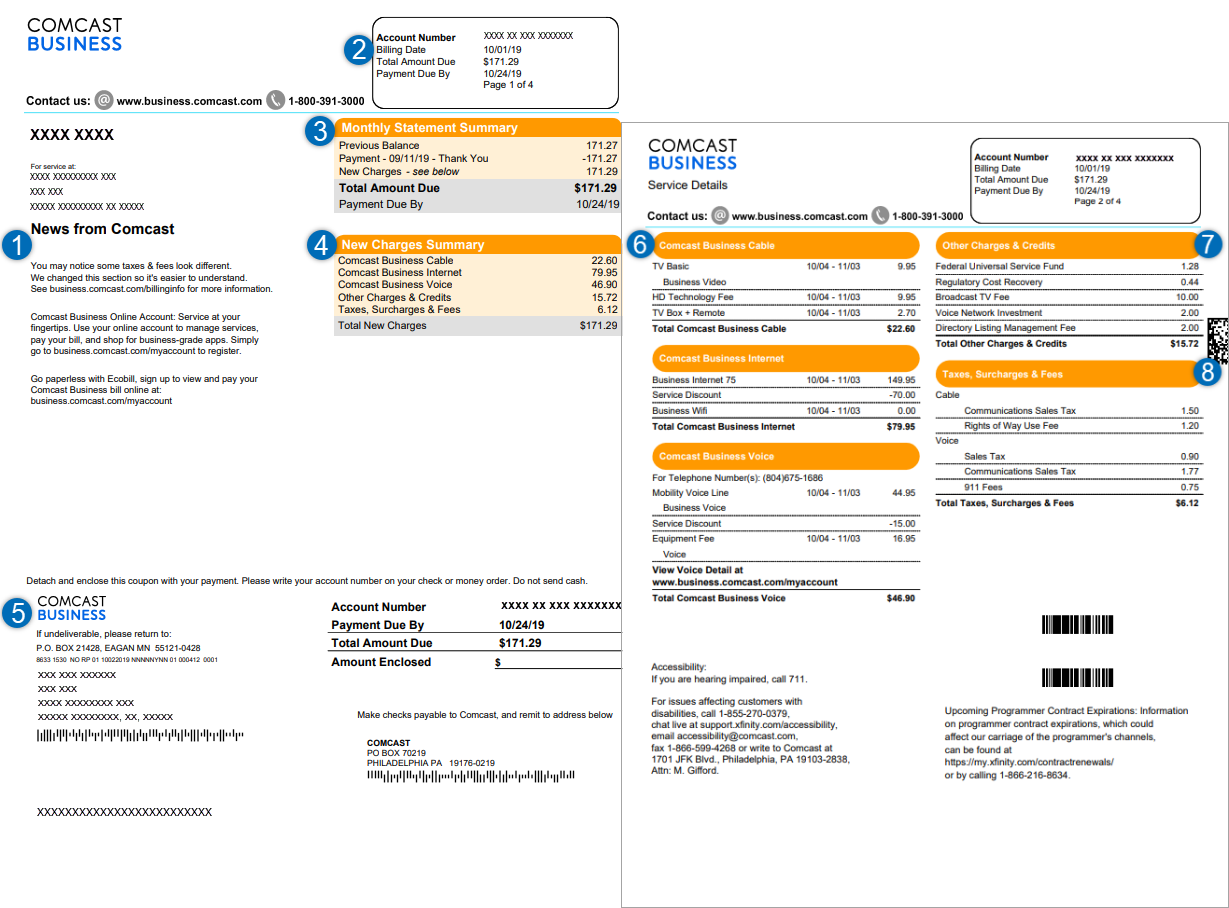
- Comcast Rep: Now you can cut the Xfinity HD DVR and set top box fee (my tips on how to do this), but you need to stay under 20 hours of programming recorded. If you don’t want a DVR, there is a $8.50/month set-top box fee per device (note: now $10/month per device), but you can get rid of that by using a Roku with the Xfinity Stream app, Amazon Fire, or certain smart TVs. You can also sign up for eco-bill and get a discount there. After all of that, your price would be $93 with a 2-year contract.
- Me: Are you sure you don’t have any cheaper packages?
- Comcast Rep: Yes.
- Me: OK, please make the switch.
- Comcast Rep: OK, should we add on Xfinity Voice too?
- Me: No thanks (I have Ooma digital phone service, and it’s free).
Score another one versus Comcast’s dreaded customer service.
4. I Saved 34%!
I was able to cut $47 (34%) off my cable/internet package, while getting the same channels and same internet speeds. Over 2 years, this will save me $1,128, and then I will negotiate a new 2-year contract again, or switch to U-Verse.
5. Stay Congenial
I want to point out that I was friendly, yet confident with the service rep. It may sound cliche, but treat others as you would want to be treated and you will get better results. Act like a jerk, and you’ll strike out.
6. Bundling Often Results in a Better Deal
If you’re going to be an Xfinity customer, it almost always saves you money when you bundle. Xfinity frequently has deals that allow you to bundle Xfinity Mobile with Xfinity TV and Internet, lowering the combined total prices of those services – often with prepaid Visa cards as a reward. If you live with an Xfinity Internet/TV supported area, bundling Xfinity Mobile (see my Xfinity Mobile Review for more info) with those services will usually result in the lowest total price versus buying from separate providers. You can find current Xfinity bundle offers here if you’re interested in bundling services.
7. Eliminate Extra Fees where you Can
Comcast has recently been advertising Xfinity “Supersonic Wi-Fi” offering. Broken down, “Supersonic Wi-Fi” is really just Xfinity’s fastest (and highest cost) internet tiers (Gigabit or Ultrafast plans) paired with a new Wi-Fi 6E router (which they are marketing as the “Supersonic Gateway” as part of their package Xfinity “Supersonic Bundle” deal). Even better – Wi-Fi 7 is now new in the market. I recently took a look at the new Wi-Fi 7 versus Wi-Fi 5, 6, & 6E technology to determine if Wi-Fi 7 is worth the cost.
I don’t think it’s worth it. I would recommend replacing your Xfinity xFi modem by buying a Netgear CM3000 modem and pairing it with a TP-Link AXE5400 router (Wi-Fi 6E), or TP-Link BE9300 (Wi-Fi 7) router if I were buying today (see the articles linked to on the “Important Note” above for a full list of good modem/router options). This setup offers the same speeds as Xfinity and pays for itself in just over a year (saving $180 per year), and then it’s free for as long as they live!
I’ve also written more broadly on how to get rid of your ISP modem rental fee (if you’re not a Comcast customer).
My Xfinity Price Negotiation Strategy to Lower my Bill
Comcast, or “Xfinity” as they like to call themselves these days, had thrown me for a bit of a loop lately. The live-chat method had always worked for me in getting discounts and promotions on Comcast services, but lately they’ve been sticklers. I had written a very old post on the Get Rich Slowly site in the past that highlighted how to cut your Comcast bill – and gave the actual chat transcript that cut my cost by 33%. That post is outdated, and few have had much luck with Xfinity’s live chat team in recent years. Maybe Comcast management read that post and decided to “toughen up” the live chat team? Whatever the case, new Xfinity negotiation tactics were needed.
Sure, I could get rid of cable completely. But, I love live sports and find enough educational value in other programming. And stacking streaming packages can cost just as much, if not more, than cable TV these days. So, I decided to go back to my old method of getting a Comcast discount – a good ole’ fashion negotiation by phone.
Before I go into the negotiation and what the result was, I’ll first highlight what my package and price was (post 2-year contract expiring):
- “Popular TV” with HD DVR: $90/month with fees (full price)
- “Fast” Cable Internet (400 Mbps): $40/month (discounted)
Total price: $130 per month (+ another $25 or so for other related fees).
Note: Xfinity frequently changes their speeds and package pricing and names, so research what the current offerings are in your area, and substitute in the script. It’s the technique – speak to the right representative, threaten to cancel, get offered a bundle at new customer pricing, eliminate fees – that works, not the product branding or even pricing specifics.
