Hey there, Cricket Wireless fam! If you’re like me, keepin’ up with bills can be a real pain in the neck. Forgot to pay on time? Yeah, I’ve been there, scramblin’ at the last minute to avoid gettin’ cut off. But lemme tell ya, Cricket’s got your back with their automatic phone number bill pay option. It’s a quick way to settle your bill just by dialin’ a number from your phone. No internet? No problem! In this post, we’re gonna break down every lil’ detail about how to use Cricket’s automated phone system to pay your bill, why it’s a lifesaver, and some neat tricks to make your life easier. So, grab a coffee (or a soda, no judgment here), and let’s dive right in!
What’s Cricket Automatic Phone Number Bill Pay Anyway?
Alright, let’s start with the basics. Cricket Wireless lets ya pay your bill super easy by usin’ their automated phone system. All you gotta do is dial a special code from your Cricket phone, punch in some info, and bam—your bill’s paid! It’s perfect for those moments when you ain’t got Wi-Fi or just don’t wanna mess with apps and websites. We’re talkin’ about dialin’ *PAY (that’s *729 if ya didn’t know) right from your Cricket device. It’s fast, it’s simple, and it works when you’re in a pinch.
But heads up—there’s a tiny catch. Usin’ this phone method usually comes with a $5 Customer Assistance Fee. Don’t worry though; I’ll explain when ya might dodge that fee and how it all works. Let’s get into the nitty-gritty of settin’ this up and why it might be your go-to move.
How to Pay Your Cricket Bill with the Automated Phone System
Let’s cut to the chase. Here’s exactly how we at Cricket make it easy to pay your bill usin’ your phone number. Follow these steps, and you’ll be done quicker than you can say “no late fees!”
- Grab Your Cricket Phone: Make sure you’re usin’ the phone tied to your Cricket account. This ain’t gonna work from your buddy’s line or a landline.
- **Dial PAY or 729: Just punch in *729 on your keypad and hit call. It’s like callin’ a magic number that handles your bill.
- Listen Up to the Prompts: Once connected, you’ll hear an automated voice guidin’ ya. It’s gonna ask for stuff like your payment method. Don’t hang up—follow along!
- Pick Your Payment Type: You can use a credit card, debit card, or even a Cricket Refill Card. Have your card handy ‘cause you’ll need to enter the numbers.
- Confirm the Amount: The system will ask how much ya wanna pay. Make sure it matches what you owe (or more if you’re feelin’ generous).
- Double-Check Everything: Before finalizin’, the voice will repeat your info. If somethin’ sounds off, you can correct it. If it’s good, confirm.
- Get Your Confirmation: After payment, you’ll get a confirmation number. Write it down or screenshot the text Cricket sends ya. It’s proof you paid, just in case.
And that’s it! You’ve just paid your bill without leavin’ your couch. But remember that $5 fee I mentioned? It applies to most phone payments, unless you’re in certain states like Connecticut where they waive it for some accounts. Check your billin’ address if ya think you might skip the fee.
Why Choose Phone Bill Pay Over Other Methods?
Now, you might be thinkin’, “Why bother with the phone when I got apps and stores?” Good question! Lemme lay out why this automatic phone number bill pay option is a game-changer for some of us.
- No Internet Needed: If your data’s out or you’re somewhere with crappy Wi-Fi, this method’s got ya covered. Just a phone call, and you’re golden.
- Quick as Heck: Ain’t got time to log into apps or drive to a store? Dialin’ *729 takes minutes. I’ve done it while waitin’ for my food order!
- Works Anywhere: As long as your Cricket phone’s got signal, you can pay. Middle of nowhere on a road trip? No sweat.
- Multiple Payment Options: You ain’t stuck with just one card. Use credit, debit, or even refill cards. Flexibility is key, right?
Sure, there’s that $5 fee for most of us, which don’t apply if ya pay online or in some states. But when you’re desperate, five bucks is a small price for peace of mind. Speakin’ of fees, let’s compare this to other ways you can pay Cricket.
Phone Pay vs. Other Cricket Payment Options: A Quick Look
I figured it’d be handy to toss together a lil’ table comparin’ the phone method with other ways to pay your Cricket bill. This way, you can see if dialin’ *PAY is really your best bet.
| Method | Fee? | Needs Internet? | Speed | Payment Types Accepted |
|---|---|---|---|---|
| Phone (*PAY or *729) | $5 (some exceptions) | No | Super Fast | Credit, Debit, Refill Card, Gift Cards |
| Online (Quick Pay) | None | Yes | Fast | Credit, Debit, PayPal, Refill Card |
| myCricket App | None | Yes | Fast | Credit, Debit, Apple Pay, Google Pay, PayPal |
| In-Store | $5 (some exceptions) | No | Depends on Line | Cash, Credit, Debit, Apple Pay, Samsung Pay |
| Payment Centers | Varies | No | Depends on Travel | Cash |
Lookin’ at this, phone pay stands out for not needin’ internet and bein’ lightning quick. But if you hate fees, online or app payments might be more your style. I’ll get into settin’ up fee-free Auto Pay later, ‘cause that’s a whole other beast worth knowin’ about.
Heads Up: Things to Watch Out For with Phone Payments
Before ya go dialin’ away, there’s a couple things I wanna flag. We don’t want no surprises messin’ up your day, do we?
- That Pesky $5 Fee: Like I said, most folks gotta pay $5 extra for usin’ the phone system. If your billin’ address is in certain places like Connecticut, you might dodge it. Double-check with Cricket if you’re unsure.
- No Auto Pay Here: This phone method is a one-time payment deal. You can’t set up recurrin’ payments through *PAY. For that, you gotta go online, which I’ll cover soon.
- Card Limits: Not every card works. Stuff like bank drafts or checks ain’t accepted. Stick to credit, debit, or Cricket-specific cards to avoid hiccups.
- Keep That Confirmation: If somethin’ goes wonky and Cricket don’t see your payment, that confirmation number is your proof. Don’t lose it!
I’ve had a buddy who forgot to jot down his number and spent hours on hold tryin’ to prove he paid. Learn from his mistake—keep records, y’all!
Settin’ Up True Auto Pay: The Fee-Free Alternative
Alright, since we’re talkin’ automatic payments, let’s chat about Cricket’s real Auto Pay feature. Unlike the one-time phone method, this is where your bill gets paid automatically every month without liftin’ a finger. And guess what? No fees! Here’s how we can set it up and why it’s worth considerin’.
- Sign Up Online or at Sign-Up: When you first join Cricket, you can opt into Auto Pay. Or, if you’re already a customer, log into your account on their website under “Manage Your Account.”
- Pick a Card: Most credit, debit, or even reloadable prepaid cards with Visa, MasterCard, or American Express logos work. Just enter the details.
- Set It and Forget It: Once it’s on, Cricket pulls the payment each month on your due date. No calls, no stress.
- Check for Discounts: Sometimes, Cricket throws in a lil’ discount for usin’ Auto Pay. Who don’t love savin’ a few bucks?
I switched to Auto Pay a while back ‘cause I kept forgettin’ my due date. Best decision ever—my bill’s paid, and I ain’t shellin’ out extra fees like with phone payments. Only downside? You need internet to set it up initially. If that’s a no-go, stick with the *PAY method for now.
Benefits of Automatin’ Your Cricket Bill (Phone or Online)
Whether you’re usin’ the phone system for a quick fix or settin’ up Auto Pay online, goin’ automatic with your bill has some sweet perks. Lemme break ‘em down for ya.
- No More Late Fees: Payin’ on time means you ain’t gettin’ slapped with extra charges. I’ve saved a ton just by not missin’ deadlines.
- Peace of Mind: Knowin’ your service won’t get cut off ‘cause you forgot? Priceless. Especially if you rely on your phone for work or family.
- Saves Time: Dialin’ *729 or settin’ up Auto Pay means less hassle. Spend your time on stuff that matters, like binge-watchin’ your fave show.
- Flexibility: With phone pay, you control when to pay. With online Auto Pay, you don’t even gotta think about it. Pick what fits your vibe.
I can’t stress enough how much stress this takes off your plate. Life’s busy enough without worryin’ bout phone bills, right?
Troubleshootin’ Common Issues with Phone Bill Pay
Sometimes, things don’t go smooth as butter. If you run into hiccups with Cricket’s phone payment system, don’t panic. Here’s some common probs and how to fix ‘em.
- “My Card Got Declined!” Make sure you got enough funds or the card ain’t expired. Try a different card if it keeps failin’. Worst case, call Cricket support at 1-800-274-2538.
- “I Didn’t Get a Confirmation!” Check your texts—Cricket usually sends one. If not, dial back and confirm the payment went through. Keep your cool; it’s usually just a delay.
- “The System Ain’t Workin’!” If *729 don’t connect, your signal might be trash. Move to a better spot or try later. If it’s still busted, reach out to support.
- “I Paid Twice by Mistake!” Oops, it happens. Contact Cricket ASAP with your confirmation numbers. They can usually sort refunds or credits.
I’ve flubbed a payment before and thought I was outta luck, but a quick call fixed it. Don’t be shy—reach out if somethin’ feels off.
Who Should Use Cricket’s Phone Bill Pay?
This method ain’t for everyone, so let’s figure out if it’s your jam. Here’s who I think benefits most from dialin’ *PAY.
- Folks with No Internet Access: If you’re often offline or in spotty areas, this is your lifeline.
- Last-Minute Payers: Procrastinators, I’m lookin’ at ya. If your bill’s due in an hour, phone pay’s quicker than drivin’ to a store.
- Tech-Shy Peeps: Not comfy with apps or websites? This old-school phone method don’t need no fancy skills.
- Emergency Situations: Phone about to get shut off and you’re nowhere near a computer? Dial away, my friend.
If you got steady internet and hate fees, though, settin’ up Auto Pay online might be smarter long-term. It’s all about what fits your life.
Tips to Make Bill Payin’ Even Easier
Before I wrap this up, lemme toss out some extra nuggets of wisdom to keep your Cricket bill drama-free.
- Mark Your Calendar: Even if you don’t do Auto Pay, set a reminder a few days before your bill’s due. Saves ya from last-minute stress.
- Keep Cards Handy: Store your card info somewhere safe (not on a sticky note, c’mon) so you ain’t fumblin’ when dialin’ *PAY.
- Check for Fee Waivers: If you’re in a state like Connecticut or Vermont, ask Cricket if you can skip fees. Might save ya a few bucks.
- Mix Methods if Needed: Use phone pay for emergencies, but consider Auto Pay for regular bills. Best of both worlds, ya know?
We at Cricket wanna make sure you got options, and I’m here to help ya pick the right one. Bills shouldn’t be a headache, and with these tricks, they won’t be!
Final Thoughts: Take Control of Your Cricket Bill Today
Payin’ your Cricket Wireless bill don’t gotta be a chore, y’all. Whether you’re dialin’ *PAY (*729) for a quick fix with the automated phone system or settin’ up Auto Pay online to save on fees, you got the power to stay on top of things. I’ve shared everything I know—from step-by-step guides to dodgin’ fees and troubleshootin’ glitches. Personally, I mix both methods dependin’ on my situation, and it’s kept my service runnin’ smooth.
Got questions or run into a snag? Drop a comment below, or hit up Cricket support. We’re all in this together, and I wanna hear how this works out for ya. So, go ahead—tackle that bill like a boss, and let’s keep the convo goin’!
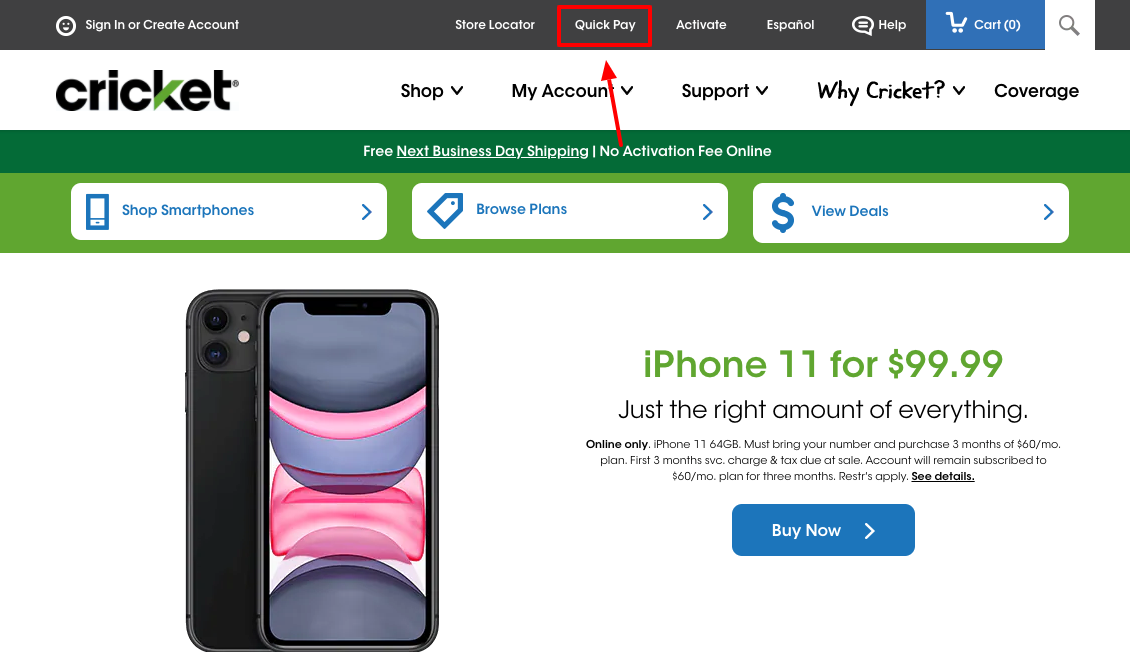
How to pay your Cricket Wireless bill online with Callingmart?
Once your payment is processed and transferred with the recipient’s local provider, you can instantly be connected. It’s that simple!1
International Mobile Top-Up Online
Give the gift of talk — just select a top upamount of your choice and the airtime minuteswill be transferred to your recipient.
Make as many international mobile top-upsonline to over 200+ destinations from ourwebsite, or even by phone.
Be confident that your internationalrecharge will be received safely andinstantly as requested for your recipient(s).
How to Pay a Cricket Phone Bill Online
FAQ
What is the number for cricket wireless automatic bill pay?
Automated Phone System
To access the payment system: From your Cricket phone, dial *PAY (*729) From a landline or non-Cricket phone, call 1-800-CRICKET (274-2538)
How do I pay my Cricket bill over the phone?
How do I pay a bill with my phone?
Pay a bill
On your mobile device, open the Google Pay app . Tap Pay Bills. Type in the name of a biller. Make payment.
