Get the financing you need to get the sports and fitness gear you want. Check out the offers available through our Synchrony retail partners—including sporting goods stores, bike shops, outdoor outfitters and more.
Are you a proud owner of a ScoreRewards Credit Card but finding yourself confused about how to pay your bill? Don’t worry – you’re not alone! Many DICK’S Sporting Goods cardholders struggle with understanding the payment process, especially when they’re new to the card. Let me break down everything you need to know about DICK’S bill pay options in this comprehensive guide.
Understanding Your DICK’S Credit Card
Before diving into payment options, it’s important to understand what credit card you actually have. DICK’S Sporting Goods partners with Synchrony Bank to offer two main credit card options:
- ScoreRewards Credit Card – Can only be used at DICK’S Sporting Goods, Golf Galaxy, and Public Lands stores
- ScoreRewards Mastercard – Can be used at DICK’S family of brands AND anywhere Mastercard is accepted
Both cards are managed by Synchrony Bank, which handles all billing and payments. This is why when you’re looking to pay your bill, you’ll often be directed to Synchrony’s payment systems rather than DICK’S directly.
Ways to Pay Your DICK’S Credit Card Bill
I’ve been a cardholder for over three years now, and I’ve tried pretty much every payment method available. Here are all your options for paying that monthly bill:
1. Online Through Synchrony Bank
The most convenient way to pay your DICK’S credit card bill is through Synchrony’s online portal:
- Visit the login portal at https://dsg.syf.com/accounts/login/register
- Sign in to your account (or register if you haven’t already)
- Navigate to the payments section
- Choose your payment amount (minimum payment, statement balance, or custom amount)
- Enter your bank account information
- Submit your payment
Online payments through Synchrony are typically processed within 1-2 business days. I personally prefer this method because it gives me a clear confirmation of my payment right away.
2. Using the MySynchrony Mobile App
If you’re always on the go like me, the mobile app might be your best friend
- Download the MySynchrony mobile app from your app store
- Log in with your Synchrony account credentials
- Tap on your DICK’S ScoreRewards card account
- Select “Make a Payment”
- Choose your payment amount
- Enter payment information or use saved payment methods
- Submit your payment
The app also lets you set up payment reminders and view your available credit instantly after payments post Super convenient when I’m planning a big purchase!
3. Using the DICK’S Mobile App
DICK’S Sporting Goods mentions on their website that you can also manage your account through their mobile app:
- Download the DICK’S Mobile App
- Sign in to your account
- Navigate to the ScoreRewards Credit Card section
- Access bill pay features
This integrates your shopping and bill payment experience in one place, which is pretty handy if you’re a frequent DICK’S shopper.
4. By Phone
Sometimes the old-fashioned way works best, especially if you have questions:
- Call the customer service number on the back of your card
- Follow the automated prompts for making a payment
- Have your bank account information ready
Note that phone payments might incur a small service fee in some cases, so check with the representative if you’re concerned about additional charges.
5. By Mail
If you prefer to send a physical check:
- Write a check payable to Synchrony Bank/DICK’S Sporting Goods
- Include your account number on the check
- Mail it to the address listed on your monthly statement
Just remember to allow 5-7 business days for mail payments to process. I’d recommend mailing it at least a week before your due date to avoid late fees!
6. In-Store Payment
While you might think you could pay your bill at a DICK’S Sporting Goods store, this actually isn’t an option. All payments must be made through Synchrony Bank using one of the methods above. This is a common misconception I had when I first got my card.
Setting Up Automatic Payments
If you’re forgetful about due dates like me, autopay is a lifesaver! Here’s how to set it up:
- Log in to your Synchrony account online
- Go to “Payment Options” or “Autopay”
- Select your preferred payment amount:
- Minimum payment
- Statement balance (pays off entire balance)
- Fixed amount
- Choose your payment date
- Enter and verify your bank account information
- Submit your autopay request
Autopay ensures you never miss a payment, helping you avoid those pesky late fees and potential damage to your credit score.
Important Payment Deadlines and Fees
Understanding the timing of your payments is crucial:
- Payment Due Date: Clearly marked on your monthly statement
- Grace Period: Usually 21-25 days after the close of each billing cycle
- Late Payment Fee: Up to $40 depending on your balance and payment history
- Returned Payment Fee: Up to $29 if your payment is returned unpaid
To avoid interest charges on purchases, you’ll need to pay your statement balance in full by the due date each month. This is especially important if you’re using the special financing offers.
Special Financing Options
One of the perks of the ScoreRewards Credit Card is access to special financing options:
- 12-month financing on qualifying purchases of $399-$998.99
- 18-month financing on qualifying purchases of $999-$1,498.99
- 24-month financing on qualifying purchases of $1,499 or more
These offers provide “No Interest if Paid in Full” within the promotional period. HOWEVER, there’s a catch – interest is charged from the purchase date if you don’t pay off the full amount during the promo period. This is what’s known as deferred interest, and it can be expensive if you’re not careful.
Managing Your DICK’S Credit Card Rewards
While not directly related to bill payment, understanding your rewards helps you maximize the value of your card:
- Standard earning: 2 points per $1 spent at DICK’S Sporting Goods, Golf Galaxy, and Public Lands
- Limited time offer: 3 points per $1 (10% back) on qualified purchases now through January 10, 2026
- ScoreRewards Mastercard only: 1 point per $3 spent elsewhere
- 300 points = $10 reward
Your rewards can’t be used to pay your credit card bill directly, but they can offset future purchases.
Troubleshooting Common Bill Pay Issues
Here are some common problems I’ve encountered and their solutions:
Payment Not Showing Up
If your payment doesn’t appear in your account within 48 hours:
- Verify the payment was submitted correctly
- Check that you used the correct account number
- Contact Synchrony customer service if the issue persists
Unable to Log In
If you’re locked out of your online account:
- Use the “Forgot Password” option
- Ensure you’re using the correct username
- Call customer service if you continue to have issues
Payment Amount Confusion
If you’re unsure how much to pay:
- Minimum payment: Avoids late fees but interest continues to accrue
- Statement balance: Pays off everything from the last billing cycle
- Current balance: Includes recent transactions not yet on a statement
Contacting Customer Service
If you still need help with your bill payment, here’s how to reach someone:
- Call the number on the back of your credit card
- Visit Synchrony’s contact page through their website
- Use the secure message center in your online account
Having your account number handy will help expedite the service process.
Tips for Responsible Credit Card Management
After using my DICK’S card for years, here are some wisdom nuggets I’ve picked up:
- Always pay more than the minimum to reduce interest charges
- Set up payment alerts so you never miss a due date
- Keep your contact info updated with Synchrony
- Review your statements regularly for unauthorized charges
- Take advantage of the promotional financing only if you can pay it off before the promo period ends
- Don’t max out your credit limit as this can hurt your credit score
Final Thoughts
Managing your DICK’S bill payments doesn’t have to be complicated. With multiple payment options available, you can choose what works best for your lifestyle. The key is staying organized and making payments on time.
Remember, your DICK’S ScoreRewards Credit Card is issued by Synchrony Bank, so all account management happens through their systems, not directly through DICK’S Sporting Goods. This partnership allows you to earn great rewards while enjoying the convenience of a dedicated credit line for your sporting goods needs.
Whether you’re financing a new treadmill or simply earning points on your everyday athletic gear purchases, understanding how to properly manage your bill payments ensures you get the most value from your card without unnecessary fees or interest.
Have you found a particular payment method that works best for your DICK’S credit card? I’d love to hear about your experiences in the comments below!
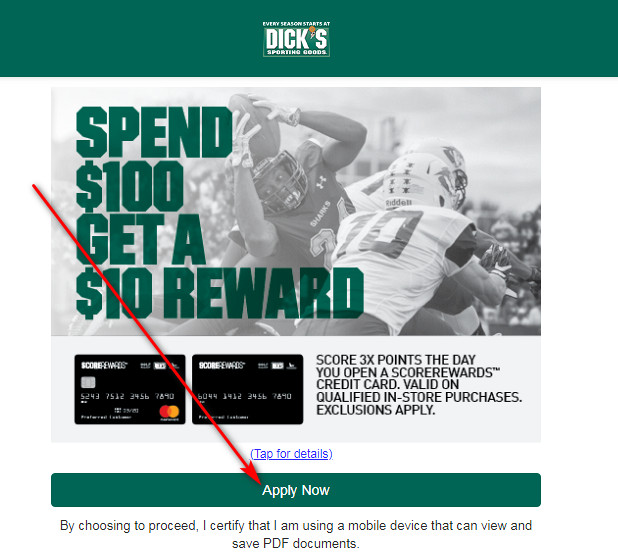
Sporting Goods credit cards
-
 Convenient monthly payments
 - Exclusive promotional financing offers*
- Simple, hassle-free application process with fast credit decisions
- 0% Fraud Liability for 100% protection from theft or loss
Dick’s Sporting Goods credit card Bill Payment – mybillcom.com
FAQ
How do I pay my dick’s sporting goods credit card?
Some people prefer to pay their Dick’s Sporting Goods credit card by using the online payment system. You can do this by either accessing your online account or making a payment as a guest. Here are directions for each option. Go to the Dick’s Sporting Goods login page to register for online access if you haven’t already.
Does Dick’s have a credit card?
To make purchasing easier, Dick’s offers a store-branded credit card, the ScoreRewards credit card, which is valid for purchases at Dick’s Sporting Goods, Golf Galaxy, Field & Stream, Public Lands and Going Going Gone.
How do I log into Dick’s credit card online?
Once you’ve completed the registration, you can login into Dick’s cc online account. Visit the DICK’S Sporting Goods Credit Card’s official webpage. Enter your User ID and Password in the empty text fields at the Sign In section. Press “Secure Login” to proceed. Online banking allows controlling your credit card account 24/7.
What payment methods does Dicks Sporting Goods accept?
DICK’S Sporting Goods offers a variety of secure payment options for online purchases. We accept the following major debit and credit cards: DicksSportingGoods.com does not accept credit cards issued outside of the United States. We also accept: When will I be charged? The payment methods used determine when you will be charged for your purchase:
How do I pay as a guest at Dick’s sporting goods?
Here’s how: Go to the Dick’s Sporting Goods login page and select the “Pay as Guest” button at the top of the page. You will need to provide your credit card number, the last four digits of your Social Security number and your ZIP code. Hit “Continue” and follow the prompts to complete your payment.
What if my dick’s credit card payment is not made?
If your Dick’s credit card payment is not made by 5 p.m. ET on the due date, it’s considered late. However, you can still make a payment using any of the available payment methods. A late fee of $30 will apply. And in cases where your account has had a late fee within the prior six billing cycles, a $41 late fee will apply.
