Xfinity is a popular internet and cable TV service provider in the US. The Comcast-owned brand offers several high-speed internet and TV plans so you can watch your favorite shows on your Google TV without interruptions.
Xfinity offers convenient options to stay on top of your monthly payments, ensuring a disruption-free service. This guide walks you through all the methods of paying your Xfinity bill. It also explains what to do if you get a late payment notification.
These Xfinity support tricks and tips can help bypass automated menus, AI assistance, and long wait times to solve your problem more quickly
Tired of remembering yet another password just to pay your Comcast bill? Good news! You can actually pay your Comcast bill online without signing in We’ve researched the simplest methods to help you get this done quickly so you can get back to binge-watching your favorite shows without interruption,
Why Pay Your Comcast Bill Without Signing In?
Let’s be honest – we’ve all been there. You receive that notification that your Comcast bill is due, but you can’t remember your login details. Or maybe you’re helping a family member pay their bill. Whatever the reason, sometimes you just need a quick way to pay without the hassle of account credentials.
Some common reasons people prefer this option:
- Forgot password and don’t want to reset it
- Temporary payment for someone else’s account
- Prefer not to store login information
- Just want to make a one-time payment quickly
Quick Pay Options for Xfinity Customers
Xfinity (which is Comcast’s brand name for consumers) offers several ways to pay your bill without signing into your account The easiest is through their Quick Pay option
Using Xfinity Quick Pay Online
Xfinity makes it pretty easy to pay your bill without signing in. Here’s how to do it:
- Visit the Xfinity bill pay page at https://www.xfinity.com/bill-pay
- Look for the “Pay your bill” option
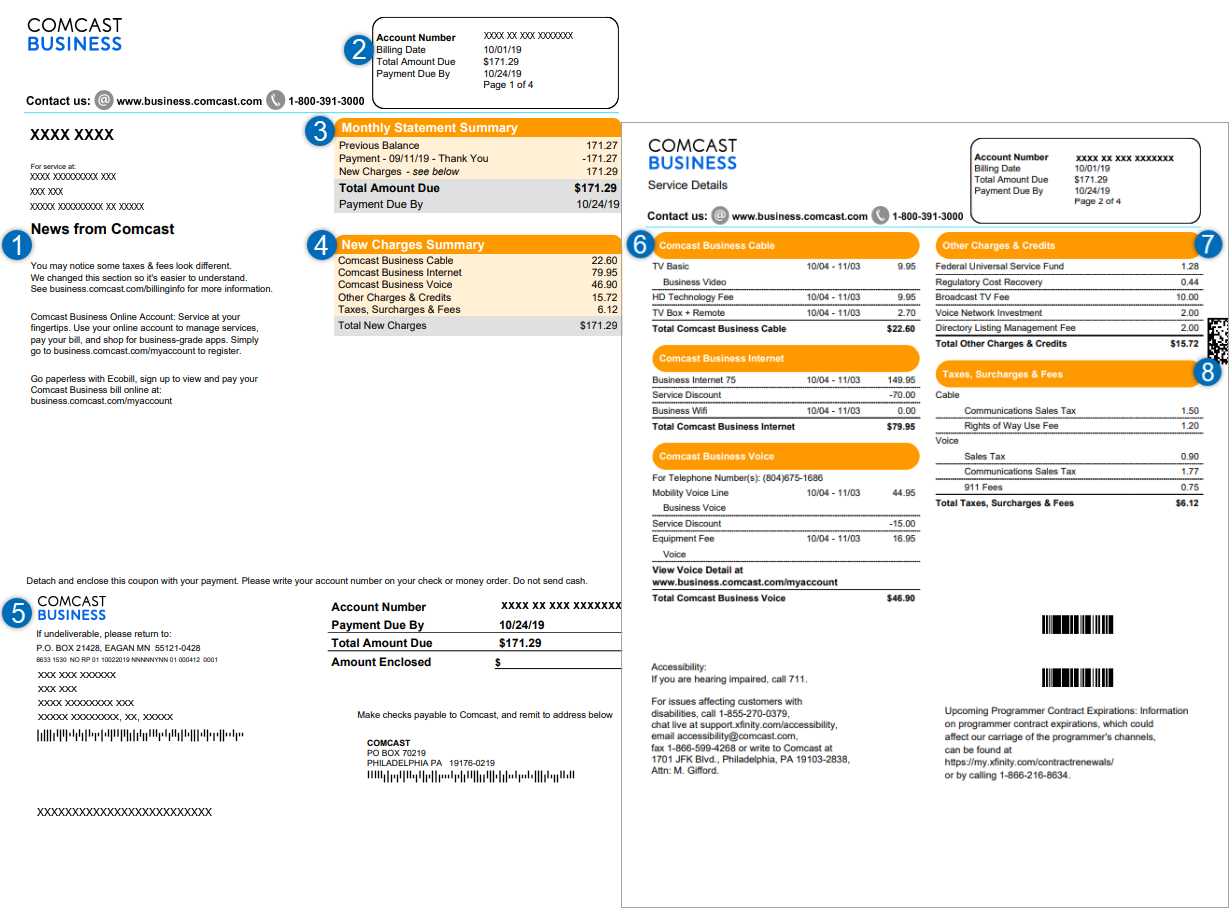
- You’ll need your account number (found on your bill)
- Enter your payment details and submit
It’s that simple! No password required, just your account number and payment method.
What Information Do You Need?
Before you start the quick pay process, make sure you have:
- Your Comcast/Xfinity account number (check your paper bill or email)
- A valid payment method (credit card, debit card, or bank account information)
- The amount you want to pay
The account number is crucial – without it, you won’t be able to complete the payment. If you can’t find it, you might need to contact customer service.
Alternate Payment Methods for Comcast Bills
Not everyone wants to pay online, and Comcast knows that. They offer several other ways to pay your bill without signing in.
In-Person Payment Options
If you prefer to pay in person, you have options:
- Western Union® Quick Collect® locations – Xfinity partners with Western Union to allow cash or money order payments. Just bring your account number and the payment amount.
- Find a location – Xfinity’s website allows you to find nearby payment locations where you can pay with cash or money order.
Mail-In Payment
Yes, the old-fashioned way still works! You can mail a check using the information on your bill. Just be sure to:
- Include your account number on the check
- Allow enough time for mail delivery and processing
- Send it to the address specified on your bill
For Comcast Business Customers
If you’re a Comcast Business customer (rather than a residential Xfinity customer), the process is slightly different. Comcast Business offers its own Quick Pay option:
- Visit https://business.comcast.com/payment/quickpay
- Have your account number ready
- Follow the prompts to complete your payment without signing in
This is particularly useful for small business owners who might be making a one-time payment or don’t want to create yet another online account to manage.
Benefits of Using the Xfinity App
While this article is about paying without signing in, I should mention that if you do use Xfinity services regularly, downloading their app might save you time in the long run.
With the Xfinity app, you can:
- Manage your billing details
- Set up autopay (never forget again!)
- View and pay bills
- Track your payment history
The app is available for both iOS and Android devices, and once you’re set up, it’s actually pretty convenient.
Common Problems & Solutions
“You need to enable JavaScript to run this app”
If you see this message when trying to pay your bill online, you’ll need to:
- Make sure JavaScript is enabled in your browser settings
- Try using a different browser if the problem persists
- Consider clearing your browser’s cache and cookies
Can’t Find Your Account Number?
If you don’t have your account number handy, you might need to:
- Check your email for previous bills
- Look at a recent paper bill
- Call Xfinity customer service (though this might take some time)
Is Paying Without Signing In Secure?
This is a valid concern! When you pay without signing in, Comcast still uses secure encryption to protect your payment information. However, there are some security considerations:
- Always ensure you’re on the official Xfinity or Comcast Business website
- Be cautious about public WiFi when entering payment information
- Consider using a credit card rather than a debit card for added protection
Setting Up Autopay to Avoid Future Hassles
If you find yourself frequently making one-time payments, you might want to consider autopay. While this does require signing in to set up initially, it eliminates the need to manually pay each month.
To set up autopay:
- Sign in to your Xfinity account (yes, you’ll need to do this once)
- Go to the billing section
- Select the autopay option
- Enter your payment method
- Choose your preferred payment date
Once set up, your bill will be automatically paid each month without any action on your part.
When You Might Need More Time to Pay
Sometimes we all need a little financial flexibility. Xfinity understands this and offers options if you can’t pay your full bill right away. On their bill pay page, they mention “explore our flexible payment options” which can include:
- Partial payments
- Payment extensions
- Payment plans
These options might require signing in or contacting customer service, but they’re worth exploring if you’re in a tight spot financially.
My Personal Experience
I remember one time when I was traveling and realized my Comcast bill was due the next day. I couldn’t remember my password and didn’t have access to my password manager. Using the quick pay option saved me from a late fee and potential service interruption. It took less than 5 minutes to complete the payment once I found my account number in an old email.
Paying your Comcast bill online without signing in is definitely possible and pretty straightforward. Whether you’re an Xfinity residential customer or a Comcast Business user, the quick pay options make it easy to take care of your bill without the hassle of remembering another password.
Just remember to have your account number handy, and you’re good to go! And if you’re tired of making one-time payments, consider setting up autopay to make your life even easier.
Have you tried paying your Comcast bill without signing in? What was your experience like? Share in the comments below!
FAQs About Paying Comcast Bills Without Signing In
Q: Can I pay someone else’s Comcast bill for them?
A: Yes! As long as you have their account number, you can make a payment on their behalf without signing in.
Q: Is there a fee for using Quick Pay?
A: Comcast typically doesn’t charge extra fees for standard online payments.
Q: How long does it take for my payment to process?
A: Online payments usually process within 24 hours, though they may be reflected on your account immediately.
Q: Can I set up recurring payments without signing in?
A: No, setting up autopay or recurring payments requires signing into your account.
Q: What if I don’t have my account number?
A: Unfortunately, you’ll need your account number to use the quick pay feature. Without it, you’ll need to sign in or contact customer service.
How to pay your Xfinity bill through chat
You can chat with the Xfinity Assistant to pay your bill. Here’s how to access the virtual assistant:
- Web browser: Visit the support page to chat with the Assistant.

- Xfinity app: Tap the chat bubble icon in the upper-right corner.
- Text message: Text your query to 266278 on your phone.
- Xfinity Voice Remote: Use your Xfinity Voice Remote on your Xfinity X1 or Flex streaming TV Box to ask for help with your bill. Say Xfinity Assistant and the virtual assistant will appear at the bottom of your screen. To access the billing option, say Pay my bill.
- Xfinity X1: On your Infinity X1 TV Box, go to Tools > X1 Help Menu and Choose Xfinity Assistant. This option isn’t available on the RNG150 model.
What happens if you get a late payment notification from Xfinity?
If you don’t pay by the due date, you’ll get a late payment notification. The company will also email you so you can pay your bill online to avoid late fees. It will add a late fee to your next bill if you still don’t pay.
Xfinity may disconnect or interrupt your service due to missed or late payments. It will email you about the late fee. You can reactivate the service by making a payment that may include a reactivation charge and late fees. After you make the payment, you’ll have to wait 48 to 72 hours until the company restores your services.
Make sure your Xfinity remote is working properly with your TV
