If youve wanted to make improvements to your home—appliances, a big-screen TV, furniture for every room—now is the time to do it. See something you love? Get it tomorrow and pay over time with special financing offers.* Learn More
Have you ever been in a situation where your Conn’s bill is due tomorrow and you don’t have time to drive to the store? Or maybe you’re just not a fan of online payments? Don’t worry – paying your Conn’s bill over the phone is actually super easy! I’ve put together this comprehensive guide to help you navigate the process without breaking a sweat.
Why Pay Your Conn’s Bill by Phone?
Before we dive into the how-to, let’s talk about why you might want to pay by phone:
- No internet connection needed
- Immediate confirmation of payment
- Direct assistance from customer service
- Good option for those who aren’t tech-savvy
- Can ask questions about your account while on the call
The Simple Process to Pay Your Conn’s Bill by Phone
Paying your Conn’s bill over the phone is straightforward. Here’s what you need to do:
- Call customer service at 1-800-511-5750
- Have your account information ready
- Follow the automated prompts or speak with a representative
- Provide your payment method details
- Confirm your payment amount
- Get a confirmation number (write this down!)
I tried this myself last month when my internet was down, and it took less than 5 minutes!
What You’ll Need Before Calling
Before you pick up that phone, make sure you have:
- Your Conn’s account number
- A credit card, debit card, or checking account information
- Your billing address
- A pen and paper to write down your confirmation number
Trust me, having these things ready will make the process go much smoother. I once spent an extra 10 minutes searching for my account number while on hold!
Understanding Fees When Paying by Phone
It’s important to note that while Conn’s itself doesn’t charge fees for making payments on accounts, there may be a third-party processing fee involved when making electronic payments via credit or debit card.
According to the Conn’s website: “a third-party processor charges a non-refundable processing fee of $2.25 per transaction if you choose to make a remote, one-time electronic payment via credit or debit card.”
If you want to avoid this fee you have some other options
- Enroll in automatic payments
- Make a payment in store
- Pay by cash, check, or ACH
Customer Service Hours
When planning to call keep in mind the customer service hours. While the exact hours aren’t specified on the provided content it’s generally best to call during standard business hours. If you’re calling outside normal hours, you might need to use the automated system instead of speaking with a representative.
Alternative Payment Methods
While this article focuses on phone payments, Conn’s offers several other ways to pay your bill:
Online Payments
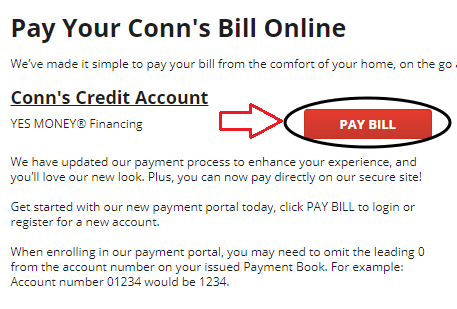
Conn’s has updated their payment process to enhance customer experience. You can pay directly on their secure site through their new payment portal.
In-Store Payments
You can always make payments in person at any Conn’s HomePlus location,
Automatic Payments
With Autopay through Synchrony Bank, you can have your payment automatically deducted from your bank account each month on your payment due date. The payment will be the amount you select: either the Statement Balance, the Total Minimum Payment Due, or a self-selected amount.
Special Cases: Improvemint Financial Customers
If you’re an Improvemint Financial lease-to-own customer, you’ll need to use a different payment system. According to the Conn’s website, you should “Make your payments by clicking the link” to “Pay Improvemint” on their website.
Troubleshooting Common Issues
“I forgot my account number!”
Don’t panic! The customer service rep can usually find your account using your name, address, and possibly your Social Security Number.
“My payment didn’t go through.”
This can happen sometimes. Make sure your card has enough funds and that you’re entering the correct card information. If problems persist, ask the representative about alternative payment methods.
“I need to set up a payment plan.”
If you’re having trouble making your full payment, mention this to the representative. They might be able to offer options for payment arrangements.
Benefits of Managing Your Conn’s Account
When you call to pay your bill, it’s also a good opportunity to:
- Check your current balance
- Verify your next due date
- Update your contact information
- Ask about special promotions
- Resolve any issues with your account
My Personal Experience
Last winter, my internet was down for three days due to a storm. I needed to pay my Conn’s bill and decided to try the phone payment option. The representative was friendly and guided me through the process. Though there was a small processing fee, the convenience was worth it in my situation.
What About Protection Plans and Insurance Claims?
While you’re on the phone paying your bill, you might have questions about other aspects of your Conn’s account. Here’s some helpful info:
Protection Plans
For assistance with Repair Service Agreements (RSA), Food Loss Claims, or FurnitureGard®, you’ll need to contact Assurant directly at (800) 316-2993.
Credit Insurance Claims
If you need to submit a credit insurance claim, you’ll need to complete specific forms depending on the type of claim and where your loan originated. These forms can be found on the Conn’s website and should be submitted as instructed on the form.
Tips for a Smooth Phone Payment Experience
- Call during off-peak hours – Try mid-morning or mid-afternoon on weekdays to avoid long wait times.
- Have all information ready – This saves time and reduces stress.
- Take notes during the call – Write down the name of the person you spoke with, the date, time, and confirmation number.
- Ask for an email confirmation – This gives you an additional record of your payment.
- Check your account after 24-48 hours – Verify that your payment was properly applied.
Conn’s Financing Options
While we’re talking about paying your Conn’s bill, it’s worth mentioning that Conn’s HomePlus offers financing through Synchrony Bank. With promotional financing available with an electronics credit card, you can enjoy the convenience of monthly payments.
This can be helpful for large purchases, giving you more time to pay without having to wait to upgrade your home electronics or appliances.
Frequently Asked Questions
How long does it take for a phone payment to post?
Phone payments typically post within 24-48 hours, though the funds may be immediately withdrawn from your account.
Can I make a partial payment over the phone?
Yes, you can typically make a partial payment, but be aware that making less than your minimum payment may result in late fees or penalties.
What if I need to dispute a charge?
If you notice an incorrect charge on your account, mention this to the representative when you call. They can help initiate a dispute or connect you with the appropriate department.
Can someone else pay my bill for me?
Yes, someone else can pay your bill, but they’ll need your account information. For security reasons, Conn’s may limit what account information they can access or change.
When to Consider Other Payment Methods
While phone payments are convenient, there are situations where other methods might be better:
- If you’re setting up recurring payments – Autopay might be more convenient
- If you want to avoid the processing fee – In-store or ACH payments might be preferable
- If you need to provide documentation – Online or in-store payments might be better
- If you’re making a very large payment – You might want the paper trail of an in-store or mail payment
Conclusion: Is Paying Your Conn’s Bill by Phone Right for You?
Paying your Conn’s bill over the phone is quick, convenient, and accessible to everyone. While there is a small processing fee for one-time electronic payments, the convenience often outweighs the cost, especially in situations where you need to make a last-minute payment or prefer speaking with a representative.
Remember that the key to a smooth experience is preparation – have your account information and payment method ready before you call. And don’t forget to get that confirmation number!
Additional Resources
If you need more information or assistance with your Conn’s account, you can:
- Visit the Conn’s website
- Check your account status online
- Call customer service at 1-800-511-5750
- Visit a Conn’s HomePlus store location
Managing your Conn’s bill doesn’t have to be stressful, and now you know exactly how to handle it over the phone!
SPECIAL OFFERS & RESOURCES
Browse limited-time savings,discounts, and everyday offers.
