You must have an eBay account in order to apply for an eBay Mastercard account. Points earned with this card will post to your eBay Mastercard account regardless of which account you may be logged into when making purchases on eBay. Current eBay Mastercard or eBay Extras Mastercard cardholders are not eligible for a new eBay Mastercard.
Hey there, fellow eBay shoppers! If you’re reading this, chances are you’ve got an eBay Mastercard burning a hole in your pocket (or maybe just sitting in your wallet). I’ve been using mine for a couple years now, and let’s be honest – earning those sweet, sweet points while shopping is awesome, but paying the bill? Not so much fun.
But don’t worry! I’ve put together this comprehensive guide to help ya navigate the sometimes confusing world of credit card payments. Whether you’re a new cardholder or you’ve just been putting off dealing with your bill (we’ve all been there), I’ll walk you through everything you need to know about paying your eBay credit card bill.
What is the eBay Mastercard?
Before we jump into payment methods, let’s take a quick sec to talk about what makes the eBay Mastercard special.
The eBay Mastercard is a rewards credit card that lets you earn points on purchases both on and off eBay. These points can be redeemed for discounts on future eBay purchases. Here’s what you can earn:
- 3 points for every $1 spent on eBay
- 5 points for every $1 on eBay after you spend $1,000 on eBay in a calendar year
- 2 points for every $1 spent on gas, groceries, and at restaurants
- 1 point for every $1 spent on all other purchases
For every 1,500 points you collect, you can redeem $10 at checkout on eBay Pretty sweet deal if you ask me!
Ways to Pay Your eBay Mastercard Bill
Now, onto the main event – paying your bill! You’ve got several options to choose from:
1. Online Payment through the Synchrony Bank Portal
This is probably the easiest and most convenient way to pay your bill.
Step-by-Step Guide:
- Visit the eBay Mastercard website at ebaymastercard.syf.com
- Sign in to your account (you’ll need to create one if you haven’t already)
- Once logged in, look for the “Make a Payment” option
- Enter your payment amount and payment method details
- Review and confirm your payment
- Save or print your confirmation for your records
With the online portal, you can set up one-time payments or recurring payments, which is super handy if you’re forgetful like me!
2. Payment by Phone
If you’re more of a talker than a typer, you can always pay by phone.
How to Do It:
- Call the toll-free number on the back of your eBay Mastercard
- Follow the automated prompts or speak with a customer service representative
- Have your bank account information ready if you’re paying from a checking or savings account
- Get a confirmation number for your records (seriously, write it down somewhere!)
The phone service is available 24/7, which is great for those midnight “oh no, I forgot to pay my bill!” moments.
3. Payment by Mail
Old school but reliable! If you prefer sending payments the traditional way:
What You’ll Need to Do:
- Write a check or money order payable to “eBay Mastercard”
- Include your account number on your check or money order
- Send your payment to the address listed on your billing statement
- Allow 5-7 business days for your payment to be processed
Pro tip: Mail your payment at least a week before the due date to avoid late fees. The postal service isn’t always as speedy as we’d like!
4. Setting Up Automatic Payments
If you’re like me and constantly forget due dates, automatic payments are a lifesaver!
Here’s How to Set It Up:
- Log in to your account at ebaymastercard.syf.com
- Go to “Account Settings” or “Payment Options”
- Select “Set Up Automatic Payments”
- Choose whether you want to pay the minimum amount due, the full statement balance, or a fixed amount
- Enter your bank account information
- Select your payment date preference
- Confirm and save your settings
With automatic payments, you’ll never have to worry about late fees again. It’s been a game-changer for me!
Understanding Your eBay Mastercard Bill
Before you pay, it’s important to understand what you’re looking at on your bill. Let’s break it down:
Key Components of Your Bill:
- Statement Balance: The total amount you owe as of your last billing cycle
- Minimum Payment Due: The smallest amount you must pay to keep your account in good standing
- Payment Due Date: The date by which your payment must be received
- Available Credit: How much of your credit limit is still available
- Points Summary: Shows how many points you’ve earned and redeemed
- Transactions: Detailed list of all purchases and payments made during the billing cycle
I always recommend paying more than the minimum if possible. Paying just the minimum means you’ll end up paying more in interest over time, and nobody wants that!
Important Payment Tips and Information
Payment Processing Times
This is super important to know:
- Online payments: Usually processed within 1-2 business days
- Phone payments: Usually processed within 1-2 business days
- Mail payments: Can take 5-7 business days to process
Late Payment Fees and Penalties
If you miss your payment due date, you might face:
- Late payment fees (typically around $40, depending on your account terms)
- Potential increase in your APR (interest rate)
- Negative impact on your credit score
Trust me, those late fees add up quick! I learned that the hard way when I forgot about my payment for a week past the due date. Ouch.
Payment Amount Options
You have several options for how much to pay:
- Minimum Payment: The smallest amount required to keep your account in good standing
- Statement Balance: The full amount shown on your latest statement
- Current Balance: The total amount you owe, including any new purchases since your last statement
- Custom Amount: Any amount more than the minimum but less than the full balance
I usually try to pay the statement balance in full each month to avoid interest charges. But life happens, and sometimes that’s not possible!
Managing Your eBay Mastercard Account
Beyond just making payments, there’s a lot more you can do to manage your account:
Checking Your Balance and Available Credit
To check your current balance, available credit, and due date:
- Log in to your account at ebaymastercard.syf.com
- Your account summary will display on the homepage after login
- For more details, view your most recent statement
Viewing Transaction History
Want to see where all your money went? (Sometimes a scary prospect, lol):
- Log in to your account
- Look for “Transaction History” or “Account Activity”
- You can typically view transactions from the past 90 days online
Tracking Your Rewards Points
To see how many points you’ve earned:
- Log in to your account
- Look for “Rewards” or “Points Summary”
- You can also check your points balance at checkout when shopping on eBay
Remember, for every 1,500 points you earn, you’ll be able to redeem $10 at checkout on eBay. I usually save up my points for bigger purchases to get that satisfying discount!
Troubleshooting Common Payment Issues
Payment Not Showing Up
If you made a payment but it’s not reflected in your account:
- Double-check that you used the correct account number
- Consider the processing time (especially for mail payments)
- Keep your payment confirmation handy
- Contact customer service if your payment doesn’t appear after the expected processing time
Declined Payments
If your payment is declined:
- Ensure you have sufficient funds in the account you’re paying from
- Verify that you entered your account information correctly
- Check if there are any restrictions on your bank account
- Try a different payment method if necessary
Payment Questions or Disputes
For any questions or issues with your bill:
Call the customer service number on the back of your card (1-844-435-0237)
Have your account information and any relevant documentation ready
Additional eBay Mastercard Features and Benefits
While we’re primarily focused on bill payment, it’s worth mentioning some other cool features of the eBay Mastercard:
Adding an Authorized User
If you want to allow someone else to use your account:
- Log in to ebaymastercard.syf.com
- Select “Manage Cardholders”
- Choose “Add a new cardholder” at the bottom of the page
- Fill in the required information
Alternatively, you can call the toll-free number on the back of your card to add an authorized user.
ATM Access
Your eBay Mastercard isn’t just for purchases! You can also:
- Withdraw cash at ATMs nationwide using your PIN
- Request your PIN by calling the number on the back of your card
Just be aware that cash advances usually come with fees and higher interest rates, so I only recommend this in emergencies.
Phew! We’ve covered a lot of ground, haven’t we? Managing your eBay Mastercard doesn’t have to be complicated. With the various payment options available, you can choose what works best for your lifestyle and preferences.
Here’s my personal advice: set up automatic payments for at least the minimum due (to avoid late fees), but try to pay the full balance whenever possible. And definitely take advantage of those rewards points – they’re basically free money!
Remember, staying on top of your credit card payments isn’t just good for your wallet – it’s good for your credit score too. And a healthy credit score opens doors to better financial opportunities down the road.
Do you have any tips or tricks for managing your eBay Mastercard? What payment method works best for you? I’d love to hear about your experiences in the comments below!
Happy shopping and smooth paying, fellow eBay enthusiasts!
FAQs About Paying Your eBay Credit Card Bill
Q: Can I pay my eBay Mastercard through my eBay account?
A: No, you’ll need to make payments through the Synchrony Bank portal at ebaymastercard.syf.com, by phone, or by mail.
Q: How long does it take for my payment to post?
A: Online and phone payments typically post within 1-2 business days, while mail payments can take 5-7 business days.
Q: Can I make multiple payments in one billing cycle?
A: Yes! You can make as many payments as you want during each billing cycle.
Q: What if I can’t make my minimum payment?
A: Contact customer service as soon as possible to discuss your options. Sometimes they can work with you on a payment plan.
Q: Do I earn points on my eBay Mastercard payments?
A: No, you don’t earn points for paying your credit card bill. Points are earned on purchases made with the card.
Q: Is there a fee for making payments online or by phone?
A: Generally, there’s no fee for standard payment processing. However, expedited payments might incur a small service fee.
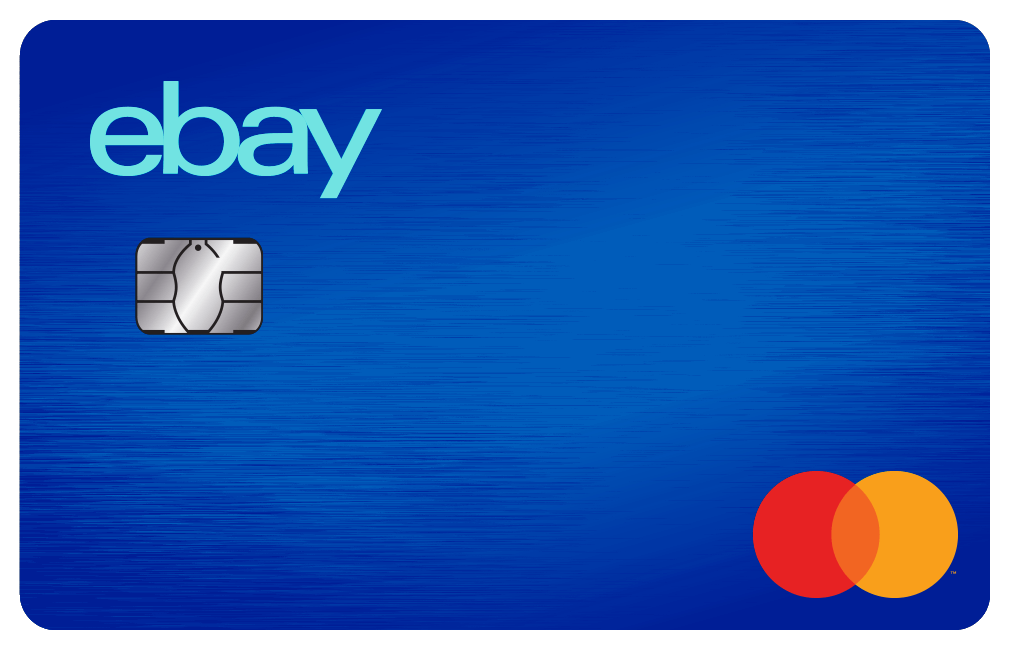
Get More of Everything You Love
Use points when you check out‡ to make the perfect eBay finds even better. Redeem $10 at checkout for every 1,500 points earned.
Current eBay Extras Mastercard cardholders are not eligible for a new eBay Mastercard.
Rack up points on every purchase‡
Your points add up every time you use your eBay Mastercard to make a purchase. With no annual fee.§

Earn 5X points for the rest of the year after you spend $1,000 on eBay in a calendar year.

Until then, earn 3X points per $1 spent up to $1,000 on eBay in a calendar year.

Earn 2X points per $1 spent on gas, restaurant, and groceries.

Earn 1X points per $1 spent on all other Mastercard purchases.
