Are you tired of juggling paper bills or struggling to remember usernames and passwords for online payments? SLEMCO’s phone bill pay system might be the perfect solution for you. It’s quick, convenient, and available 24/7 – exactly what busy folks need in today’s fast-paced world.
As someone who’s helped numerous friends navigate utility payments, I can tell you that SLEMCO’s phone payment system is one of the most straightforward options out there. Let me walk you through everything you need to know about paying your SLEMCO bill by phone in 2025.
What is SLEMCO and Their Phone Payment System?
SLEMCO (Southwest Louisiana Electric Membership Corporation) provides electric service to many residents across South Louisiana. Their automated phone payment system lets residential customers pay their electric bills anytime day or night without needing to visit an office or even log into a website.
The system is designed to be user-friendly and efficient, allowing you to complete your payment in just a few minutes with nothing more than your phone and payment details.
The SLEMCO Phone Payment Number You Need
Here’s the most important detail: SLEMCO residential customers can pay their bill with a credit or debit card through an automated system by calling 1-844-859-5978.
I’ve programmed this number into my phone contacts as “SLEMCO Bill Pay” so I never have to search for it when my bill is due. This small trick has saved me from late payments more than once!
Benefits of Paying Your SLEMCO Bill by Phone
Before diving into the steps, let’s talk about why you might want to use the phone payment option:
- Available 24/7 – Pay whenever it’s convenient for you
- No internet needed – Perfect if your internet is down or unreliable
- Fast process – Complete your payment in minutes
- Same-day posting – Payments made before 6pm post to your account that same day
- Confirmation number – Get immediate proof of your payment
- No paperwork – Skip the hassle of mailing checks or paperwork
The 24/7 availability has been a lifesaver for me on multiple occasions when I’ve remembered a bill was due after business hours!
Step-by-Step Guide to Paying Your SLEMCO Bill by Phone
Now, let’s break down the exact process for paying your bill by phone:
Step 1: Gather Your Information
Before calling, have these items ready:
- Your 10-digit SLEMCO account number (found on your bill)
- Your debit or credit card (or bank account information)
- A pen and paper to write down your confirmation number
I usually keep my latest SLEMCO bill near my phone just to make this process smoother.
Step 2: Make the Call
Dial 1-844-859-5978 from any touchtone phone.
Step 3: Follow the Automated Prompts
The system will guide you through several steps:
- Enter your 10-digit SLEMCO account number when prompted
- The system will tell you your current balance
- Choose to pay the full amount or specify a different amount
- Enter your payment method details:
- For credit/debit cards: card number, expiration date, and CVV code
- For bank payments: routing and account numbers
Step 4: Confirm Your Payment
Double-check all information before finalizing your payment. The system will repeat key details back to you for confirmation.
Step 5: Record Your Confirmation Number
After your payment processes successfully, you’ll receive a 6-digit confirmation number. Write this down immediately – it’s your proof of payment if any questions arise later.
I once forgot to write down my confirmation number and later had a dispute about whether I’d paid. Now I always note it in my phone’s notes app AND on my paper bill.
Important Tips for SLEMCO Phone Payments
To ensure your payment goes smoothly, here are some helpful tips I’ve learned over the years:
- Call from a quiet place – Background noise can make it hard to hear prompts
- Use a landline if possible – The connection is typically more stable than cell phones
- Enter information slowly and carefully – Rushing can lead to errors
- Pay before 6pm – This ensures same-day posting to your account
- Keep your confirmation number – Write it down and keep it until you see the payment reflected on your account
- Have alternate payment info ready – In case there’s an issue with your first payment method
What to Do If You Encounter Problems
Even the best systems occasionally have hiccups. If you run into issues with your phone payment, here’s what to do:
- Try again later – Sometimes the system might be temporarily down
- Double-check your account number – A single wrong digit will prevent access to your account
- Verify your payment method – Ensure your card isn’t expired or over its limit
- Contact SLEMCO customer service – Call 337-896-5200 during business hours (Monday through Friday, 8am to 4:30pm)
- Send an email – Reach out to [email protected] for assistance
One time my payment wouldn’t go through, and it turned out my credit card had expired that very day! Always check these details ahead of time.
The Fee for Phone Payments
It’s important to note that SLEMCO does charge a $4 convenience fee for all phone payment transactions. This fee applies regardless of your payment amount.
While this fee might seem annoying, I find it’s worth it for the convenience – especially when I’m cutting it close to the due date and need the payment to post immediately!
Alternative Ways to Pay Your SLEMCO Bill
While phone payment is convenient, SLEMCO offers several other payment methods:
SmartHub Online Portal and App
- Pay online via bank transfer or credit/debit card
- Create usage graphs for monitoring consumption
- Set up automatic payments
- Store bill history for easy reference
SLEMCO Automatic Pay Options (A.P.O.)
- Set up recurring automatic payments
- Choose bank draft or credit/debit card
- Payments process on the bill due date
- Setup through your SmartHub account
24-Hour Payment Kiosks
- Located at the Lafayette office
- Accept cash, credit/debit cards, or electronic checks
- Available around the clock
- Require account number, bill barcode, or Member Info Card
In-Person Payments
- Visit the Lafayette office during business hours
- Pay by cash, check, money order, or card
MoneyGram Option
- Available at retailers like Albertsons, Walmart, and CVS
- Use blue MoneyGram Express Payment form
- Include your 10-digit account number and Receive Code 15802
- $1.50 MoneyGram fee applies
- Payments before 6pm post same-day
I’ve used most of these methods at different times, and they all work well. Your choice really depends on what’s most convenient for your situation.
When to Choose Phone Payment Over Other Methods
In my experience, phone payment is particularly useful in these situations:
- When you’re away from home – Pay from anywhere with cell service
- During internet outages – No internet needed to make your payment
- For last-minute payments – Avoid late fees with same-day posting
- If you prefer verbal confirmation – Some people feel more secure hearing the confirmation
- When you don’t have a SmartHub account – No registration or login required
Frequently Asked Questions About SLEMCO Phone Bill Pay
Here are answers to some common questions about paying your SLEMCO bill by phone:
Can commercial customers use the phone payment system?
The automated phone payment system is designed for residential members only.
What payment methods are accepted for phone payments?
You can pay using debit cards, credit cards, or electronic checks (bank account information).
When will my phone payment be posted to my account?
Payments made before 6pm post to your account the same day. Later payments may take 1-2 days to process.
Is there a limit to how much I can pay by phone?
No, you can pay your full balance or make a partial payment of any amount.
Can I set up recurring payments through the phone system?
No, the phone system is for one-time payments only. For recurring payments, you’ll need to set up SLEMCO’s A.P.O. through your SmartHub account.
What if I don’t know my account number?
You’ll need your 10-digit account number to use the phone payment system. If you don’t have it, you can find it on your paper bill or by logging into SmartHub. Alternatively, you can call SLEMCO customer service during business hours.
Final Thoughts on SLEMCO Phone Bill Pay
Paying your SLEMCO bill by phone at 1-844-859-5978 is one of the fastest and most convenient options available to residential customers. While there is a $4 fee, the convenience of 24/7 access and same-day posting makes it worth considering, especially if you’re in a time crunch.
I’ve found the system to be reliable and straightforward, making it my go-to option when I’m traveling or when I suddenly remember a payment due date after business hours.
Whether you’re a tech-savvy person who appreciates backup payment methods or someone who prefers to avoid online payments altogether, SLEMCO’s phone payment system offers a valuable service that puts bill payment control literally in the palm of your hand.
Give it a try next time your bill arrives – you might find it becomes your preferred payment method too!
Quick Reference Guide for SLEMCO Phone Bill Pay
| Information | Details |
|---|---|
| Payment Phone Number | 1-844-859-5978 |
| Hours Available | 24/7, 365 days a year |
| Fee | $4 per transaction |
| Payment Methods | Credit cards, debit cards, bank accounts |
| Processing Time | Same day if paid before 6pm |
| What You’ll Need | 10-digit account number, payment method details |
| Customer Service | 337-896-5200 (M-F, 8am-4:30pm) |
| Customer Service Email | [email protected] |
Remember to keep your confirmation number after completing your payment – it’s your proof that everything went through correctly!
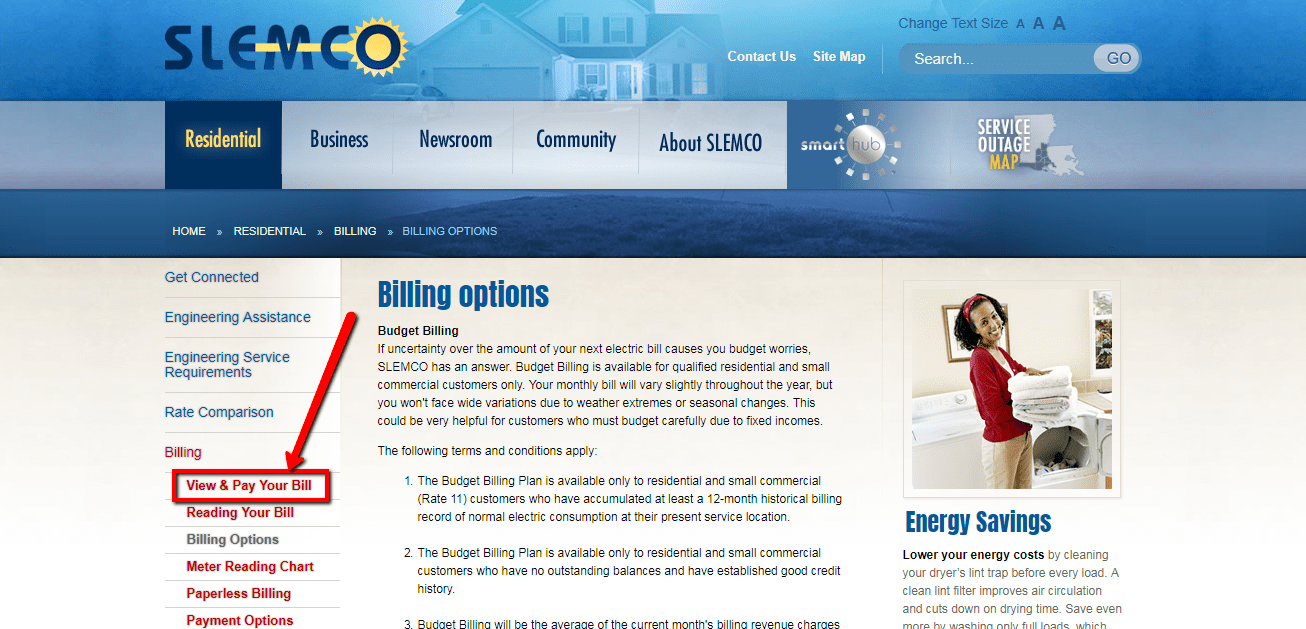
Budget Billing for Qualified Accounts
How would you like to have control over how much your power bill will be each month? Now you can, if you qualify, with SLEMCO Budget Billing. The amount of your monthly bill may fluctuate slightly but never widely based on weather or seasonal changes.
- Available to residential and small commercial (Rate 11) customers who have accumulated at least a 12-month historical billing record of normal electric consumption at their present service location.
- Available to residential and small commercial customers who have no outstanding balances and have established good credit history.
- Bills will be the average of the current month’s billing revenue charges and any applicable surcharges plus the preceding 11 months billing revenue charges and any applicable surcharges, divided by 12. Budget accounts true up every April and October to bring the account balance back to zero. At that time, budget accounts will recalculate to reflect the most current average for the next 6 months. All other charges (deposits, service charges, etc.) will be included in the “Budget Payment Due” amount.
- Accounts will be subject to the same delinquent policy as normal monthly billing accounts; failure to pay by the delinquent date could result in automatic removal of the account from Budget Billing.
- Payment arrangements will not be available to Budget accounts.
For more information or to request your account be placed on Budget Billing, call the SLEMCO Customer Service Department at 337-896-5200 between 8 a.m. and 4:30 p.m., Monday through Friday.
The Louisiana Emergency Relief Act of 2001, requires the Louisiana Public Service Commission (LPSC) to adopt rules to ensure gas and electric utilities under its jurisdiction implement a deferred billing program for pre-qualified customers in the event of an LPSC-declared “energy emergency.”
An “energy emergency” is characterized by inordinately high utility bills which are the product of high gas or other fuel costs, unusually inclement weather necessitating extensive use of utilities, or any other circumstances as determined by the LPSC. Under such an emergency, pre-qualified customers would be able to defer partial payment of their utility bill over a three-month period.
The LPSC has the authority to determine what constitutes “inordinately high bills,” “high fuel costs” and “unusually inclement weather.”
-
STEP 1
If you qualify, click the button below to download an application. The application must be filed in the name of the person who is listed on the SLEMCO account.
-
STEP 2
In addition to the application, you will have to provide the documents or certification requested that validate your age, income, and medical or other need, which qualifies you for participation in this program.
-
STEP 3
Mail the completed documentation and application to – Attn: Deferred Billing P.O. Box 90866 Lafayette, La 70509.
