Ever tried to pay your Toyota bill but got stuck in a maze of options? I’ve been there Paying bills shouldn’t be a headache, especially when you’re trying to keep your Toyota financing on track. Today, I’m sharing everything about Toyota phone bill pay and other convenient payment methods Toyota offers
Why Phone Payments Matter for Toyota Customers
Look, we all live busy lives. Sometimes logging into websites or mailing checks just doesn’t fit into our schedules. That’s why phone payments remain one of the most convenient options for Toyota customers. Just a quick call, and you’re done!
5 Ways to Pay Your Toyota Bill
Toyota Financial Services and Southeast Toyota Finance offer multiple payment options to fit your lifestyle. Let’s break them down:
1. Pay by Phone (The Quick Solution)
Both Toyota Financial Services and Southeast Toyota Finance offer phone payment options
- Toyota Financial Services: Call (800) 874-8822 to use their automated phone payment system available 24/7
- Southeast Toyota Finance: Call 1-888-688-1166 toll-free to make a check (ACH) or debit card payment
The automated system will guide you through the steps needed to make a payment. It’s super simple and takes just a few minutes of your time.
For Toyota Financial Services customers, there’s also an Agent-Assisted Pay by Phone option. Just call the Customer Service Center and speak with a team member who can help process your payment from your checking account.
2. Pay Online (The Tech-Savvy Choice)
If you prefer digital options Toyota Financial Services offers online payments through their website
- Log in to your TFS Account
- Add your bank information in account settings
- Schedule one-time or recurring payments
Need to register first? Visit the Toyota Financial Services website to set up your account.
3. Mobile App Payments (For On-the-Go Customers)
Toyota offers two mobile app options:
myTFS App:
- Available for iOS in the App Store
- Available for Android in the Google Play Store
Toyota App:
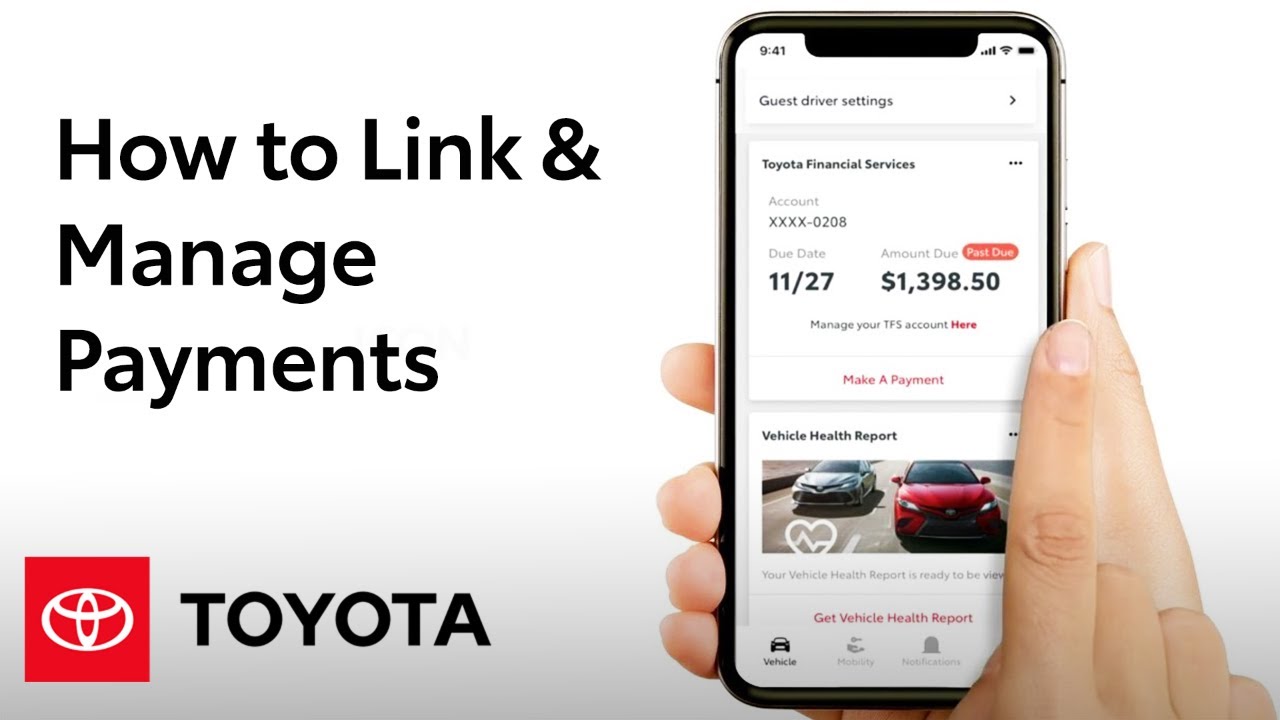
- Link your TFS online account to pay through the Toyota App
- Available for iOS and Android
Requirements for linking your TFS account to the Toyota App:
- Have a registered TFS web account
- Match your vehicle VIN in both the Toyota App garage and TFS account
- Set up a valid bank account on the myTFS App
- Enable affiliate sharing for TFS privacy choices
4. AutoCheque (Set It and Forget It)
With the TFS AutoCheque Program, your monthly payments are automatically deducted from your chosen bank account. Just download and complete the AutoCheque form to enroll.
5. Traditional Mail Payment (Old School but Reliable)
You can mail your check and payment stub to the address on your monthly statement or to:
For Finance Accounts:
Toyota Financial ServicesP.O. Box 94305Palatine, IL 60094-4305For Lease Accounts:
Toyota Financial ServicesP.O. Box 94316Palatine, IL 60197-4316For Puerto Rico Customers:
Toyota Credit de Puerto Rico Corp.P.O. Box 366251San Juan, P.R. 00936-6251Additional Payment Options You Might Not Know About
Western Union Quick Collect (WUQC)
This is a great option if you prefer to pay with cash or debit card:
- Find a Western Union agent location (often located within check cashing facilities or food markets)
- Provide your TFS account number
- Specify the company name based on your account type:
- For Retail accounts: Toyota Motor Credit
- For Lease accounts: Toyota Lease
- Western Union will collect a fee for the transaction
- You’ll receive a 10-digit Money Transfer Control Number (MTCN)
For Western Union support, call 1-800-325-6000 or visit westernunion.com.
CheckFreePay
Another cash payment option:
- Visit www.checkfreepay.com to find retailer locations
- Bring your billing statement or account number and a photo ID
- CheckFreePay will collect a transaction fee
Common Questions About Toyota Phone Bill Pay
Is there a fee for making a payment by phone?
While Toyota Financial Services and Southeast Toyota Finance don’t charge fees for phone payments, your bank might apply fees for electronic transfers. Third-party services like Western Union and CheckFreePay do charge service fees.
What information do I need to make a phone payment?
Be ready with:
- Your Toyota Financial Services account number
- Your banking information (routing and account numbers)
- For debit card payments with Southeast Toyota Finance, have your card details ready
Can I set up recurring payments by phone?
For recurring payments, you’ll need to use either:
- The online account management system
- The AutoCheque program
- The mobile apps
Phone payments are typically for one-time transactions.
Benefits of Managing Your Toyota Payments Online
While phone payments are convenient, the online and mobile options offer additional benefits:
- Track your loan payment or lease contract term: Access essential loan information and contract terms
- Prepare for the end of your lease: Get guidance as you approach the final 90 days of your lease
- Flexible payment management: Change payment methods, enroll in Auto Pay, and more
Tips for Smooth Toyota Bill Payments
- Set calendar reminders a few days before your due date
- Keep your account information updated with Toyota Financial Services
- Consider setting up AutoCheque for hassle-free automatic payments
- Save the payment phone numbers in your contacts for quick access
- Check payment processing times – some methods may take 1-2 business days
What to Do If You’re Having Payment Difficulties
Sometimes life happens, and making payments becomes difficult. If you’re experiencing financial hardship, don’t wait until you miss a payment. Contact Toyota Financial Services directly to discuss potential options:
- Payment extensions
- Modified payment arrangements
- Other assistance programs
My Experience with Toyota Phone Payments
I’ve been a Toyota owner for over 5 years now, and I’ve tried practically every payment method they offer. Personally, I find the phone payment system to be a lifesaver when I’m traveling or when my internet is down. The automated system is straightforward, and the agents are super helpful when you need human assistance.
One time my payment was due while I was on vacation with spotty internet, and the phone payment option saved me from a late fee. It took less than 5 minutes to complete the payment!
Final Thoughts
Toyota has done a great job of providing multiple payment options to suit different customer needs. Whether you prefer the convenience of phone payments, the automation of online systems, or the traditional approach of mailing checks, there’s an option for you.
The phone payment option stands out for its accessibility and simplicity. It’s perfect for those times when you need to make a quick payment without logging into an account or downloading an app.
Remember, staying on top of your Toyota payments helps maintain your credit score and ensures a smooth ownership experience. Choose the payment method that works best for your lifestyle, and you’ll never have to worry about missing a payment again!
Have you tried Toyota’s phone payment option? What’s been your experience with it? I’d love to hear your thoughts in the comments below!
Prepare for the end of your lease
As you head into the final 90 days of your lease, there are steps to take and decisions to make.
Manage your vehicle payments
Flexible and convenient options to take control of your vehicle payments, change your payment method, enroll in Auto Pay and more. Get started below by signing into Toyota Financial Services.
