Guest Pay allows customers to pay an FPL bill with a debit or credit card without having to remember a traditional username and password or create an account. A convenience fee will apply.
Are you tired of writing checks or making bank transfers to pay your Florida Power & Light (FPL) bill each month? I’ve been there too! After forgetting to mail my payment one too many times (and those late fees ain’t fun) I finally explored all the credit card payment options for FPL. In this guide, I’ll share everything you need to know about paying your FPL bill with a credit card, plus some alternatives that might save you those pesky convenience fees.
Quick Overview: Paying FPL with a Credit Card
FPL partners with Speedpay® to process credit and debit card payments. While super convenient, be aware that a convenience fee applies when using this method. But don’t worry – I’ll show you some free alternatives too!
Why Pay Your FPL Bill with a Credit Card?
Before diving into the how-to, let’s talk about why you might want to use your credit card:
- Earn rewards points or cashback on your utility payments
- Automate your payments to avoid late fees
- Track your expenses more easily with digital statements
- Emergency situations when you need to make a payment quickly
- Flexibility when your paycheck and due date don’t align
Step-by-Step: How to Pay FPL Bill with a Credit Card
FPL makes the process pretty straightforward. Here’s how to do it:
1. Gather Your Information
Before starting, have these ready:
- Your FPL account number (can’t find it? Use the “FIND MY ACCOUNT” feature for residential accounts)
- Your service address ZIP code
- Your credit or debit card (Visa®, MasterCard®, Discover Card®, or American Express®)
- The billing address for your card (must be in the US or Canada)
2. Visit Speedpay® Website or Call
You have two options to make your payment
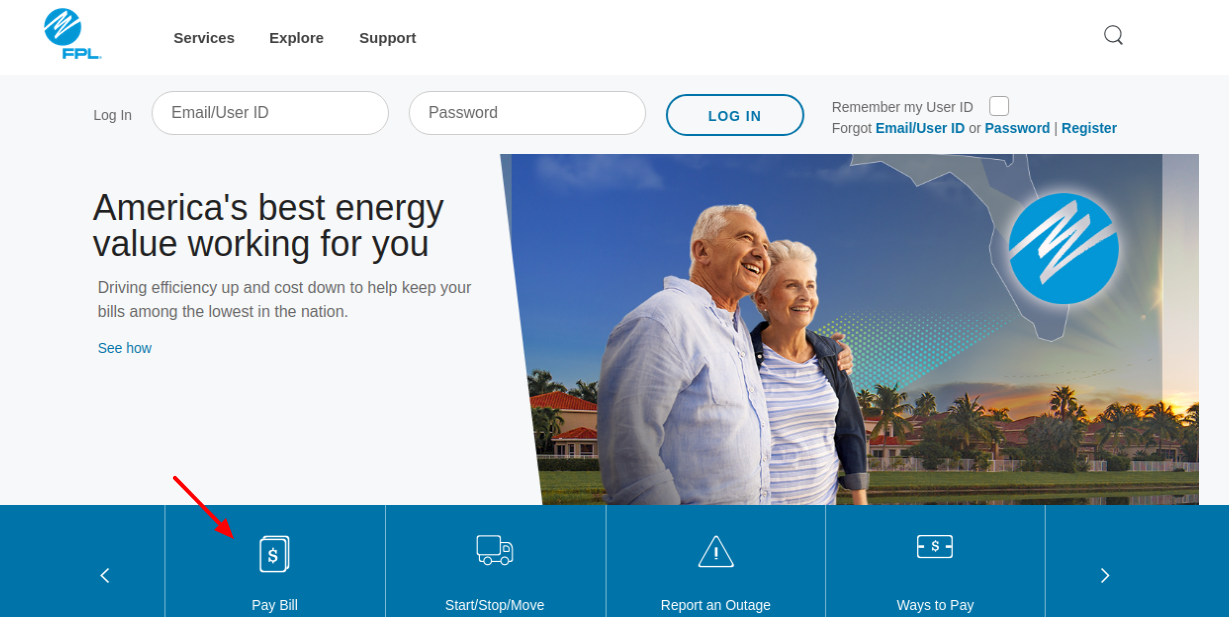
- Online: Visit the Speedpay® website through the “MAKE A PAYMENT” button on FPL’s website
- Phone: Call 1-800-979-3967
3. Follow the Payment Instructions
The system will walk you through entering your payment information. One thing to note – FPL won’t accept overpayments of more than $10, so be careful not to pay too much!
4. Save Your Confirmation Number
After completing your payment, you’ll receive a confirmation number. Write this down or take a screenshot – it’s your proof of payment if anything goes wrong.
5. Payment Posting
Good news! Your payment will post to your FPL account within minutes. No more waiting days for checks to clear.
Using Debit Cards with FPL
Don’t have a credit card? No problem! You can also use your ATM/debit card if it has one of these logos:
- STAR
- NYCE
- ACCEL
- PULSE
There’s one catch – your bank needs to be enrolled in the PIN-less ATM Bill Payment Program. This program lets you use your debit card without entering a PIN. If you’re not sure if your bank participates, give them a call to check.
Avoiding Convenience Fees: Free Payment Options
Let’s be real – nobody likes extra fees. If you want to avoid the convenience fee that comes with credit card payments, FPL offers these free alternatives:
FPL Pay Online
FPL’s online payment system lets you pay directly from your checking or savings account without any additional charges
FPL Pay By Phone®
Similar to the online option, you can call FPL’s automated system to make a payment from your bank account for free.
Alternative Payment Methods for FPL Bills
FPL understands that customers have different preferences, so they offer several other ways to pay:
Through Your Bank
Many banks offer bill pay services where they’ll send payments to FPL on your behalf. This might be free depending on your bank’s policies.
Authorized Walk-In Payment Locations
If you prefer paying in person, FPL has authorized payment locations throughout Florida.
Pay by Mail
Old school but reliable – you can still mail a check or money order to FPL.
Managing Your FPL Bill More Effectively
Beyond just payment methods, FPL offers several programs to help manage your electricity costs:
FPL Budget Billing®
This program averages out your payments throughout the year, so you pay roughly the same amount each month. This is great for avoiding those summer bill spikes when your AC is working overtime!
Payment Reminders
Sign up for text or email alerts so you never miss a due date.
FPL Friendly Reminder™
This service provides an additional notification before your service might be disconnected for non-payment.
62Plus
Special programs for customers who are 62 years or older.
Digital Options: Making FPL Payments Easier
FPL eBill®
Go paperless and receive your bills via email instead. It’s better for the environment and keeps your inbox organized.
Google Pay Integration
While FPL doesn’t directly mention Google Pay integration on their page, Google Pay offers some features that might help with your FPL payments:
- Autofill: Save your payment details once, and they’ll appear at checkout on Android and Chrome.
- Security: Google Pay offers built-in authentication, transaction encryption, and fraud protection.
- Control: Choose your preferred privacy settings.
Remember that Google Pay won’t sell your personal information or transaction history, giving you peace of mind with your financial data.
Tips for Using Credit Cards for Utility Bills
I’ve been paying my utilities with credit cards for years now, and I’ve learned a few things:
-
Choose the right card: Some credit cards offer higher rewards for utility payments than others.
-
Set reminders: Even if you’re using autopay, set calendar reminders to check that the payment went through.
-
Keep track of due dates: FPL and credit card due dates might not align perfectly. Make sure you have funds available when both hit.
-
Watch out for fees: Calculate whether the rewards you earn outweigh any convenience fees.
-
Monitor your credit utilization: Large utility bills can affect your credit score if they push your utilization too high.
Common Questions About Paying FPL Bills with Credit Cards
Is there a fee to pay my FPL bill with a credit card?
Yes, FPL partners with Speedpay® which charges a convenience fee for credit and debit card transactions. The exact fee isn’t specified on the page, but it typically ranges from $1.50 to $3.95 depending on your payment amount.
Can I set up automatic payments with my credit card?
While the information provided doesn’t specifically mention autopay with credit cards, you can contact FPL customer service to ask about this option.
Which credit cards does FPL accept?
FPL accepts Visa®, MasterCard®, Discover Card®, and American Express®.
How quickly will my payment be processed?
Your payment will post to your FPL account within minutes after making the payment.
Can I use PayPal to pay my FPL bill?
The information provided doesn’t mention PayPal as a payment option. You would need to contact FPL directly to confirm if this is possible.
My Personal Experience with FPL Credit Card Payments
I’ve been an FPL customer for over 5 years now, and I’ve tried pretty much every payment method they offer. Personally, I found that using my credit card through Speedpay® works best for me because:
- I earn about 2% cashback on my utility payments
- The convenience fee is around $2.95 for my average bill
- The cashback usually covers the fee, making it essentially free
- I get the payment confirmation immediately, which gives me peace of mind
However, during months when my bill is unusually high (looking at you, August in Florida!), I sometimes use the free FPL Pay Online option to avoid the higher convenience fee.
Final Thoughts: Is Paying Your FPL Bill with a Credit Card Worth It?
Whether paying your FPL bill with a credit card makes sense depends on your personal situation. Here’s a simple breakdown to help you decide:
Paying with a credit card might be worth it if:
- You earn enough rewards to offset the convenience fee
- You need to delay payment until your next paycheck
- You value the convenience and immediate payment posting
- You want to consolidate all your monthly expenses on one statement
Consider alternative payment methods if:
- You don’t earn credit card rewards
- You’re trying to minimize expenses
- You prefer not to use credit cards for recurring bills
- Your credit utilization is already high
At the end of the day, FPL provides multiple ways to pay your electric bill, so you can choose the method that works best for your financial situation and preferences.
Remember, keeping the lights on shouldn’t be complicated! Whether you choose to pay with a credit card or another method, the most important thing is finding a system that helps you pay on time consistently.
Have you tried paying your FPL bill with a credit card? What was your experience like? I’d love to hear about it in the comments!
Benefits of Guest Pay:
- Convenient. Quickly and easily make a payment without having to remember a username or password or create an account
- Fast. Complete the payment in just a few clicks
- Easy to use. All you need is the FPL service address zip code, FPL account number and the card information for payment
- Available 24/7. Make a payment electronically with your card at any time of day or night
We partner with Speedpay® to provide an easy way to pay a bill using your credit or debit card. A convenience fee will apply. Please note Speedpay’s® terms and conditions apply to any transaction processed using this service. By using this service, you agree that you are the FPL account holder or an authorized representative of the FPL account holder.
What payment methods are accepted?
- The following credit cards are accepted: Visa®, MasterCard®, Discover® or American Express®
- You can also pay using your ATM/Debit card with a STAR, NYCE, ACCEL or PULSE logo from a financial institution that’s enrolled in the PIN-less ATM Bill Payment Program*
- The billing address for your card must be a U.S. or Canadian address
*The PIN-less ATM program allows a customer to use their ATM/debit card without requiring a pin. Please contact your financial institution if you have questions about the program.
