Are you a Boscov’s credit card holder looking for the easiest way to pay your bill? You’re in the right place! As someone who’s been using the Boscov’s credit card for years I’ve learned all the ins and outs of their payment system. In this comprehensive guide I’ll walk you through everything you need to know about Boscov’s bill pay options, from online payments to phone and mail alternatives.
What is Boscov’s Credit Card?
Before diving into payment methods, let’s quickly review what the Boscov’s credit card offers. Boscov’s is a popular department store with locations throughout the eastern United States. Their credit card, managed by Comenity Bank, offers cardholders special benefits including:
- Special financing options
- Exclusive discounts
- Early access to sales
- Reward programs for frequent shoppers
If you’re already a cardholder, you know these benefits—but managing your payments properly is essential to enjoying them without unnecessary fees or interest.
Online Bill Pay Options
The most convenient way to pay your Boscov’s credit card bill is through their online portal. Here’s how to do it:
1. Access the Boscov’s Credit Account Portal
To pay your bill online, visit the official Boscov’s credit account portal at:
https://d.comenity.net/ac/boscovs/public/home
This is the secure website managed by Comenity Bank, the financial institution that handles Boscov’s credit accounts.
2. Log In or Register Your Account
If you’re a first-time user
- Click on “Register”
- You’ll need your account number, ZIP code, and last 4 digits of your SSN
- Create a username and password
- Set up security questions
If you’re a returning user:
- Enter your username and password
- Click “Login”
3. Make Your Payment
Once logged in you’ll see your
- Current balance
- Minimum payment due
- Payment due date
To make a payment:
- Click on “Make a Payment”
- Enter the payment amount
- Provide your bank account information (routing and account numbers)
- Select the payment date
- Review and confirm your payment
4. Set Up Autopay (Optional)
To avoid late payments, consider setting up autopay:
- Look for “Manage AutoPay” or similar option
- Choose whether to pay the minimum amount, statement balance, or a fixed amount
- Select your preferred payment date
- Enter your banking information
- Confirm your autopay settings
Alternative Payment Methods
While online bill pay is the most efficient option, Boscov’s understands that not everyone prefers digital payments. Here are other ways to pay your bill:
Pay by Phone
You can pay your Boscov’s credit card bill by calling their customer service at:
1-800-284-8155
The customer service hours are:
- Monday-Saturday: 9:00 AM to 8:00 PM EST
- Sunday: 10:00 AM to 7:00 PM EST
When calling, have ready:
- Your Boscov’s credit card account number
- Your bank account information
- The payment amount you wish to make
Pay by Mail
If you prefer to send a physical payment, you can mail a check or money order to the address listed on your billing statement. Typically, you’ll need to:
- Write a check payable to “Boscov’s Credit”
- Include your account number on the check memo line
- Send it with the payment coupon from your statement
- Allow 5-7 business days for processing
Pay in Store
Another convenient option is to pay your bill at any Boscov’s store location. Simply:
- Visit the customer service desk
- Present your Boscov’s credit card
- Inform them you wish to make a payment
- Choose your payment method (cash, check, or another card)
- Keep your receipt as proof of payment
Tips for Managing Your Boscov’s Bill Payments
After years of using the Boscov’s card, I’ve picked up some useful tips that might help you:
1. Pay Before the Due Date
Always make your payment a few days before the due date to ensure it’s processed on time. This is especially important if you’re mailing your payment or paying through a bank’s bill pay service.
2. Pay More Than the Minimum
The minimum payment is designed to keep your account current, but paying only this amount means you’ll accumulate more interest over time. Whenever possible, pay more than the minimum—ideally the full balance.
3. Check Your Statements Regularly
Review your monthly statements to ensure all charges are accurate. If you spot an error, contact customer service immediately at 1-800-284-8155.
4. Set Up Payment Reminders
If you don’t use autopay, set calendar reminders several days before your payment is due. This simple habit can save you from late fees and potential credit score impacts.
5. Keep Your Contact Information Updated
Make sure Boscov’s has your current phone number, email, and mailing address so they can contact you about important account information.
What If I Miss a Payment?
Life happens, and sometimes payments get missed. If you’ve missed a Boscov’s bill payment:
- Make the payment as soon as possible to minimize late fees and interest
- Contact customer service at 1-800-284-8155 to explain your situation
- Check your next statement carefully for any late fees or interest charges
- Consider setting up autopay to prevent future missed payments
Boscov’s Bill Pay During Special Circumstances
Holiday Season
During busy shopping seasons like the holidays, payment processing might take longer than usual. Try to pay your bill earlier to avoid delays.
During Travel
If you’ll be traveling when your payment is due, make arrangements beforehand—either set up an automatic payment or pay early.
Financial Hardship
If you’re experiencing financial difficulties that impact your ability to pay your bill, contact Boscov’s customer service. Sometimes they can work out payment arrangements or hardship programs.
Common Questions About Boscov’s Bill Pay
How long does it take for my online payment to process?
Online payments typically process within 1-2 business days, though it’s best to allow extra time for your first payment.
Can I make a partial payment?
Yes, you can pay any amount at any time, though you should at least cover the minimum payment by the due date to avoid late fees.
Is there a fee for making payments online?
No, Boscov’s does not charge a fee for online payments made through their portal.
Can someone else pay my Boscov’s bill for me?
Yes, someone else can pay your bill, but they’ll need your account information. For security, it’s better to make the payment yourself or be present during the transaction.
What happens if my payment is returned due to insufficient funds?
If your payment is returned, you may be charged a returned payment fee, and your account will be considered unpaid. Contact customer service immediately if this happens.
Maximizing Your Boscov’s Credit Card Benefits
While we’re focusing on bill pay, it’s worth mentioning how to get the most from your Boscov’s credit card:
- Shop during special cardholder events for additional savings
- Take advantage of free shipping offers available to cardholders (on orders of $49 or more)
- Check for special financing options on larger purchases
- Look for exclusive cardholder coupons in your email or mail
Final Thoughts
Managing your Boscov’s credit card payments doesn’t have to be complicated. With multiple payment options available, you can choose the method that works best for your lifestyle. The key is staying organized and making payments on time.
Remember that your payment history impacts your credit score, so establishing good payment habits with your Boscov’s card can benefit your overall financial health.
I’ve been a Boscov’s cardholder for many years, and I find their online payment system to be one of the most user-friendly among store credit cards. The website is easy to navigate, payments post quickly, and customer service is generally helpful if you encounter any issues.
Useful Resources
- Boscov’s main website: www.boscovs.com
- Boscov’s Credit Card login: d.comenity.net/ac/boscovs/public/home
- Customer Service: 1-800-284-8155
- Store Locator: Available on Boscov’s website to find the nearest location for in-person payments
Do you have any other questions about paying your Boscov’s bill? Leave a comment below and I’ll do my best to help!
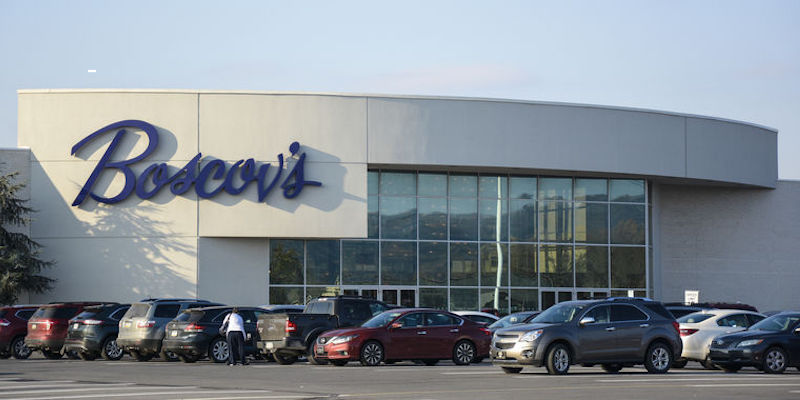
Boscov’s Credit Card – Home.
Boscovs Credit Card Payment Address. Comenity Capital Bank PO Box 183003 Columbus, OH 43218-3003. Boscovs Mobile App. Interestingly, you can also access your Boscovs Card login on your smartphone. To get started, download and install Boscovs Mobile App from the Apple Store or. Manage your account – Bread Financial.
1-800-284-8155. Shopper Services Monday-Saturday 9:00AM to 8:00PM and Sunday 10:00AM to 7:00PM EST.. You can also contact us by email or chat, click here. The Boscov’s Credit Card is a branded card issued by Boscov’s that allows holders to borrow funds, make payments, etc. Benefits of the Boscov’s Credit Card. The. When You Use Your Boscovs Credit Card 2 Points for every $1 spent. 2 4 Points on all beauty purchases. 3 Extra 2,000 Bonus Points for every 1,000 spent. 2 Extra 15% off Boscov’s Credit Card Appreciation Events 5 More Details Rewards Terms & Conditions HOW TO USE YOUR REWARDS POINTS.
Boscov’s Credit Card – Bread Financial.
Apply for a Boscovs Credit Card. 15% off first days purchases when you open and use the Boscovs credit card within 30 days of account opening…. and may not be applied as payment or credit to any account. Lost, stolen or damaged cards may only be replaced for any remaining amount with original receipt.
