Credit Cards make payments a whole lot easier. You can buy now and pay later at your convenience. However, failing to pay your Credit Card bills on time can lead to heavy penalties and interest on the outstanding amount. So, it is of utmost importance to clear all your dues before the due date. If you’re unclear about how to make your credit card bill payments, you have come to the right place. Here’s everything you need to know about various payment procedures related to Credit Cards.
Are you tired of scrambling to pay your ICICI Bank credit card bill at the last minute? I’ve been there too! After forgetting my payment date one too many times (and paying those annoying late fees) I decided to explore all the possible ways to pay an ICICI Bank credit card bill. Let me share what I’ve learned to make your life easier!
Why Paying Your Credit Card Bill On Time Matters
Before diving into the payment methods, let’s quickly understand why timely payments are crucial
- Avoid late payment fees (which can add up quickly!)
- Prevent interest charges on outstanding amounts
- Maintain a good credit score
- Keep enjoying your card benefits without interruption
Now, let’s explore the many ways ICICI Bank lets you pay your credit card bill.
1. Using the iMobile App – The Most Convenient Option
The ICICI Bank iMobile app makes paying your credit card bill super easy. Here’s how:
- Download and log into the iMobile app
- Navigate to the “Credit Cards” section
- Select your card
- Choose “Pay Now” option
- Enter payment amount
- Confirm the transaction
The best part? You can do this anytime, anywhere! I personally love this method because it literally takes less than a minute. Plus, the payment gets updated instantly in most cases.
2. Internet Banking – Perfect for Desktop Users
If you prefer managing finances on a larger screen, ICICI Bank’s internet banking is your friend:
- Log in to your ICICI Bank internet banking account
- Go to the “Credit Cards” section
- Select “Pay Credit Card Bill”
- Choose the card and payment amount
- Complete the transaction
This method is great when you’re already on your computer and want to check other account details too.
3. UPI Payment – Super Quick and Universal
One of my favorite methods is using UPI since I can pay from ANY bank account:
- Open any UPI app (Google Pay, PhonePe, BHIM, etc.)
- Choose “Pay to UPI ID” option
- Enter the UPI ID in this format: ccpay.<mobile><last 4 card digits>@icici
(For example: if your mobile is 9812345678 and last 4 digits of card are 1234, then enter ccpay.98123456781234@icici) - Enter amount and complete payment
This is especially handy when your ICICI Bank account is running low but you have funds in another bank.
4. Scan to Pay (QR Code) – The No-Fuss Option
This contactless method is gaining popularity for good reason:
- Open any UPI-enabled app
- Use the “Scan & Pay” feature
- Scan the ICICI Bank QR code
- Enter payment amount and confirm
The beauty of this method is that you don’t even need an ICICI Bank account! Any UPI-enabled app works.
5. Auto-Debit – Set It and Forget It
This is my absolute favorite way to ensure I never miss a payment:
- Submit a written request to ICICI Bank
- Link your ICICI Bank savings account
- Choose whether to auto-debit minimum amount due or full amount
- Enjoy stress-free bill payments!
Once set up, the amount gets automatically debited on the due date. Just make sure you have sufficient balance in your account!
6. NEFT from Other Banks – The Traditional Method
If you prefer using your other bank accounts:
- Log in to your non-ICICI bank’s internet banking
- Set up NEFT transfer
- Enter your credit card number as the account number:
- 16-digit number for Visa/Mastercard
- 15-digit number for American Express
- Use IFSC code: ICIC0000004
- Complete the transfer
This method might take slightly longer (usually a few hours) for the payment to reflect.
7. ICICI Bank ATM – When You’re Passing By
If you’re near an ICICI Bank ATM:
- Insert your ICICI Bank debit card
- Enter PIN
- Select “More Options”
- Choose “Credit Card Payment”
- Select your card and enter amount
- Complete transaction
This is super convenient when you’re already out and about!
8. Cash Deposit at Branch – The Old School Way
Sometimes, you just want that human touch:
- Visit any ICICI Bank branch
- Fill out the deposit slip
- Provide your credit card details
- Pay the cash amount
Note: There’s a fee of ₹100 + 18% GST per transaction, so I’d recommend this only as a last resort.
When Is The Best Time To Pay Your Credit Card Bill?
Many people ask me when they should ideally pay their bill. Here’s my take:
- Ideal time: At least 3-4 days before the due date
- Best practice: Pay the full amount to avoid interest charges
- Minimum requirement: At least pay the “Minimum Due” amount to avoid late fees
I personally set a reminder 5 days before my due date every month. This gives me enough buffer in case of any payment processing delays.
FAQs About ICICI Credit Card Bill Payment
Can I pay my ICICI credit card bill through another bank’s account?
Yes! You can use NEFT from any bank or use UPI/Scan to Pay options. Just make sure you enter the correct card number and IFSC code (ICIC0000004) for NEFT transactions.
What is the “Minimum Due” amount?
It’s the minimum amount you need to pay by the due date to avoid late fees. It typically includes:
- Interest charges from previous billing cycles
- Applicable fees and taxes
- A small percentage of your principal amount
While paying the minimum due helps avoid late fees, you’ll still incur interest on the remaining balance. I always recommend paying the full amount whenever possible.
Can I pay more than my outstanding amount?
Absolutely! This creates a credit balance on your card which gets adjusted against future purchases. Some people like doing this before big expenses or trips.
What if I miss the due date?
If you miss your payment due date, you’ll likely face:
- Late payment fees
- Interest charges on the entire outstanding amount
- Potential impact on your credit score
If you realize you’ve missed a date, make the payment as soon as possible to minimize the damage.
Tips to Never Miss a Credit Card Payment
After years of managing multiple credit cards, here are my top tips:
- Set up auto-debit – The most foolproof way to never miss a payment
- Create calendar reminders – Set alerts 5 days and 1 day before due date
- Pay as soon as you get your statement – Don’t wait for the due date
- Consider paying weekly – Break your bill into smaller payments throughout the month
- Use the iMobile app notifications – ICICI Bank sends helpful payment reminders
Making The Most of Your ICICI Bank Credit Card
Paying your bill on time is just one aspect of smart credit card usage. Here are some bonus tips:
- Track your spending regularly using the iMobile app
- Redeem reward points before they expire
- Check for special offers before making large purchases
- Update your contact information to receive important notifications
Conclusion
Managing your ICICI Bank credit card payments doesn’t have to be stressful. With these 8 convenient payment methods, you can choose what works best for your lifestyle. I personally rely on auto-debit as my primary method, with the iMobile app as a backup when I want to make additional payments.
Remember, the key is not just paying your bill, but paying it on time and ideally in full. This habit will save you money on interest and fees while building an excellent credit history.
This article was last updated on October 14, 2025, with the latest information on ICICI Bank credit card payment methods. For the most current details, please visit the official ICICI Bank website.
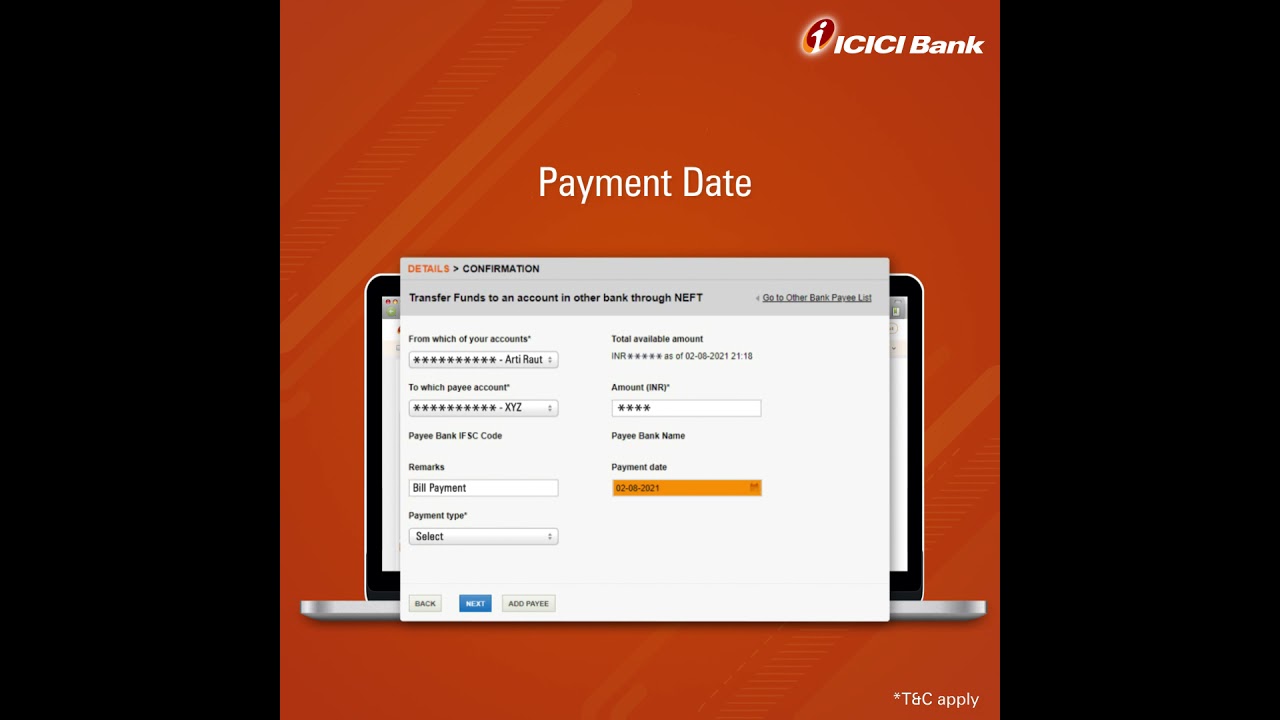
Credit Card bill payment options:
When it comes to paying Credit Card bills, online payment options are by far the easiest way to do so. Making Credit Card payments through various online modes takes only a few minutes of your time. It can be done from almost anywhere in the world, at any time. Let’s take a look at some of the popular methods of online Credit Card bill payment.
Through a dedicated Credit Card online portal
If your Credit Card issuer has a dedicated online portal, you can utilise the following general steps to make the payment:
- Visit the online portal of your Credit Card issuer
- Log in using the user ID and password given to you
- Once you’ve logged in, initiate the payment for your Credit Card bill
- You will likely be redirected to a payment gateway
- Here, you can choose the mode of payment, such as a debit card or net banking
- After you’ve chosen the mode and made the payment, you will be redirected to the online portal once again
- The details of your payment would most likely get reflected almost immediately in your account.
