Are you tired of forgetting to pay your Middle Tennessee Electric (MTE) bill until the last minute? Maybe you’ve been stuck in traffic when you suddenly remembered your payment is due today? Don’t worry – I’ve been there too and I’m here to help you navigate the simplest way to handle your MTE bill payments by phone.
As a longtime MTE member myself I’ve discovered that their phone payment system is actually super convenient once you know how to use it. Let’s break down everything you need to know about paying your MTEMC bill by phone in 2025.
The Essential MTEMC Phone Number for Bill Pay
The most important piece of information you need is the correct phone number. MTE’s 24/7 automated services, including bill payments, are available by calling:
877-777-9020
This number connects you to MTE’s automated system where you can make payments anytime, day or night, without having to speak to a customer service representative. I’ve personally used this system at 11 PM when I suddenly remembered my bill was due the next day!
Step-by-Step Guide to Paying Your Bill by Phone
Here’s how to pay your MTE bill using their phone system:
- Dial 877-777-9020 from your phone
- Listen carefully to the automated menu options
- Select the option for bill payment
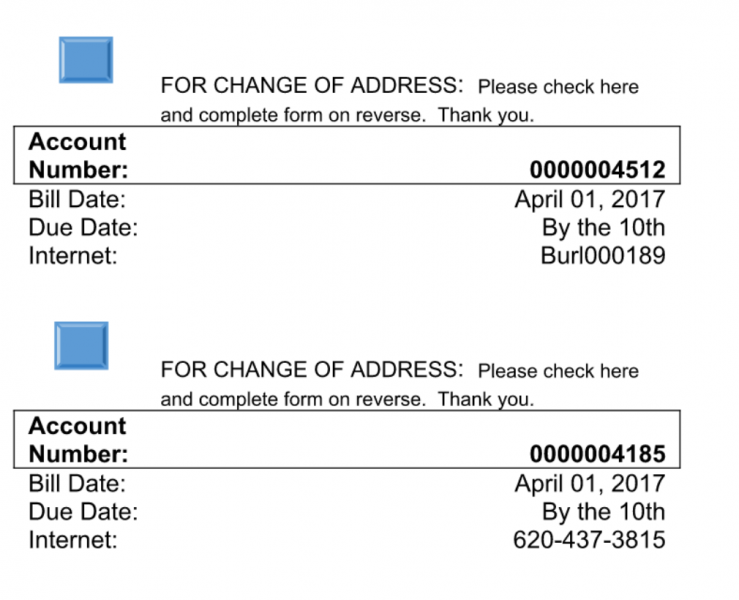
- Have your account number ready (it’s on your bill)
- Choose your payment method (credit card, debit card or checking account)
- Follow the prompts to enter your payment information
- Confirm your payment amount
- Wait for your confirmation number – write this down!
The whole process usually takes less than 5 minutes, which is way faster than driving to an office location. Plus, the system is available 24/7, so you can pay whenever it’s convenient for you.
Alternative Ways to Pay Your MTE Bill
While the phone payment option is super convenient, MTE offers several other methods for paying your bill:
Online Payment through myMTE
You can pay online through the myMTE portal or mobile app. This lets you:
- View your bill history
- Schedule future payments
- Set up autopay
- Track your energy usage
In-Person Payment Locations
If you prefer paying in person, MTE has several office locations across Middle Tennessee:
- Headquarters: 555 New Salem Hwy., Murfreesboro (7:30 a.m. – 5:00 p.m., Monday-Friday)
- Cannon County/Woodbury: 911 W. Main St., Woodbury
- Rutherford County/Smyrna: 505 Nolan Dr., Smyrna
- Williamson County/Franklin: 2156 Edward Curd Ln., Franklin
- Wilson County/Lebanon: 201 Maddox-Simpson Pkwy., Lebanon
- Wilson County/Mt. Juliet: 2722 N. Mt. Juliet Rd., Mt. Juliet
All office lobbies and drive-thru services are open Monday through Friday from 7:30 a.m. to 5:00 p.m.
Note: As of May 5, 2025, MTE no longer offers Member Support from their Murfreesboro office at 326 St. Andrews Drive. Members can visit the Murfreesboro headquarters or Smyrna location instead.
What Information Do You Need to Pay Your Bill by Phone?
Before calling the MTE bill pay number, make sure you have:
- Your account number – Find this on your paper bill or in the myMTE app
- Your payment method – Credit card, debit card, or checking account information
- The amount you want to pay – You can pay the full balance or a partial payment
I always keep my account number in my phone’s notes app so I don’t have to hunt for a paper bill every month. Super handy!
Frequently Asked Questions About MTEMC Bill Pay
Can I set up automatic payments by phone?
No, you’ll need to use the myMTE portal or app to set up automatic payments. Call the main customer service number (877-777-9020) during business hours if you need help setting this up.
Is there a fee for paying by phone?
MTE doesn’t currently charge additional fees for phone payments, which is one reason I prefer this method!
What payment methods are accepted over the phone?
You can pay with:
- Credit cards
- Debit cards
- Electronic check (you’ll need your bank routing and account numbers)
What if I’m experiencing a power outage?
For outage reporting, MTE has a dedicated number: 877-777-0215. You can also report outages through the myMTE app.
When are payments due?
Payment due dates are listed on your bill. I’ve found that payments made by phone are typically processed immediately, which is helpful if you’re paying close to the due date.
Tips for Managing Your MTE Account
Here are some pro tips I’ve learned as an MTE member:
- Save the payment number in your contacts – Label it something obvious like “MTE Bill Pay” so you can find it quickly
- Set a monthly reminder on your phone a few days before your bill is typically due
- Consider signing up for paperless billing – You’ll get email notifications when your bill is ready
- Download the myMTE app for account management on the go
What to Do If You’re Having Trouble Paying Your Bill
If you’re experiencing financial difficulties, MTE may be able to help with:
- Payment arrangements
- Budget billing options
- Information about assistance programs
Call the main customer service line (877-777-9020) during regular business hours to discuss these options with a representative.
My Personal Experience with MTE Phone Payments
I’ve been an MTE member for over 5 years, and I’ve tried pretty much every payment method they offer. The phone payment system has been a lifesaver for me several times!
Last summer, I was traveling for work when I realized my bill was due. I was at the airport with spotty internet, so online payment wasn’t working well. I called the 877-777-9020 number, quickly navigated through the prompts, and had my payment confirmed in under 4 minutes. No late fees, no stress!
The automated system is pretty straightforward, though it did take me a couple tries the first time to get used to the menu options. My advice is to listen carefully and have your account info ready before you call.
Additional MTE Contact Information
Besides bill payment, here are other important MTE contact numbers you might need:
- 24/7 Member Support Line: 877-777-9020
- Outage Reporting: 877-777-0215
- Vegetation Management: 877-414-7685
- Outdoor & Streetlights: 877-986-8362
- Email: [email protected]
Holiday Closures for 2025
It’s worth noting that MTE offices will be closed on these holidays in 2025:
- New Year’s Day (1/1/25)
- Memorial Day (5/26/25)
- Independence Day (7/4/25)
- Labor Day (9/1/25)
- Thanksgiving Day (11/27/25)
- Day after Thanksgiving (11/28/25)
- Christmas Eve (12/24/25)
- Christmas (12/25/25)
- New Year’s Day 2026 (1/1/26)
Even during these holidays, the automated phone payment system (877-777-9020) remains available 24/7. I’ve definitely used it during holiday weekends when I suddenly remembered my bill!
Why Choose Phone Payment for Your MTE Bill?
There are several advantages to using the phone payment system:
- Convenience – Pay anytime, anywhere you have phone service
- Speed – Typically takes less than 5 minutes
- Immediate processing – Payments are usually applied to your account right away
- No internet needed – Perfect when you don’t have good internet connection
- Simple to use – Just follow the voice prompts
Final Thoughts on MTEMC Phone Bill Pay
Paying your MTE bill by phone is one of the easiest and most convenient options available. The system is user-friendly, available 24/7, and processes payments quickly.
Next time your bill is due, give the phone system a try by calling 877-777-9020. It might just become your preferred payment method too!
Remember, whether you’re dealing with bill payments, outages, or account questions, MTE’s customer service is designed to make your experience as smooth as possible. Their commitment to serving members is one of the benefits of being part of an electric cooperative.
Have you tried paying your MTE bill by phone? What was your experience like? I’d love to hear your thoughts!
Summary of Key Information
- MTE Bill Pay Phone Number: 877-777-9020 (available 24/7)
- Outage Reporting Number: 877-777-0215
- Online Payment: Available through myMTE portal and app
- In-Person Payment: Multiple office locations throughout Middle Tennessee
- Payment Methods: Credit/debit cards and electronic checks accepted
- Customer Service Hours: Monday-Friday, 7:30 a.m. – 5:00 p.m.
Keep this information handy, and you’ll never stress about paying your MTE bill again!
Managing your account is more convenient than ever
From online to in-person, how you manage your account is up to you. If you run into any problems, our member support team can help you when you call 877-777-9020 or come by one of our offices.
AutoPay is MTE’s recurring payment system through the myMTE mobile app, our web portal, or through our Member Services team. This system allows you to put a bank account or a credit/debit card on file to pay your bill each month automatically.
Help is right at your fingertips with the myMTE mobile app and web portal. With it, you can manage your account.
The free app is easy to use, convenient, and valuable. It will help you better understand and improve your energy habits by showing energy consumption in an easy-to-read format. There are more than 100,000 MTE members who use the myMTE app. To take advantage of this great free tool, download the app or sign up on the web portal.
Our member services team can help with any of your account concerns on weekdays 7 a.m. – 7 p.m., while our after-hours support team can handle your billing and outage questions on nights, weekends, and holidays. Call toll-free 1-877-777-9020 to speak to a real person 24/7.
You can always mail in a check to your local office using the tear-away stub at the bottom of your bill. You can mail it to any of our local offices by the due date.
To reduce the cost of postage and the chance of a late payment, check out AutoPay.
We always welcome members who come to one of our offices to pay their bills. For after-hours, each office has a night drop box near the drive-thru window, and we also have drop boxes available at the following locations:
- Fairview: City Hall
- Murfreesboro: 555 New Salem Road (MTE Corporate Office)
- Lebanon: City Hall
