Are you a TJX Rewards credit card holder looking for hassle-free ways to pay your bill? I’ve been there! After getting my TJX Rewards card last year, I struggled with figuring out the best way to manage my account and make payments on time. But worry not – I’ve done all the research so you don’t have to.
In this comprehensive guide, I’ll walk you through everything you need to know about accessing your TJX Rewards account for bill payments and account management. Let’s dive right in!
What is the TJX Rewards Credit Card?
Before we jump into bill pay details, let’s quickly review what makes the TJX Rewards credit card worth having:
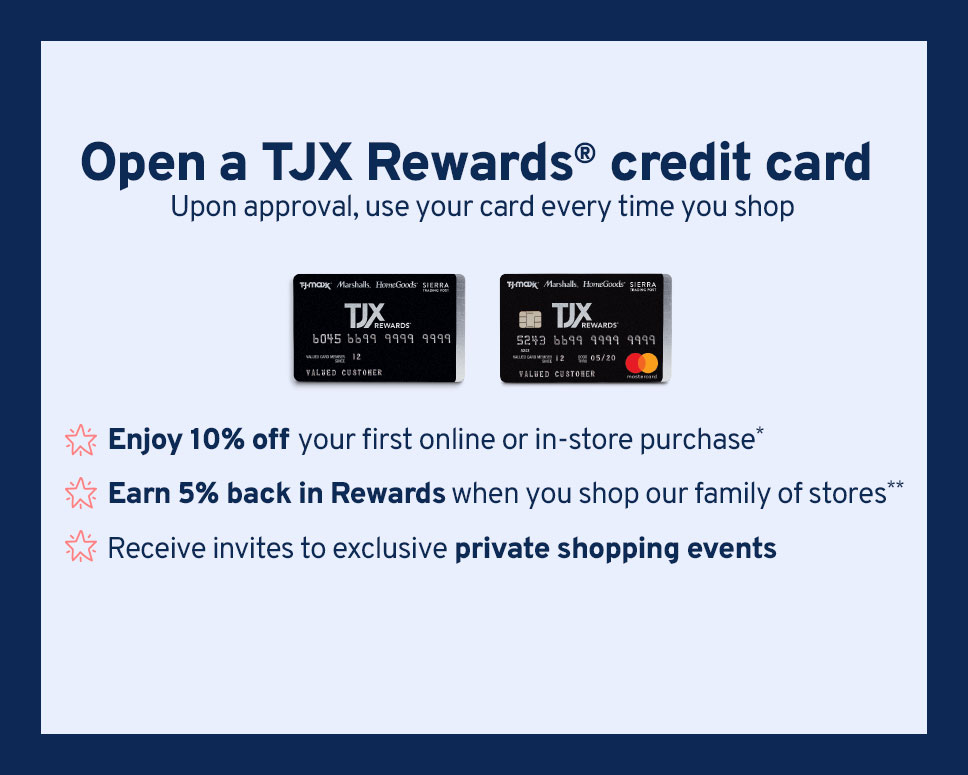
The TJX Rewards credit card lets shoppers earn points at T.J.Maxx, Marshalls, HomeGoods, Sierra, and Homesense. With this card, you’ll enjoy:
- No annual fee – keep more money in your pocket
- Earn 5% back in Rewards every time you shop at TJX family stores
- 1% back in Rewards anywhere Mastercard is accepted (for Mastercard cardholders)
- Digital Rewards Certificates available within 48 hours
- 10% off your first purchase when you open a new account
- Exclusive shopping events and special offers
- Entry into Lucky 25 monthly sweepstakes when you shop with your card
How to Access Your TJX Rewards Account Online
To pay your bill online or manage your account, you’ll need to access tjxrewards.com. This is different from the shopping websites like tjmaxxcom!
Step 1: Visit the TJX Rewards Website
Navigate to tjxrewards.com to access your credit card account
Step 2: Log In to Your Account
You’ll need your:
- User ID/Email
- Password
If you haven’t set up an online account yet, you’ll need to register your card first.
Ways to Pay Your TJX Rewards Bill
There are several convenient ways to pay your bill:
1. Online Payment (Most Convenient)
This is by far the easiest method I’ve found
- Log in to your account at tjxrewards.com
- Navigate to the payment section
- Choose your payment amount (minimum payment, statement balance, or custom amount)
- Select your payment date
- Provide your banking information
- Submit your payment
2. Phone Payment
If you prefer talking to a real person or using an automated system:
Call the customer service number on the back of your card:
- TJX Rewards Platinum Mastercard: 1-877-890-3150
- TJX Rewards Credit Card: 1-800-952-6133
3. Mail Payment
For those who prefer the traditional route:
- Write a check payable to TJX Rewards
- Include your account number on your check
- Mail your payment to the address listed on your billing statement
4. In-Store Payment
Sadly, you cannot make payments at T.J.Maxx or other TJX stores. All payments must be made through the methods above.
Setting Up Autopay for Your TJX Rewards Card
I personally recommend setting up autopay to avoid late fees. Here’s how:
- Log in to your account at tjxrewards.com
- Navigate to the “Payments” section
- Look for “Autopay” or “Automatic Payments”
- Choose your payment preference (minimum payment, statement balance, or fixed amount)
- Enter your bank account information
- Select your preferred payment date
- Confirm and save your settings
Managing Your Rewards
One of the best features of the TJX Rewards card is earning Rewards Certificates. Here’s how to manage them:
Checking Your Rewards Balance
If you’ve linked your card to your TJX account:
- Log in to tjmaxx.com or marshalls.com
- Go to the “Rewards” page in your account section
- View your points balance and available Rewards Certificates
If you haven’t linked your card:
- Log in at tjxrewards.com
- Navigate to the Rewards section to view your balance
Linking Your TJX Rewards Card to Your Shopping Account
This is super helpful for easy Rewards management:
- Log in to your T.J.Maxx or Marshalls account
- Visit the “Rewards” page in the Account section
- Click “Link my card”
- Enter your tjxrewards.com User ID/Email and Password
- Complete the linking process
Redeeming Rewards Certificates
Online:
- When linked: Certificates automatically appear in checkout
- When not linked: Manually enter Certificate number and CSC
In Store:
- When linked: Scan from your T.J.Maxx, Marshalls, or HomeGoods app
- When not linked: Have the cashier scan your paper or electronic certificates
Troubleshooting TJX Rewards Account Issues
Sometimes things don’t go as planned. Here’s how to address common issues:
Forgot Password?
- Visit tjxrewards.com
- Click “Forgot Password”
- Follow the instructions to reset
Payment Didn’t Process?
Contact customer service immediately:
- TJX Rewards Platinum Mastercard: 1-877-890-3150
- TJX Rewards Credit Card: 1-800-952-6133
Can’t See Your Rewards?
Try unlinking and relinking your card:
- Go to the Rewards page in your TJX account
- Click “Unlink my card”
- Wait a few minutes
- Click “Link my card” and follow the steps
Maximizing Your TJX Rewards Credit Card
Here are some insider tips I’ve learned to get the most from your card:
-
Shop across all TJX brands – your 5% back applies at T.J.Maxx, Marshalls, HomeGoods, Sierra, and Homesense
-
Link your card to your TJX account – makes managing Rewards so much easier
-
Look for cardmember-only shopping events – exclusive access to new merchandise
-
Watch for free shipping offers – cardmembers get special shipping promotions
-
Use your card for everyday purchases – if you have the Mastercard version, you’ll earn 1% back everywhere else
Important TJX Rewards Account Details to Know
Keep these key facts in mind:
- Rewards earned: $10 Rewards Certificate for every 1,000 points
- Points earning rate: 5 points per $1 at TJX stores, 1 point per $1 elsewhere (Mastercard only)
- Rewards expiration: Check your Rewards Certificates for expiration dates
- APR and fees: Check your cardholder agreement for current rates
Frequently Asked Questions
How do I apply for a TJX Rewards credit card?
You can apply online at tjxrewards.com or in any TJX family store. If approved, you’ll get a temporary card number for immediate use, with your physical card arriving in 7-10 days.
Does applying for the card impact my credit score?
Yes, it could. However, you can check if you prequalify without impacting your score.
When will my Rewards Certificates become available?
Digital Rewards Certificates are typically available within 48 hours of earning them when you’re registered at tjxrewards.com.
Can I combine multiple Rewards Certificates?
Yes! You can use multiple certificates in a single transaction both online and in-store.
What’s the difference between tjxrewards.com and tjmaxx.com?
Tjxrewards.com is where you manage your credit card account and pay your bill. Tjmaxx.com is the online shopping website.
My Personal Experience with TJX Rewards Bill Pay
When I first got my TJX Rewards card, I was confused about where to pay my bill. I mistakenly went to tjmaxx.com looking for a bill pay option! After calling customer service, I learned that tjxrewards.com is the dedicated site for account management.
Setting up autopay was a game-changer for me. I set it to pay my full balance each month, which ensures I never miss a payment and don’t accrue interest. Plus, with the linked account feature, I can easily see my Rewards balance when shopping online – no more forgetting to use my certificates!
Final Thoughts
Managing your TJX Rewards credit card and bill payments doesn’t have to be complicated. By understanding how to access your account at tjxrewards.com and setting up convenient payment options, you’ll never miss a payment and can fully enjoy the rewards of your card.
Remember that the easiest way to pay your bill is online through your account at tjxrewards.com. If you haven’t already, I highly recommend setting up autopay to ensure timely payments.
Have you found other helpful tips for managing your TJX Rewards account? I’d love to hear about your experiences in the comments below!
Happy shopping and even happier bill paying!
One website for all your loyalty needs
- Check your balance and pay your bill
- Track your Rewards point status
- Access your Rewards Certificates online
- Enroll in electronic statements to get your certificates delivered right to your email
