Are you tired of writing checks, buying stamps, and worrying about whether your Nicor Gas payment will arrive on time? I sure was! After forgetting to mail my payment one too many times (and dealing with those annoying late fees), I finally decided to explore the online payment options Nicor offers. Let me tell ya – it’s been a game-changer for my household budget management!
In this guide, I’ll walk you through everything you need to know about paying your Nicor bill online, from setting up an account to exploring all the convenient payment methods available. Trust me, once you make the switch, you’ll wonder why you didn’t do it sooner!
Why Pay Your Nicor Bill Online?
Before diving into the how-to’s, let’s talk about why online payments are so darn convenient:
- No more stamps or envelopes (seriously, who has stamps these days?)
- Instant confirmation when your payment goes through
- Set-it-and-forget-it options with AutoPay
- 24/7 access to your account history
- Environmentally friendly (less paper waste!)
- Payment tracking to avoid those pesky late fees
Creating Your Nicor Gas Online Account
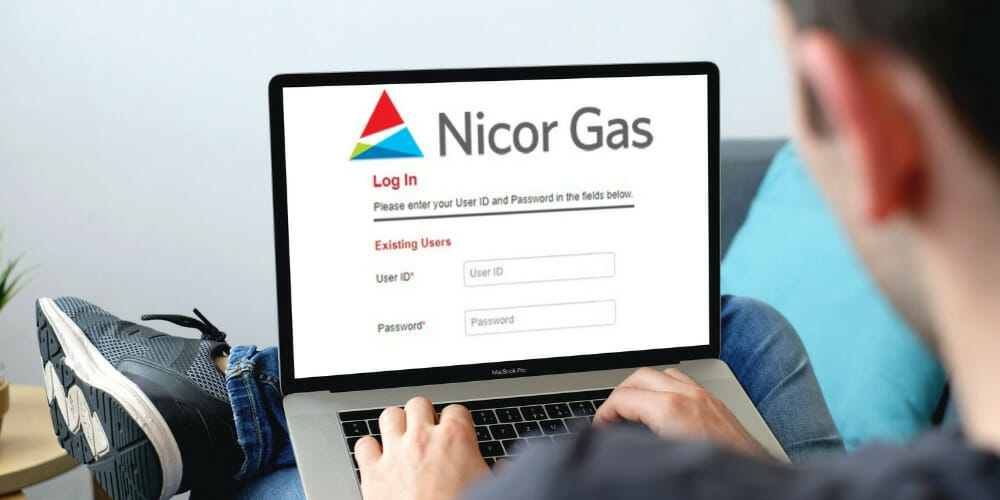
The first step to paying your Nicor bill online is setting up your account through their customer portal. Here’s how to get started
- Visit the Nicor Gas login page at customerportal.southerncompany.com
- Look for the “New to My Account” section
- Click on “Register” to create a new account
- You’ll need your account number (found on your paper bill)
- Follow the prompts to complete your registration
- Create a secure password that you’ll remember
Once your account is set up, you’ll have access to a whole bunch of features beyond just bill payment – like usage history, paperless billing options, and more.
Online Payment Options for Your Nicor Bill
Nicor Gas offers several different ways to pay your bill online. Let’s break ’em down:
1. Pay Through My Account
This is probably the easiest method if you’ve already registered for online access:
- Log in to your Nicor Gas account
- Navigate to the billing section
- Select “Make a Payment”
- Enter your payment amount
- Choose your payment method (checking account or credit/debit card)
- Submit and receive confirmation
The great thing about this method is that you don’t even need to create an account if you’re in a hurry. Nicor allows guest payments, so you can make a one-time payment without registering.
2. AutoPay – Set It and Forget It
This is my personal favorite because I’m kinda forgetful when it comes to bills. With AutoPay
- Your monthly bill amount is automatically withdrawn on the due date
- You can choose between bank account or credit/debit card payments
- No more late fees or forgotten payments
- You’ll still receive bill notifications so you know what’s coming out
To sign up for AutoPay:
- Log into your Nicor account
- Select “Enroll in AutoPay” option
- Choose your preferred payment method
- Verify your information
- Sit back and relax knowing your bill will always be paid on time!
Pro tip If you set up AutoPay with a credit card Nicor will automatically enroll you in paperless billing. It might take a billing cycle or two for AutoPay to fully activate so keep paying manually until you get confirmation.
3. Pay by Phone
Not technically “online” but still electronic and super convenient:
- Call 888.642.6748 (they speak Spanish too!)
- Available Monday through Friday, 7 a.m. to 6 p.m.
- Use checking, savings, or credit/debit cards (Visa, MasterCard, Discover)
- No fees when paying with Nicor representatives
Payment Methods Accepted Online
When paying your Nicor bill online, you have several payment options:
Banking Options
- Checking accounts
- Savings accounts
Credit/Debit Cards
- Visa
- MasterCard
- Discover
The really nice thing is that Nicor doesn’t charge any extra fees when you pay online through their official channels!
Google Pay: Another Way to Pay Your Nicor Bill
If you’re already using Google Pay for other purchases, you might be able to connect it to your Nicor account. Google Pay offers:
- Seamless payments across all your devices
- Encrypted transaction security
- Fraud protection built-in
- Tap-to-pay functionality for in-store payments
- Fast checkout for online payments
Setting up Google Pay is pretty straightforward:
- Add your card details to your Google Account
- They’ll be securely stored for future use
- Use Google Pay for checkout on Chrome and Android devices
Traditional Payment Options (If Online Isn’t Your Thing)
While online payments are super convenient, Nicor still offers traditional payment methods if that’s your preference:
Pay In Person
You can pay at one of many payment centers throughout their service area. Just bring your bill stub and payment. Note that credit cards aren’t accepted at in-person payment centers, and fees vary by location.
Pay by Mail
The old-school way still works! Just mail your payment to:
Nicor GasP.O. Box 5407Carol Stream, IL 60197-5407Remember to include your bill stub and write your account number on your check. And don’t forget that stamp!
Tips for Successful Online Payments
After paying my Nicor bill online for years, I’ve picked up a few tips:
- Set calendar reminders if you’re not using AutoPay
- Keep your contact info updated so you receive payment confirmations
- Check your payment status a day after submitting to ensure it processed
- Consider paperless billing to reduce clutter
- Save your confirmation numbers for any manual payments
Troubleshooting Common Payment Issues
Sometimes technology doesn’t cooperate. If you run into problems:
- Payment not processing? Try a different browser or clear your cache
- Forgot your password? Use the “Forgot User ID or Password” link on the login page
- Website down? Call the phone payment number as a backup
- Payment posted but not showing up? Allow 24-48 hours for processing before contacting customer service
Security Concerns When Paying Bills Online
I totally get it – security is a big concern when handling financial transactions online. Here’s how Nicor keeps your information safe:
- Encrypted connections protect your personal and payment information
- Multi-factor authentication options for account access
- Fraud monitoring systems to detect unusual activity
- Secure payment processing through verified channels
Benefits of Signing Up for Paperless Billing
While you’re setting up online payments, consider going fully paperless:
- Less clutter in your mailbox
- Email notifications when your bill is ready
- Immediate access to your bill as soon as it’s generated
- Environmentally friendly (saves paper!)
- Reduces the risk of bills getting lost in the mail or stolen
Payment Locations Across Illinois
If you prefer paying in person, Nicor has numerous payment centers across Illinois. Some locations include:
- Antioch Currency Exchange
- Arlington Heights locations
- Aurora payment centers
- Bellwood Currency Exchange
- Various locations in Chicago Heights
- Multiple options in Rockford
Check the Nicor website for the complete list of payment locations near you.
Final Thoughts: Why I Love Paying My Nicor Bill Online
Since switching to online payments, I’ve saved time, avoided late fees, and simplified my monthly bill routine. The convenience of being able to pay anytime, anywhere (even at 11pm in my pajamas) has been worth the small effort of setting up the account.
Whether you choose My Account payments, AutoPay, or even Google Pay, the important thing is finding a system that works for your lifestyle and helps you avoid those dreaded late fees.
Ready to make the switch? Visit customerportal.southerncompany.com today and say goodbye to stamps, envelopes, and payment anxiety forever!
FAQs About Paying Nicor Bill Online
Is there a fee to pay my Nicor bill online?
No! Nicor doesn’t charge any additional fees when you pay through their official online channels.
How long does it take for my online payment to post?
Most online payments are processed within 24-48 hours, though they typically show as “pending” right away.
Can I schedule payments in advance?
Yes! You can schedule one-time payments for future dates through your online account.
What if I need to make a partial payment?
You can pay any amount through the online portal, though remember that partial payments may still result in late fees if you don’t cover the full amount due by the deadline.
Is AutoPay safe to use?
Absolutely! AutoPay uses the same secure encryption as one-time payments, and you’ll receive notifications about upcoming withdrawals.
Can I use my phone to pay my bill?
Yep! The Nicor portal works on mobile devices, plus you have the option of Google Pay or phone payments.
What information do I need to make a payment?
You’ll need your Nicor account number and your preferred payment method (bank account information or credit card).
Can I pay multiple Nicor accounts with one payment?
No, each account requires a separate payment transaction.
How to Read Your Bill
- You still receive your bill from Nicor
- Your gas charges are now split into supply charges from us and delivery charges from Nicor Gas.
- Nicor’s Transmission and Distribution charges will remain on the bill.
Learn more about your Nicor Gas bill.
