QuickBooks Online is a popular accounting software for small businesses and it provides a range of bill pay options. One of the most important features for business owners is the ability to pay bills electronically, which can save time and reduce errors. There are different bill pay options available in QuickBooks Online, a newly launched Quickbooks Bill Pay Service, Melio, Bill.com, MakersHub, and Corpay One among others. In this blog, we will explore each of these options in more detail.
Running a business means dealing with bills—lots of them If you’re tired of the paper shuffle and manual payment headaches, QuickBooks Online Bill Pay service might be the solution you’ve been looking for I’ve been using this service for my small business clients, and the time savings are incredible.
Let’s dive into how QuickBooks Bill Pay works, what it costs, and why it could transform your accounts payable process.
What is QuickBooks Online Bill Pay?
QuickBooks Bill Pay is an automated accounts payable solution integrated directly into your QuickBooks Online software. It allows you to manage and pay your bills digitally without leaving your accounting system
The service helps you
- Forward bills via email for automatic entry
- Pay multiple vendors at once
- Combine multiple bills into single payments
- Use ACH bank transfers or paper checks
- Automatically match and record transactions
The best part? The basic plan is now included with your QuickBooks subscription at no extra cost!
Available QuickBooks Bill Pay Plans
QuickBooks offers three tiers of Bill Pay service to match different business needs:
| Plan | Price | Best For | ACH Transfers | Key Features |
|---|---|---|---|---|
| Basic | $0/month (included) | Businesses with few vendor invoices | 5 free/month | Automated bill creation, auto-matching |
| Premium | $7.50/month (50% off first 3 months) | Businesses with regular vendor payments | 40 free/month | All Basic features + unlimited 1099 e-filing |
| Elite | $45/month (50% off first 3 months) | Businesses with many vendors or multiple approvers | Unlimited | All Premium features + custom approval workflows |
Note: Extra ACH payments cost $0.50 each for Basic and Premium plans. Check payments cost $1.50 per transaction on all plans.
How to Set Up Bill Pay in QuickBooks Online
Setting up Bill Pay in your QuickBooks account is straightforward:
- Sign in to your QuickBooks Online account
- Navigate to the Banking menu
- Select “Bill Pay” option
- Choose your plan (Basic, Premium, or Elite)
- Complete the activation process (takes just minutes)
Once activated, you’ll be ready to start processing bills electronically.
7 Ways QuickBooks Bill Pay Makes Your Life Easier
1. Say Goodbye to Manual Bill Entry
The most time-consuming part of accounts payable is often entering bill details. With Bill Pay:
- Forward bills to your dedicated Intuit email address
- Upload bills in bulk
- QuickBooks creates pre-filled bills automatically
- You just review and save
This feature alone can save hours of data entry each month!
2. Pay Multiple Vendors at Once
Instead of processing payments one by one:
- Select multiple bills for payment
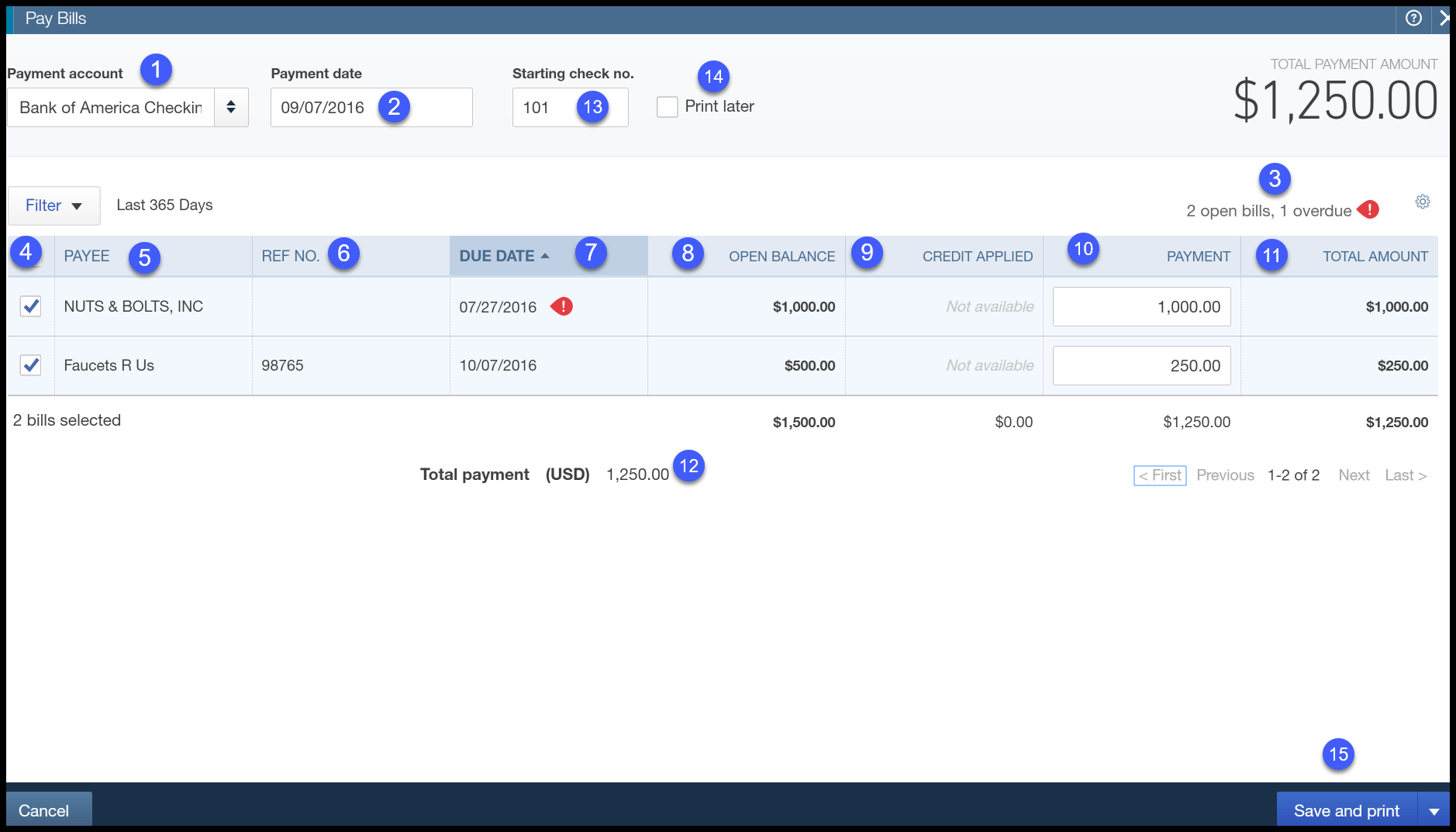
- Choose payment date and method
- Process them all in one batch
- Save time on repetitive tasks
3. Automatic Transaction Matching
When you pay vendors using Bill Pay:
- The transaction is recorded in your books
- It’s automatically matched with the bill
- No more manual reconciliation
This reduces errors and saves time during bank reconciliation.
4. Paperless Bill Management
Going digital with your bills means:
- No more lost paper bills
- Easy access to historical records
- Simplified tax preparation
- Better organization
Your accountant will thank you come tax season!
5. Vendor Self-Service
With Bill Pay Premium and Elite, you can:
- Invite vendors to add their own payment information
- Reduce errors in payment details
- Save time on vendor setup
- Protect sensitive business information
6. Custom Approval Workflows (Elite Plan)
For larger businesses with multiple approvers:
- Create customized approval routes
- Set spending limits by approver
- Automate the approval process
- Get notified when action is needed
7. Comprehensive 1099 Management
For businesses working with contractors:
- Track 1099 vendors in one place
- Premium and Elite plans include unlimited 1099 e-filing
- No additional fee for printing and mailing
- Simplify year-end compliance
How Bill Pay Helps with Cash Flow Management
One of the biggest advantages of QuickBooks Bill Pay is improved cash flow visibility:
- See upcoming bills in real-time
- Schedule payments for optimal timing
- View cash flow projections
- Make informed decisions about when to pay
You can even set aside money for upcoming bills in QuickBooks Money “envelopes” that earn 3.00% APY interest until you need to make payments.
Real Businesses Benefiting from QuickBooks Bill Pay
Don’t just take my word for it. Here’s what actual QuickBooks Bill Pay users have to say:
Mark Edgerton from the healthcare industry calls it “a game-changer,” noting that “what used to take hours of manual tracking and payment processing is now handled seamlessly.”
Accounting firm UHY states, “Bill Pay is one of my favorite things to implement for clients because it has an immediate impact of streamlining traditional AP processes.”
Common Questions About QuickBooks Bill Pay
How long does it take for payments to reach vendors?
Payment delivery times vary by method:
- Standard ACH: 3-5 business days
- Paper checks: 8-10 business days
- Faster ACH (additional $10 fee): Usually next business day if scheduled before 5 PM PT
Can I use Bill Pay features without a paid plan?
Yes! Basic bill management features come with all QuickBooks Online plans. The Basic Bill Pay plan is included at no additional cost and includes 5 free ACH payments per month.
How do I start using QuickBooks Bill Pay?
If you already have QuickBooks Online:
- Sign in to your account
- Look for Bill Pay in your dashboard or banking menu
- Select your preferred plan
- Complete setup (takes minutes)
If you’re new to QuickBooks:
- Sign up for QuickBooks Online (plans start at $38/month)
- Complete your account setup
- Add Bill Pay during setup or afterward
Is QuickBooks Bill Pay Right for Your Business?
QuickBooks Bill Pay is particularly valuable if you:
- Process multiple bills each month
- Work with numerous vendors or contractors
- Have a multi-step approval process
- Need better visibility into accounts payable
- Want to reduce manual data entry
- Issue 1099s to contractors
- Need better organization for tax purposes
The service is most beneficial for small to medium-sized businesses that want to streamline their accounts payable process without investing in a separate, expensive AP system.
Tips for Getting the Most from QuickBooks Bill Pay
Based on my experience helping clients implement this service, here are some pro tips:
-
Train vendors on the system – Let them know you’re moving to electronic payments and collect their preferred payment methods.
-
Set up recurring bills – For regular monthly expenses, create recurring bills to save even more time.
-
Use email forwarding – Forward all digital invoices to your dedicated Bill Pay email address as soon as they arrive.
-
Create approval workflows – Even with the Basic plan, establish clear internal processes for bill approval.
-
Regularly review upcoming payments – Schedule a weekly review of bills coming due to manage cash flow effectively.
Limitations to Be Aware Of
While QuickBooks Bill Pay is powerful, it does have some limitations:
- Basic plan only includes 5 free ACH payments monthly
- Additional ACH payments cost $0.50 each
- Check payments always cost $1.50 each
- Some features (like custom approval workflows) require the Elite plan
- Faster payment options cost extra
The Bottom Line: Is It Worth It?
After helping numerous small businesses implement QuickBooks Bill Pay, I can say that for most companies, the time savings alone make it worthwhile. The Basic plan’s inclusion in your existing QuickBooks subscription makes it an easy decision to at least try the service.
For businesses with higher payment volumes, the Premium plan’s 40 included ACH payments and unlimited 1099 e-filing provide excellent value at $7.50/month (currently 50% off for the first 3 months).
The Elite plan’s custom approval workflows are really only necessary for larger businesses with complex approval needs or multiple departments.
Getting Started Today
Ready to streamline your accounts payable process? Here’s how to get started:
- Sign in to your QuickBooks Online account
- Navigate to the Banking section
- Look for the Bill Pay option
- Choose your plan based on your payment volume
- Complete the activation process
Or if you need help choosing the right plan, call QuickBooks sales at 1-800-580-2443 (Monday through Friday, 5 AM to 6 PM PT).
Don’t waste another minute manually entering and paying bills! With QuickBooks Bill Pay, you can automate your accounts payable process, improve accuracy, and free up valuable time to focus on growing your business.
Have you tried QuickBooks Bill Pay? I’d love to hear about your experience in the comments below!
What’s the Downside of Melio?
- One Trick Pony – Sending Bill Payments is all it does
- Melio Green/Melio Purple – In order to make things simple, there are two flavors of Melio. Inside QBO is called Melio Green. Outside of QBO is Melio Purple. There you can set up approvals, and other tasks. Sometimes determining which one to use, or log into, and where, can be confusing
- They are starting to charge more fees – Originally ACH and mailing checks to vendors were free, but now after the second check each month they are charging $1.50 per check.
- Desktop QuickBooks experience is much more limiting – Melio also powers Online Bill pay inside of QuickBooks Desktop, but it doesnt work as seamlessly or in the same manner as it does in QuickBooks Online. You can only pay one bill at a time, and it doesnt synchronize with the Melio service to take advantage of the Melio online platform.
Corpay One is a bill payment platform that offers a range of payment options, including ACH transfers, virtual cards, and paper checks. It also provides features such as automatic payment scheduling, approval workflows, and payment tracking. Corpay One integrates with QuickBooks Online, as well as Desktop, and provides a one stop shop for Corporate Credit Card Management and Expense report reimbursement in their platform allowing business owners to easily manage their bill payments from one place. Corpay One joined us on a series of our workshops on “Digitizing Your Back Office” as a way to transform your small Business or accounting practice.
One aspect that really has Corpay One stand out is their advanced workflows section. in here you can set up automations including multiple approvals, auto categorizations, and other automations to streamline workflows that typically have to be done manually.
Advantages of Corpay One
- All in in one Spend Management Platform. – Bill Pay, Expense Reimbursement, and Credit card management all in one place
- Custom Workflows to aid in Automation
- No Per User costs
- Additional Remittance information sent to payees.
- Roles are not customized
- QBO integration is 2 way, QB Desktop is not
- Credit Card must be paid in full to avoid late charges (Think AMEX)
Relay is an online financial institution that seamlessly integrates with QuickBooks Online. It offers a no-fee business checking and savings account, providing a reliable connection to QuickBooks Online. Setting up an account is quick and easy, and you can create virtual debit cards with spending limits to improve expense management. For a flat fee of $30 per month, you can upgrade to a Pro account, which eliminates certain transactional fees and includes a bill pay feature. This allows you to view and pay multiple bills within the portal and manage payment and W-9 information efficiently.
