Are you tired of spending precious hours each month sorting through paper bills writing checks and making trips to the mailbox? If you’re a Nebraska Energy Federal Credit Union (NEFCU) member, there’s a better way. Their online bill pay service offers a convenient, secure solution that can save you time and hassle. Let’s dive into how this service works and why it might be the financial tool you didn’t know you needed.
What is NEFCU Online Bill Pay?
NEFCU’s online bill payment system (officially called “iPay FREE Bill Payer”) is a complimentary service that allows members to pay virtually any bill directly from their NEFCU accounts. The system is integrated into both the online banking platform and mobile app, making it accessible wherever you happen to be.
Did you know that average folks spend approximately three whole days per year just paying bills? That’s valuable time you could spend doing literally anything else! With NEFCU’s online bill pay, you can reclaim those hours and simplify your financial life.
How Does NEFCU’s Bill Pay Work?
The process is straightforward:
- Log into your NEFCU online banking account or mobile app
- Navigate to the Bill Pay tab
- Set up payee information (the companies or people you need to pay)
- Schedule payments with specific amounts and dates
- Submit with a single click
Once set up, the system sends payments in one of two ways
- Electronic payments – sent directly to businesses that accept them
- Paper checks – mailed automatically for payees who don’t accept electronic transfers
Key Benefits of Using NEFCU Online Bill Pay
1. It’s Completely FREE
Unlike some financial institutions that charge fees for online bill payment NEFCU provides this service at no additional cost to members. This aligns with their credit union philosophy of providing value-added services rather than nickel-and-diming customers.
2. Set-It-and-Forget-It Convenience
For recurring bills like utilities, mortgage payments, or subscription services, you can:
- Save payee information once
- Schedule regular payment dates
- Set automatic payment amounts (or update them as needed)
This “one-and-done” approach means your cell phone, internet, and other monthly services get paid on time, every time—without you having to remember deadlines.
3. Time Savings
By eliminating the need to:
- Write paper checks
- Search for stamps
- Address envelopes
- Make trips to the post office
You’ll recover hours each month that can be better spent on things that actually matter to you.
4. Enhanced Organization
With all your bill payments centralized in one system, you can:
- View upcoming payments
- Check payment history
- Track expenses more efficiently
- Reduce paper clutter in your home
5. Security Advantages
Online bill pay is typically more secure than mailing paper checks, which can be:
- Lost in transit
- Stolen from mailboxes
- Vulnerable to fraud
NEFCU employs robust security measures to protect your financial data during online transactions.
How NEFCU Compares to Other Credit Unions
While many credit unions offer online bill pay, NEFCU’s system stands out for its user-friendliness and comprehensive features. Unlike some institutions that limit the number of monthly transactions or charge for premium features, NEFCU provides full functionality at no cost.
When we compare to other institutions like EastRise Credit Union (which also offers online banking services), NEFCU’s bill pay system emphasizes simplicity and accessibility for members of all tech comfort levels.
Setting Up Your NEFCU Online Bill Pay
Getting started is easier than you might think:
- Access your account – Log in through online banking or the mobile app
- Navigate to Bill Pay – Look for the “iPay Bill Payer” option
- Add payees – Enter information for each company or person you need to pay
- Company/person name
- Account number
- Payment address
- Phone number (sometimes required)
- Schedule your first payment – Set amount, date, and frequency
Once set up, most members find they can handle all their monthly bills in just a few minutes.
Pro Tips for Maximizing Your NEFCU Bill Pay Experience
Schedule Strategically
Set up payments to process a few days before the actual due date. This provides a buffer in case of processing delays and helps you avoid late fees.
Use eBills When Available
Some payees can send electronic versions of your bills directly to your bill pay account. This eliminates paper statements and keeps everything in one place.
Group Your Bills
Schedule similar bills to be paid around the same time each month to streamline your financial management.
Set Payment Reminders
Even with automatic payments, it’s smart to set calendar reminders to verify that payments processed correctly.
Regular Account Monitoring
Check your bill pay activity regularly to catch any unexpected issues or unauthorized transactions.
Common Questions About NEFCU Online Bill Pay
Is there a limit to how many bills I can pay?
No, NEFCU doesn’t impose limits on the number of payments you can make through their online bill pay system.
How far in advance can I schedule payments?
You can typically schedule payments up to a year in advance, which is perfect for planning ahead.
Can I stop a payment after it’s been scheduled?
Yes, as long as the payment hasn’t been processed yet, you can cancel or modify scheduled payments.
What if I need to pay someone who doesn’t accept electronic payments?
No problem! The system will automatically generate and mail a paper check to payees who don’t accept electronic transfers.
Is there a mobile option?
Absolutely! NEFCU’s bill pay is fully integrated with their mobile app, allowing you to manage payments on the go.
Real Member Experiences
While we don’t have direct testimonials from NEFCU’s website about their bill pay service specifically, credit union members typically report high satisfaction with online bill pay services due to their convenience and reliability.
Similar to what EastRise Credit Union members express about their online banking services, NEFCU users appreciate the combination of modern banking technology with personalized service that credit unions are known for.
How NEFCU’s Bill Pay Fits into Your Overall Financial Strategy
Online bill payment isn’t just about convenience—it’s part of a comprehensive approach to financial management. By automating routine payments, you:
- Reduce the risk of missed payments and late fees
- Free up mental bandwidth for more important financial decisions
- Create more consistent payment patterns that can positively impact your credit score
- Generate digital records that simplify tax preparation and budgeting
Comparing Paper vs. Electronic Bill Payment
| Aspect | Paper Bill Payment | NEFCU Online Bill Pay |
|---|---|---|
| Cost | Stamps, envelopes, checks | FREE |
| Time Required | Hours monthly | Minutes monthly |
| Security Risk | Medium-High | Low |
| Record-Keeping | Manual filing | Automatic digital records |
| Environmental Impact | High paper usage | Minimal environmental footprint |
| Payment Tracking | Manual | Automated with notifications |
| Late Payment Risk | Higher | Lower with scheduled payments |
Getting Help with NEFCU Bill Pay
If you encounter any issues or have questions about using the bill pay service, NEFCU offers multiple support options:
- Phone support at 800-453-3913
- In-person assistance at branch locations
- Online tutorials through their website
- Detailed FAQs in their digital banking platform
Beyond Bill Pay: NEFCU’s Complete Digital Banking Ecosystem
While bill pay is a standout feature, it’s just one component of NEFCU’s comprehensive digital banking experience. Other complementary services include:
- Mobile banking app access
- eStatements
- Mobile check deposit
- Account alerts and notifications
- Zelle® integration for person-to-person payments
- iTalk phone banking
Together, these services create a seamless digital banking experience that puts you in control of your finances.
Making the Switch to Digital Bill Payment
If you’re still paying bills the old-fashioned way, transitioning to online bill pay might seem daunting. However, most members find that once they make the switch, they wonder why they waited so long.
To ease the transition:
- Start with just a few regular bills
- Add more payees gradually as you become comfortable
- Keep track of both systems during the transition period
- Take advantage of NEFCU’s member support if you need assistance
Final Thoughts: Why NEFCU Online Bill Pay Makes Sense
In our increasingly digital world, online bill payment isn’t just a convenience—it’s practically a necessity for efficient financial management. NEFCU’s free bill pay service offers members a secure, user-friendly way to handle this essential task.
By leveraging this tool, you’ll save time, reduce stress, and gain better visibility into your financial picture. Plus, as a credit union member, you’re already part of a financial institution that prioritizes your needs over profits.
Ready to simplify your financial life? Log into your NEFCU account today and explore what their online bill pay can do for you. Those three days a year you’ve been spending on bill payment could be yours again!
Remember, your financial journey should be about building toward goals and dreams—not getting bogged down in paperwork and payment logistics. NEFCU’s online bill pay helps clear that path, giving you more time to focus on what really matters.
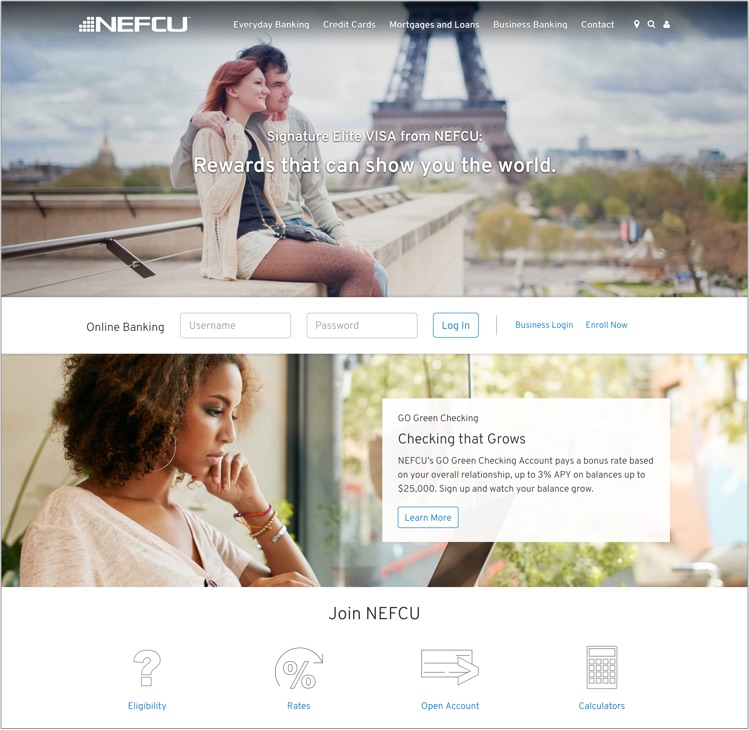
Our branch office!The electrical industry keeps us all connected. NEFCU online account access keeps you connected to your Nebraska Energy Federal Credit Union account(s) from the convenience of your home computer, smartphone or tablet. It’s safe, secure……………and did we mention it is
- 24/7 online access to your accounts 24/7
- FREE iPay Bill Payer
- Sign up for e-Statements
- Text alerts and reminders
- Check account balance and history
- Transfer funds
- Request withdrawals
- View pending transactions
- Change your address and phone numbers
- Order checks
